
If you need to run Windows-based applications, host websites, access a remote desktop, or manage business software, a Windows VPS in India gives you dedicated virtual resources with the flexibility of a Windows server.
For businesses and users serving customers in India, choosing a server location closer to the target audience can help reduce network latency. We offer Windows VPS hosting from our Hyderabad, India, data center, along with full RDP access, dedicated resources, and licensed Windows Server options.
Whether you need a VPS for ASP.NET applications, Microsoft SQL Server, remote desktop access, business software, website hosting, or Forex trading, the right plan depends primarily on your RAM, CPU, storage, and workload requirements.
Quick Overview of Windows VPS Hosting in India
| Feature | What You Get |
| Server Location | Hyderabad, India |
| Operating System | Licensed Windows Server options |
| Access | Full Remote Desktop (RDP) access |
| Resources | Dedicated RAM, vCPU, storage, and bandwidth |
| Dedicated IP | Included with Windows VPS plans |
| Website Hosting | Host multiple websites based on available server resources |
| Database Support | Microsoft SQL Server and MySQL options |
| Support | 24/7 support availability |
| Scalability | Upgrade your VPS as requirements grow |
| Security | Server-level firewall and DDoS protection |
Our Windows VPS pages also list complimentary backup availability for the Hyderabad location, with additional backup options available depending on the selected service and configuration.
Why Choose a Windows VPS in India?
A Windows VPS is a good option when shared hosting no longer provides enough control or when your application specifically requires the Windows operating system.
The main advantage of choosing an India-based server is proximity to users, applications, and business operations located in India or nearby regions. This can be especially useful for remote desktop sessions and applications that need lower network latency.
Run Windows Applications with Full Server Control
A Windows VPS gives you administrator-level control over the virtual server. You can install supported applications, configure server settings, manage users, and customize the environment based on your requirements.
This makes a VPS suitable for workloads that cannot run on traditional shared hosting.
Access Your Server from Anywhere with RDP
Remote Desktop Protocol (RDP) allows you to access your Windows VPS remotely. The server works independently from your personal computer, so your applications can remain available even when your local system is turned off.
Scale Resources as Your Requirements Grow
A small project may need only limited RAM and CPU resources, while a database, business application, or multiple concurrent workloads may require a larger configuration.
We offer multiple Windows VPS configurations and, depending on the location and service, additional resources or plan upgrades may be available.
Windows VPS Hosting Plans in India
We offer Windows VPS plans with licensed Windows Server 2019/2022, dedicated virtual resources, Remote Desktop access, complimentary daily backups, and 24/7 live support. Choose a plan based on the RAM, CPU, storage, and bandwidth your application requires.
| Feature | VPS Pearl | VPS Diamond | VPS Emerald | VPS Mellite |
| Price | ₹957/mo | ₹1,914/mo | ₹3,830/mo | ₹7,661/mo |
| RAM | 2 GB | 4 GB | 8 GB | 16 GB |
| vCPU | 1 vCPU | 3 vCPU | 4 vCPU | 4 vCPU |
| SSD Storage | 60 GB | 100 GB | 125 GB | 200 GB |
| Bandwidth | 750 GB | 1.5 TB | 2 TB | 2.5 TB |
| Dedicated IP | 1 | 1 | 1 | 1 |
| Windows License | Windows 2022/2019 Included | Windows 2022/2019 Included | Windows 2022/2019 Included | Windows 2022/2019 Included |
| Remote Desktop Access | Yes | Yes | Yes | Yes |
| Daily Backups | Complimentary | Complimentary | Complimentary | Complimentary |
| 24/7 Live Support | Yes | Yes | Yes | Yes |
| Best For | Basic Windows workloads | Business applications | High-resource workloads | Large and demanding workloads |
The exact specifications, promotional prices, and renewal rates can change, so check the live plan page before purchasing.
Which Windows VPS Plan Should You Choose?
Choosing a Windows VPS should not be based on price alone. The right plan depends on what you plan to run.
Choose an Entry-Level VPS for Basic Workloads
A smaller configuration can be suitable for lightweight applications, basic Windows software, testing environments, or individual remote desktop use.
Choose a Mid-Range VPS for Business Applications
A mid-range configuration such as VPS Diamond or VPS Emerald is a better option for users running several applications, small databases, business software, or moderate website workloads.
Additional RAM can also help when several processes need to run at the same time.
Choose a High-Resource VPS for Demanding Workloads
Higher-resource plans such as VPS Emerald and VPS Mellite are more suitable for larger applications, multiple websites, larger databases, development environments, and workloads with higher CPU or memory requirements.
The best approach is to calculate your application’s expected RAM, CPU, storage, and bandwidth requirements before choosing a plan.
What Can You Use a Windows VPS for?
A Windows VPS can be used for more than just hosting a website.
Host ASP.NET and Windows-Based Websites
Windows VPS hosting is a practical choice for websites and applications built with Microsoft technologies such as ASP.NET, .NET, and Microsoft SQL Server.
It can also be useful for developers who need more control over IIS and server-level configuration than traditional shared hosting provides.
Run Microsoft SQL Server and Databases
Businesses and developers can use a Windows VPS to run supported Microsoft SQL Server environments and other database applications.
The amount of RAM and storage required will depend on database size, concurrent connections, and application usage.
Access Business Software Remotely
A Windows VPS can act as a remotely accessible business environment. Users can install compatible software and access it through Remote Desktop instead of relying on one physical office computer.
This can be useful for approved business applications that need to remain available from different locations.
Create a Development or Testing Environment
Developers can use a Windows VPS for application testing, staging environments, and other Windows-based development workloads.
A separate VPS environment also helps keep development work separate from a personal computer.
Run Forex and Trading Platforms
A VPS can also be used for supported trading applications that need to remain online continuously. This is why Forex VPS hosting is commonly used with platforms such as MetaTrader.
However, a Forex VPS should be selected based on the location of the trading broker, latency requirements, number of trading terminals, and resource usage, not simply because the VPS is located in India.
Windows VPS vs. Forex VPS: Which One Do You Need?
| Windows VPS | Forex VPS |
| Designed for general Windows workloads | Designed specifically for trading workloads |
| Suitable for websites, applications, RDP, databases, and software | Suitable for MT4, MT5, automated trading, and other supported platforms |
| Choose location based on your users or applications | Choose location based on proximity to your trading broker |
| Resources depend on application requirements | Resources depend on terminals, trading software, and automation |
If your main purpose is website hosting, remote desktop access, business software, or Windows applications, a standard Windows VPS is generally the more relevant choice.
If you are running trading platforms and automated trading software, a Forex VPS may be more suitable.
Key Features of Our Windows VPS in India
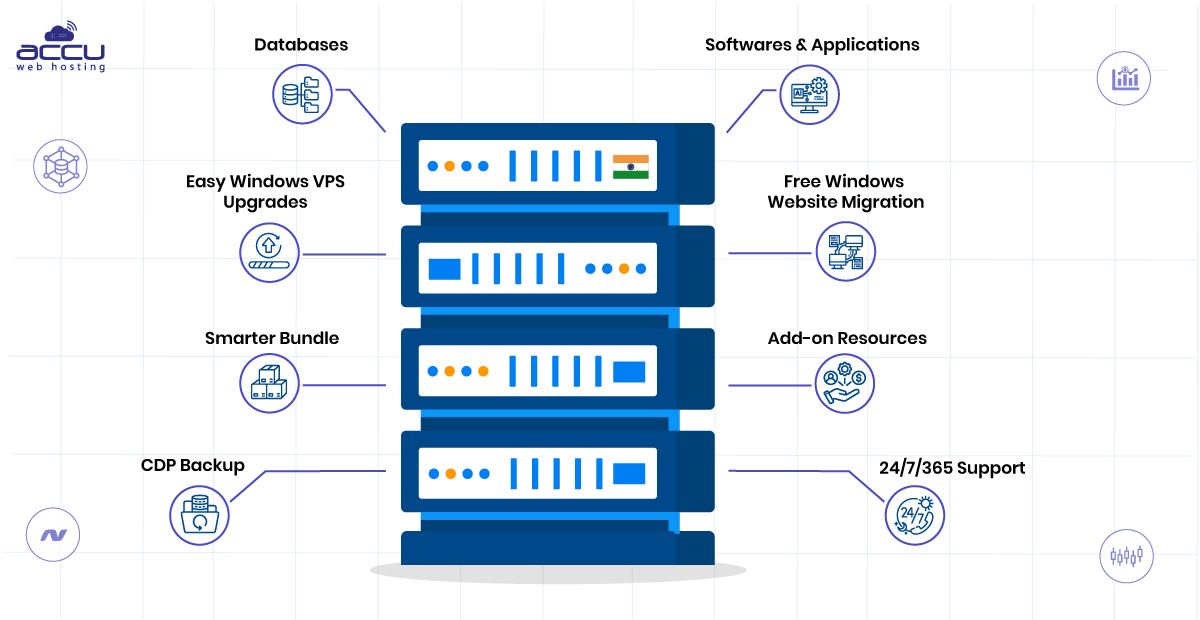
Licensed Windows Server Options
Windows Server 2022 and Windows Server 2019 are currently listed as available for our Windows VPS offerings, including the India location. Available operating systems can vary by data center and plan.
Full RDP and Administrator Access
You can connect to your Windows VPS remotely and manage the server environment.
This gives you more flexibility to install and configure compatible applications based on your requirements.
Dedicated IP Address
Windows VPS plans include at least one dedicated IP address. Additional IP addresses may be available as an add-on for supported locations.
Windows-Compatible Hosting Environment
Windows VPS can support a range of Microsoft technologies and applications, depending on the selected configuration.
This makes it useful for businesses running Windows-specific applications that are not compatible with a Linux server.
Database Options
We offer Microsoft SQL Server Express and MySQL with our Windows VPS services. Current versions and database availability should be verified during configuration.
Control Panel Options
Choose the control panel that best suits your Windows VPS requirements. SolidCP is included at no additional cost. If you need advanced website management features, you can also choose from Plesk Web Admin, Plesk Web Pro, or Plesk Web Host.
A control panel helps you manage websites, domains, email services, databases, and other hosting tasks more easily.
Backup Options
The current Windows VPS pages list complimentary backup availability for the Hyderabad location, while additional backup services are also available.
For critical applications, you should still maintain your own independent backup and recovery process.
24/7 Support
Basic support is available 24/7, while the level of management depends on the service and support option selected.
How to Choose the Best Windows VPS in India
Before purchasing a Windows VPS, check these factors.
1. Choose the Right Server Location
If most of your users or applications are in India, a Hyderabad-based server can be a suitable choice.
If your target audience is in another region, select a location closer to that audience instead.
2. Check RAM and CPU Requirements
Windows itself requires resources, and applications can significantly increase memory and CPU usage.
Always check the recommended requirements of the software you plan to install instead of selecting a plan based only on the number of websites you expect to host.
3. Check Storage Requirements
Consider the operating system, applications, databases, files, backups, and expected future growth.
Storage requirements can increase quickly when you run databases or store large files.
4. Confirm Your Windows Server Requirements
Check whether your application supports the Windows Server version available with your selected VPS.
This is particularly important for older applications that have specific software or framework dependencies.
5. Review Backup and Support Requirements
Not every workload needs the same level of management. A developer comfortable with server administration may prefer a basic setup, while a business running a critical application may need additional management and backup services.
Forex VPS Hosting for Traders in India
If you are specifically looking for a VPS for Forex trading, the most important factor is usually the connection between your VPS and your broker’s trading servers.
We offer Forex VPS plans designed for trading workloads. When selecting a Forex VPS, consider the number of trading terminals you plan to run, the software used, RAM and CPU requirements, and the distance between the VPS location and your broker.
Windows VPS vs. Shared Hosting
| Feature | Shared Hosting | Windows VPS |
| Server Control | Limited | Greater server control |
| Administrator Access | No | Yes |
| Custom Software | Limited | Can install compatible software |
| Resource Allocation | Shared | Allocated VPS resources |
| Best For | Basic websites | Applications and advanced workloads |
| Windows-Specific Software | Limited | Supported based on server configuration |
| Scalability | Limited | More flexible |
A Windows VPS is not always necessary for a small website. However, it becomes a more suitable option when you need Windows-specific software, server-level access, dedicated virtual resources, or greater control over the hosting environment.
Final Thoughts
The right Windows VPS depends on what you plan to run. A basic remote desktop workload may require only a smaller configuration, while databases, business applications, multiple websites, or resource-intensive software may need additional RAM, CPU, and storage.
For users targeting India, a Windows VPS hosted in Hyderabad provides a local server option with RDP access, dedicated virtual resources, and Windows Server support. Before choosing a plan, review your software requirements and select a configuration that leaves enough room for future growth.
Frequently Asked Questions
What is Windows VPS hosting?
Windows VPS hosting provides a virtual private server running the Windows operating system. It gives you a dedicated virtual environment with allocated CPU, RAM, storage, and administrator access.
Is a Windows VPS suitable for users in India?
Yes. A Windows VPS located in India can be suitable for applications and users located in India or nearby regions. A closer server location may help reduce latency, although actual performance also depends on network routing and the user’s internet connection.
Which Windows VPS plan is best for beginners?
VPS Pearl can be suitable for basic workloads, but you should first check the RAM and CPU requirements of your application. For heavier Windows software or multiple simultaneous applications, choose a higher-resource plan.
Can I access my Windows VPS remotely?
Yes. Windows VPS plans include Remote Desktop access, allowing you to connect to and manage the server remotely.
Can I host multiple websites on a Windows VPS?
Yes. The number of websites you can practically host depends on the resources available on your VPS and the requirements of each website or application.
Can I install my own software on a Windows VPS?
With administrator access, you can generally install compatible software on the VPS, subject to the server configuration, available resources, and licensing requirements.
Does Windows VPS hosting include a dedicated IP address?
We include at least one dedicated IP address with our Windows VPS plans. Additional IP addresses may be available depending on the selected location and service.
Is Windows VPS good for ASP.NET applications?
Yes. A Windows VPS can be a suitable environment for ASP.NET, .NET, IIS, and other Windows-based applications when the selected server configuration meets the application’s requirements.
Can I run Microsoft SQL Server on a Windows VPS?
Yes. Windows VPS is commonly used for supported Microsoft SQL Server applications. We also list Microsoft SQL Server Express options with our VPS services.
Can I upgrade my Windows VPS later?
Yes. Plan upgrades and additional resources are available for supported Windows VPS services and locations. The upgrade process and available options depend on the server location and selected service.
Is Windows VPS suitable for Forex trading?
A Windows VPS can be used for Forex trading applications. However, the best VPS location for trading depends on the location of your broker’s servers and your latency requirements.
Is there a setup fee for Windows VPS hosting?
Current Windows VPS pages state that there is no setup fee for the listed data center locations. Always check the current order page before purchasing because promotional and billing terms can change.

