
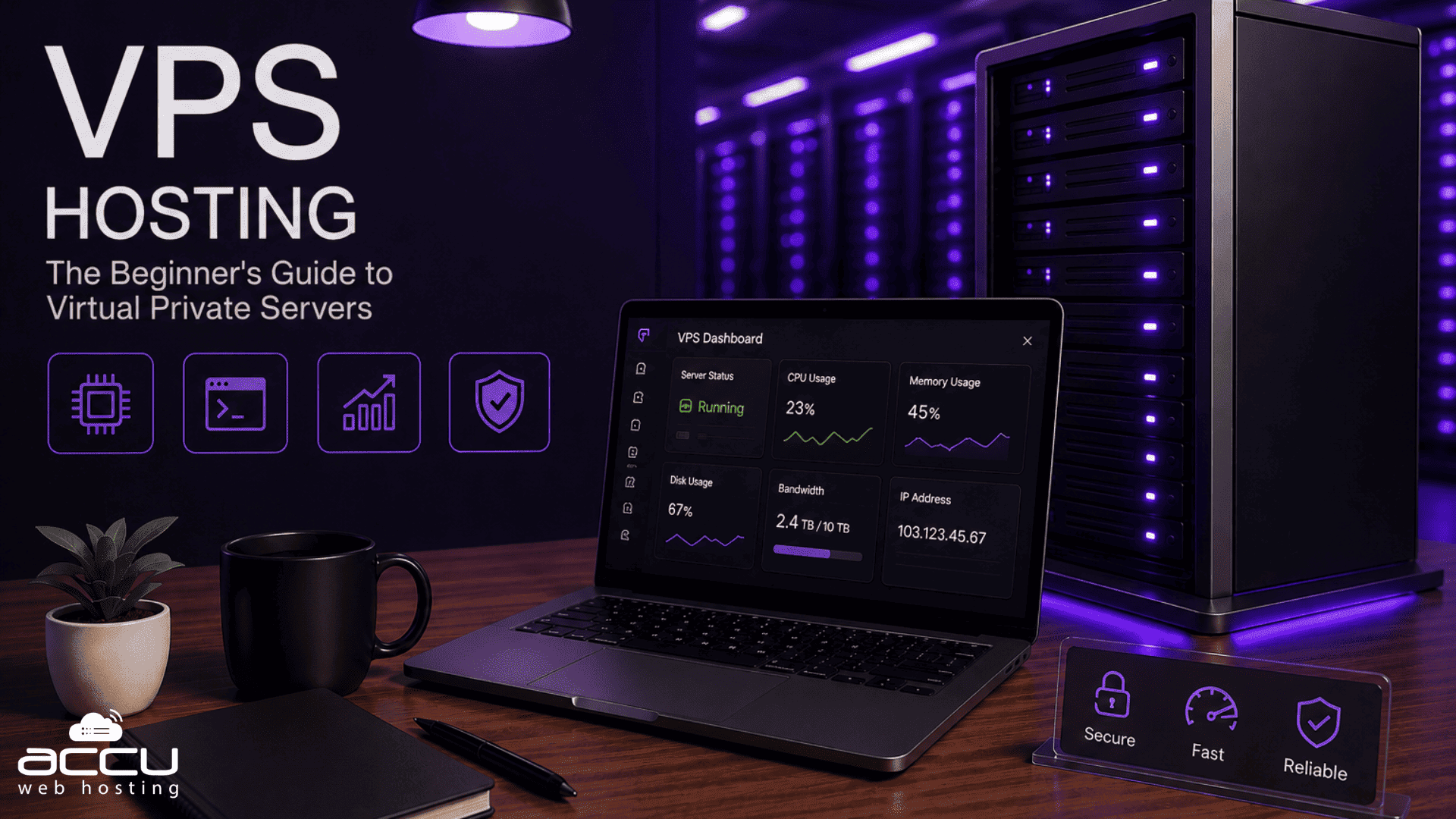
VPS hosting is a popular hosting option for websites that need more resources, control, and flexibility than their current hosting plan provides, without requiring an entire physical server. A Virtual Private Server (VPS) uses virtualization to create an isolated hosting environment on a physical server, giving users allocated resources and greater control over their hosting environment.
When choosing web hosting, you’ll typically come across shared hosting, VPS hosting, and dedicated server hosting. Each option is designed for different website requirements. Shared hosting is an affordable and easy-to-manage choice for smaller websites, while VPS hosting provides more resources and control for growing websites and applications. Dedicated hosting provides an entire physical server for one customer.
In this guide, we’ll explain what VPS hosting is, how it compares with shared and dedicated hosting, when you may want to consider VPS hosting, and what to look for when choosing a VPS provider.
What Is a Virtual Private Server (VPS)?
A Virtual Private Server (VPS) is a virtualized server environment created on a physical server. The physical server can host multiple VPS environments, with each VPS operating independently with its own operating system and allocated resources.
VPS hosting gives you greater control over your server environment than shared hosting. Depending on the plan, you may have allocated CPU, RAM, storage, and bandwidth along with administrative access.
VPS hosting can be useful for growing websites, applications, developers, and businesses that need more flexibility or resources than their current hosting plan provides.
The main advantage of VPS hosting is the balance it provides between cost, control, resources, and flexibility.
Shared Hosting vs. VPS vs. Dedicated Server Hosting
The three hosting options serve different purposes. The right choice depends on your website’s traffic, resource requirements, technical needs, and budget.
Shared Hosting
Shared hosting is an affordable and easy-to-manage hosting option where multiple websites use resources from the same physical server.
It is generally suitable for small websites, blogs, portfolios, personal websites, and businesses with moderate hosting requirements. The hosting provider typically manages the server infrastructure, making shared hosting a convenient option for users who don’t want to handle server administration.
Because resources are shared, hosting plans come with defined resource limits. As your website grows, you may eventually need additional resources or more control over the server environment.
Shared hosting can be an excellent choice when your website’s current resource and management requirements fit the plan.

VPS Hosting
VPS hosting provides an isolated virtual server environment on a physical server. Multiple VPS environments can exist on the same physical machine, but each VPS operates independently.
You get more control over your operating system, software, configurations, and allocated resources than with shared hosting. This makes VPS hosting useful for growing websites, applications, developers, and businesses that require greater flexibility.
A VPS also costs less than renting an entire dedicated server, making it a practical middle-ground option.

Dedicated Server Hosting
A dedicated server provides an entire physical server for one customer.
It offers maximum control, customization, and access to the server’s hardware resources. Dedicated hosting can be suitable for resource-intensive applications and workloads that require an entire physical machine.
However, it generally costs more than shared or VPS hosting and may require more technical knowledge to manage.

Key Differences Between Shared Hosting, VPS Hosting, and Dedicated Hosting
| Feature | Shared Hosting | VPS Hosting | Dedicated Server Hosting |
| Best suited for | Small websites and basic hosting needs | Growing websites and applications | Resource-intensive workloads |
| Resources | Shared according to the hosting plan | Allocated to the VPS | Entire physical server |
| Operating system control | Limited | Greater control | Full control |
| Server-level access | Limited | Yes, depending on the plan | Yes |
| Custom software | Limited by the hosting environment | Yes | Yes |
| Management | Generally provider-managed | Managed or self-managed options | Managed or self-managed options |
| Cost | Generally the most affordable | Mid-range | Generally the highest |
| Technical knowledge | Basic hosting knowledge | Depends on management type | Depends on management type |
7 Signs It May Be Time to Consider VPS Hosting
Shared hosting can be a suitable solution for many websites. However, as your website, application, or business grows, your hosting requirements may also change.
If your current hosting plan no longer provides the resources, flexibility, or configuration options you need, VPS hosting may be worth considering.
Here are some situations where you may want to evaluate VPS hosting.
1. Your Website Is Running Slowly
Website speed can be affected by many factors, including website optimization, application performance, traffic, and available hosting resources.
If your website regularly reaches the resource limits of your current hosting plan and optimization doesn’t resolve the issue, a VPS can provide additional resources and greater control over the hosting environment.
Before upgrading: Check your resource usage and optimize your website first. If your requirements have genuinely increased, then compare VPS options.
2. Your Website Is Receiving More Traffic
As traffic increases, your website may require additional CPU, RAM, bandwidth, and other resources.
If your current hosting plan continues to meet your requirements, there may be no immediate need to change hosting. However, if your website regularly approaches its resource limits during traffic growth or spikes, VPS hosting can provide additional resources and flexibility.
3. You Frequently See 5XX or Internal Server Errors

Frequent 5XX errors, including 503, 504, 507, or 508 errors, can have several causes, including application problems, configuration issues, and resource limitations.
Before changing hosting, identify the cause through resource monitoring, application logs, and server diagnostics.
If resource limitations are contributing to the problem and your current plan no longer meets your requirements, you can consider upgrading your existing hosting plan or moving to a VPS.
4. Your Website Requires More Control
Different websites have different technical requirements.
If your website needs custom security settings, specific server configurations, additional software, or greater operating system control, VPS hosting can provide more flexibility than a standard shared hosting environment.
A VPS allows you to configure the operating system, applications, security settings, and access controls according to your requirements.
However, having a VPS does not automatically make a website more secure. Proper configuration, updates, access controls, backups, and monitoring are still important.
5. You Run a Growing Online Store
An online store may require additional resources and flexibility as its product catalog, traffic, and customer base grow.
If your existing hosting plan continues to handle your store’s requirements, you can continue using it. If your store needs additional resources or custom server configurations, VPS hosting may be an option to evaluate.
For websites that process payments, make sure the complete hosting and application environment meets the security and compliance requirements applicable to your business.
6. You Need to Install Custom Software or Applications
Shared hosting generally provides a predefined software environment, which is convenient for many websites. However, some applications require specific software packages, configurations, or operating system access.
In these situations, VPS hosting can provide greater flexibility.
A VPS may be useful for workloads such as:
- Game servers
- Forex trading applications
- Database applications
- Streaming applications
- File servers
- Custom business software
Before choosing a VPS, check the application’s CPU, RAM, storage, bandwidth, operating system, and software requirements.
7. You Frequently See “Service Unavailable” Errors

A 503 Service Unavailable error means that a server is temporarily unable to handle a request. It can result from several factors, including resource limitations, application problems, configuration issues, or temporary server overload.
If you encounter these errors, investigate the underlying cause first. Check resource usage and server or application logs where available.
If your website consistently requires more resources than your current hosting environment provides, VPS hosting can be considered as one possible solution.
How to Choose the Best VPS Hosting Provider
Once you’ve determined that VPS hosting matches your requirements, compare providers based on resources, management options, support, reliability, backups, and pricing rather than choosing solely on cost.
Managed vs. Unmanaged VPS
Choose an unmanaged VPS if you’re comfortable handling server administration, software installation, security updates, monitoring, and troubleshooting.
If you don’t have the technical knowledge or time to manage these tasks, managed VPS hosting may be a better fit. The provider handles many server administration and maintenance tasks for you.
Linux vs. Windows VPS
Choose your operating system based on the applications and technologies you plan to use.
Linux VPS is commonly used for PHP, MySQL, Apache, and Nginx. Windows VPS is suitable for Windows-based applications and technologies such as ASP.NET and Microsoft SQL Server.
24/7 Customer Support
Reliable technical support can be important when running websites and applications that need regular availability.
Check whether the provider offers 24/7 support and which support channels are available, such as live chat, tickets, or phone support.
Price
Compare VPS plans based on the resources and services included rather than simply choosing the lowest price.
Consider:
- CPU and RAM
- SSD/NVMe storage
- Bandwidth
- IP addresses
- Managed or unmanaged service
- Backup options
- Control panel and licensing costs
Also check renewal pricing, setup fees, and refund policies before purchasing.
Uptime and Reliability
Check the provider’s uptime guarantee or SLA and review information about its infrastructure and reliability.
Consider factors such as monitoring, network infrastructure, customer reviews, and the provider’s overall reputation rather than relying only on an advertised uptime percentage.
Hardware and Infrastructure
The underlying infrastructure can affect VPS performance. Look at factors such as CPU performance, RAM, SSD/NVMe storage, network capacity, virtualization technology, and data center locations.
Backup Service
Regular backups can help protect websites, applications, and server data.
Before choosing a provider, check:
- How frequently backups are created
- How long backups are retained
- Whether backups are stored separately
- How restoration works
- Whether backups are included or charged separately
A backup is most useful when you can successfully restore it when needed.
AUP and Terms & Conditions
Review the provider’s Acceptable Use Policy (AUP) and Terms & Conditions before purchasing.
These documents explain which activities, applications, content, and resource usage are permitted on the VPS.
Conclusion
VPS hosting can be a practical option for websites and applications that need more resources, control, or flexibility than their current hosting plan provides.
However, there is no single hosting type that is right for every website. Shared hosting can be a convenient and affordable choice for smaller websites and users who prefer a managed hosting environment. VPS hosting becomes worth considering when your requirements grow or when you need greater control over the server environment.
Before upgrading, consider your website’s traffic, resource usage, technical requirements, budget, and management needs. If your current hosting plan continues to meet those requirements, there may be no reason to change. If your needs have increased, compare VPS plans and choose one that matches your workload.
FAQs
What is VPS hosting?
VPS hosting uses virtualization to create separate virtual server environments on a physical server. Each VPS has allocated resources and its own operating system, providing greater control and flexibility than a typical shared hosting environment.
When should I consider upgrading from shared hosting to VPS?
Consider evaluating VPS hosting when your website experiences increasing resource requirements, frequent resource limits, performance issues, or requires custom software and server configurations. If your shared hosting plan continues to meet your needs, you can continue using it.
Is VPS hosting better than shared hosting?
Neither is universally better. Shared hosting is suitable for many smaller websites and users who want an affordable, easy-to-manage hosting solution. VPS hosting is more suitable when you need additional resources, greater control, or more flexibility.
What is the difference between managed and unmanaged VPS hosting?
With a managed VPS, the hosting provider handles many server management and maintenance tasks. An unmanaged VPS provides more administrative control but requires you to handle server administration, updates, security, and troubleshooting yourself.
Should I choose Linux or Windows VPS hosting?
Choose based on the applications you plan to run. Linux VPS is commonly used for technologies such as PHP and MySQL, while Windows VPS is generally suitable for Windows-based technologies such as ASP.NET and Microsoft SQL Server.
Is VPS hosting suitable for an online store?
Yes. VPS hosting can be useful for growing online stores that need additional resources, control, or custom server configurations. However, if your current hosting plan meets your store’s requirements, there may be no immediate need to upgrade.
Does VPS hosting improve website performance?
A VPS can improve performance when your current hosting environment is limiting available resources. However, website performance also depends on website optimization, application configuration, and server setup.
What should I check before choosing a VPS provider?
Compare the provider’s resources, managed or unmanaged options, operating systems, support, pricing, uptime, infrastructure, backup service, and terms of service before making a decision.


I find it non-sense for the hosts to put anything less than 99% uptime on their pages, even if they have to lie. People will simply turn away if they write anything less than that. Some of my friends and I had experienced several down times on hosts who claimed the 99% uptime. I conclude that these numbers are just formalities without any serious meaning. Is that too heartless?
I have used shared hosting for over 7 years before I finally decided to upgrade to a VPS server. When I was using shared hosting, I had so many problems with malware, slow loading time, brute force attacks and so many other issues. Now, my life is so much easier with VPS. What amazes me the most is the support team; they simply exceed my expectations and they are ALWAYS available to answer my questions.
It’s kind of ironic that you have to upgrade to VPS before getting reliable support from the team. I also appreciate that some hosts truly provide 24/7 support, while others are simply lip service. I understand that those attacks are not easy to solve, though.
Actually, what you mentioned about customer support is my main reason for wanting to move from shared hosting to a VPS. My current hosting company doesn’t take that seriously unfortunately.
I was on a shared hosting plan when my host went down. The staff said they didn’t have the backup files for my website when I requested it, so I had to restart the site from scratch. I was also at fault because I didn’t back it up often enough, though.
I am really glad I stumbled upon this article, because I am thinking of upgrading all my websites to a better hosting service and I was considering a VPS. There are so many things you have explained here and it really helped me a lot, thank you.
I have been using a VPS for the past 2 years now and I couldn’t be happier with everything. I have also suffered from brute force attacks before, but after upgrading to VPS and making a few customer changes, all my website are safe now.
A friend once recommended me to choose a VPS server closer to my target audience to improve user experience. Is that true? Sometimes internet connection is limited based on country/location, even with proxy, so it may be hard for me to manage the website.
VPS prices are high, but they are totally worth it. When I moved from shared hosting to VPS, I started paying triple the price. However, I am so glad I upgraded.
I agree, Mike. What you pay extra in money, you get in customer satisfaction and quality of service. It’s really worth every penny if you ask me.
If you have a blog that you own just for fun, shared hosting is okay; however, if you are building an online business and are serious about it, you definitely need a VPS.
In my opinion, having a VPS has become a necessity for any person who owns a website for the purpose of growing their business. Shared hosting just doesn’t cut it anymore.
Nice read Rahul ! While you compare all hosting types, I would like to point out one important thing related to shared hosting. Undoubtedly, VPS hosting has become the most popular hosting type in short span, but shared hosting has its own benefits. First and most important one is – Shared Hosting is by Default Fully Managed, that means you don’t have to worry about security of your website, server updates, software update, spamming from your mailboxes, etc.
Shared web servers are equipped with high-end paid security tools, which will identify if any spamming occurs from your account or any malicious script is uploaded on your website. Your web host will take care of it as soon such mishaps take place. With VPS hosting, you cannot enjoy this freedom unless you pay for managed services.
Thank you for your opinion, Sid !! Undoubablty, for a small website, shared hosting is the best option.It is fact that shared hosting servers are maintained with a great care. However, you always have a small number of resources of disk, bandwidth, memory on it.
I can’t say it as a disadvantage of VPS hosting because many of our VPS hosting customers have server administrator to manage their VPS and they manage it in very efficiently manner. But this doesn’t everyone must have server administrator, we have content-rich knowledge base on VPS hosting for our self-managed customers.Also, a managed service option at very affordable price.
Very concise and accurate post on VPS hosting, Rahul !
I am shared hosting customer and I am thinking to switch to VPS hosting but I have heard that VPS hosting causes many slowness issues due to RAM,VCPU high usage. I am not sure about the facts about it.
Thanks, Cloudia! Great choice. Well, it can happen if you overload your server. You should first see the resource requirement of your site. Based on that select the best VPS plan for your site and you are good to go. If you still face any trouble, don’t sweat it. Just contact our sales team to find the best plan for you.
Rahul, perfect inside scoop on VPS hosting. I see the great impact after moving from shared server to my own VPS. I have my VPS with so-called known Web host. But, I am not satisfied at some extent. My server freezes for 30-40 minutes on daily basis in pick hours. The host says there is no issue. But, I assume they have oversold VPS on the host server. I am planning to move my site from their server to VPS that I am purchasing from you. I have a concern of data migration. I have a single site with one MSSQL database. The total size of files and databases is less than 1 GB. Will your support team assist me in migration?
Hey Herrick, our support team will be happy to assist you to migrate your web content and database. You can also refer below article for terms of free migration.
https://www.accuwebhosting.com/web-services/free-migration-service
I was on a shared hosting plan when my host went down. The staff said they didn’t have the backup files for my website when I requested it, so I had to restart the site from scratch. I was also at fault because I didn’t back it up often enough, though. My question is do you provide free backup for VPS and if yes how many copies will be available.
I think that risks such as infrastructure availability are very difficult to control. And therefore, uptime guarantees are most likely a necessity dictated by competition in the market. I don’t know how many providers have, but Neymecheap for example, the uptime guarantee is quite real and for a couple of years using their hosting I even managed to use it. They do not return the money, but they often compensate for the problematic days and you do not pay for hosting these days.