
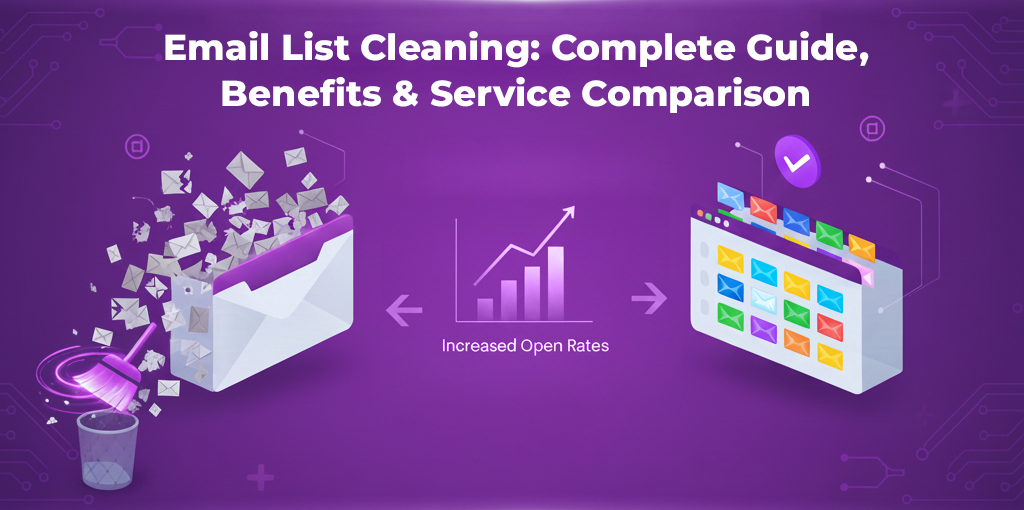
Email lists naturally decay over time. Addresses become inactive, people stop engaging, inboxes are abandoned, and risky contacts slowly creep into your database. If left unchecked, this decay can quietly damage your email performance, increase costs, and harm sender reputation.
Email list cleaning is the process of maintaining a healthy, high-quality email list by removing problematic, inactive, or high-risk contacts. It is not a one-time activity, and it is not limited to any single tool or method. Instead, it is an ongoing hygiene practice that helps ensure your email campaigns reach the right people consistently.
This guide covers everything related to email list cleaning, from understanding what it really means to why it matters, when you should do it, the benefits it delivers, and how email list cleaning services fit into the process. You’ll also find a practical comparison of popular email list cleaning services to help you evaluate your options.
What Is Email List Cleaning?
Email list cleaning is the ongoing process of improving the quality of an email list by removing contacts that negatively impact campaign performance, deliverability, or engagement.
Unlike a single cleanup action, email list cleaning focuses on long-term list health. It involves identifying contacts that are no longer useful, no longer reachable, or pose a risk to your email reputation, and removing or suppressing them before they cause problems.
A clean email list typically contains:
- Active recipients who engage with emails
- Valid, reachable inboxes
- Contacts who have shown interest or consent
Email list cleaning is a foundational practice for email marketing, cold outreach, SaaS onboarding emails, and any workflow that relies on sending emails at scale.
Comparison of Email List Cleaning Services
Email list cleaning services help businesses manage large email databases efficiently. These services automate the identification of risky, inactive, or low-quality contacts, making it easier to maintain list hygiene at scale.
Below is a high-level comparison of popular email list cleaning services based on accuracy indicators, speed, pricing models, and supported features. This comparison is intended to help you shortlist services based on your needs, not to promote a one-size-fits-all solution. Based on industry practices used by high-volume senders and ESP-compliant campaigns. You can read more about them here.
| Email Cleaning Service | Verification Accuracy | Price for 500k | Free Trial? | Time (100k) |
| MyEmailVerifier | 99% | $219 | One Time 100 | 3 Hours |
| MillionVerifier | 99% | $259 | One Time 200 | 1 Hour |
| BulkEmailVerification | 99% | $222 | One Time 100 | 1 Hour |
| ListWise | 99% | $735 | One Time 100 | 4 Hours |
| QEV | 97% | $900 | Daily 100 | 2 Hours |
| Bouncer | 95% | $1250 | One Time 100 | 1 Hour |
| ZeroBounce | 99% | $1500 | Monthly 100 | 1 Hours |
| EmailMarker | 97% | $441 | Daily 150 | 4 Hours |
| Bounceless | 95% | $699 | One Time 100 | 2 Hours |
| EmailListVerify | 95% | $449 | One Time 100 | 2 Hours |
Different services are suited to different use cases — some are better for one-time cleanups, others for ongoing list maintenance, and others for very large databases. Before choosing a service, it’s essential to understand what email list cleaning actually involves.
Key Feature Highlights
While the table above covers the basics, certain services offer specialized “niche” protections that may influence your choice:
- MyEmailVerifier: Highly recommended if you have a large number of Yahoo or AOL contacts, as they have a unique ability to identify “disabled users” that other services often miss.
- MillionVerifier: Built for massive scale; it can process over 1 million addresses in under 24 hours, making it the choice for high-volume enterprise senders.
- ZeroBounce: Known for its “A.I. Scoring,” which doesn’t just tell you if an email is valid, but how likely the person is to actually engage with your content.
A Clean Email List Removes
Effective email list cleaning targets multiple types of problematic contacts, not just obvious failures. Common categories include:
Invalid or Non-Working Email AddressesEmail addresses that no longer exist or cannot receive messages should not remain in your list, as they contribute to delivery failures and poor performance. |
Inactive or Abandoned InboxesContacts who haven’t opened or interacted with emails for long periods reduce engagement metrics and distort campaign results. |
Disposable & Temporary Email AddressesThese addresses are often used for one-time signups and rarely result in long-term engagement. |
Role-Based and Generic AddressesAddresses like info@, admin@, or support@ are less likely to engage and may increase risk depending on your use case. |
Duplicate ContactsDuplicates inflate list size, increase costs, and skew analytics without adding value. |
High-Risk or Toxic AddressesCertain addresses can negatively impact sender reputation and should be removed as part of proper list hygiene. |
Pro Tip: Don’t overlook the “Human” Errors
Before running a professional bulk clean, you can often perform a manual “syntax check.” Many bounces are simply the result of common typos, such as:
- @gmial.com instead of @gmail.com
- @outlok.com instead of @outlook.com
- Double dots (e.g., [email protected])
Fixing these obvious typos manually can save you credits before you upload your list to a verification service.
Why Email List Cleaning Matters
1. Email Deliverability & Sender Reputation
Sending emails to poor-quality contacts increases the likelihood of delivery issues. Over time, this can affect how mailbox providers treat your messages, even for valid subscribers.
The “Danger Zone”: ESP Benchmarks
Most Email Service Providers (ESPs) have strict, non-negotiable thresholds for bounce rates. If you exceed these, your account reputation and your ability to reach the inbox are at immediate risk:
- Amazon SES: Will often slow down deliverability if your bounce rate exceeds 5%, and may suspend your campaign entirely if it hits 10%.
- Mailchimp: Typically issues warnings at a 2% bounce rate and may block your account if you surpass 5%.
To maintain a “Safe” sender status, your goal should always be to keep your bounce rate under 3%.
Learn this article on How to Check If an Email Will Bounce Without Sending an Email?
2. Campaign Performance & Engagement
A bloated list filled with inactive contacts lowers open rates, click-through rates, and overall engagement, making campaigns appear less effective than they actually are.
3. Cost Control & Platform Compliance
Many email platforms charge based on the number of contacts stored or emails sent. Cleaning your list helps avoid paying for contacts that provide no return while also aligning with platform policies.
Benefits of Email List Cleaning
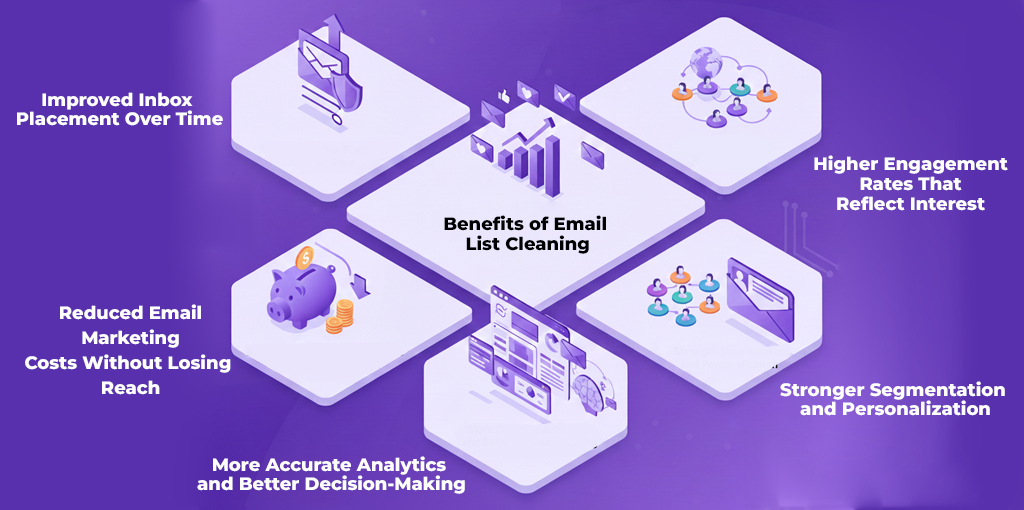
Email list cleaning is often framed as a defensive tactic, something businesses do to avoid problems. In reality, its biggest value lies in how it actively improves performance across every part of email marketing, from deliverability to revenue attribution.
When an email list is regularly cleaned, the impact compounds over time. Campaign results become more predictable, decisions become data-driven instead of assumption-based, and email stops being a cost center and starts behaving like a scalable growth channel.
1. Improved Inbox Placement Over Time
A single campaign does not determine inbox placement. Mailbox providers continuously evaluate sending behavior based on engagement patterns, complaint signals, and delivery consistency.
When emails are consistently sent to inactive, abandoned, or risky addresses, negative signals accumulate quietly in the background. Even if individual campaigns appear “fine,” long-term inbox placement slowly degrades.
Email list cleaning interrupts this pattern by:
- Removing contacts that never engage
- Reducing delivery failures
- Improving overall engagement ratios
As engagement quality improves, mailbox providers are more likely to treat future campaigns favorably. This makes email list cleaning a long-term deliverability investment, not a short-term fix.
2. Higher Engagement Rates That Actually Reflect Interest
A bloated list hides reality. If thousands of inactive contacts remain in your database, open rates and click-through rates stop reflecting how interested your audience really is. Campaigns appear underwhelming even when the messaging is strong.
Cleaning an email list removes this distortion.
Once low-quality and disengaged contacts are removed:
- Open rates become meaningful
- Click-through rates reflect genuine interest
- A/B tests produce clearer winners
This clarity allows marketers to iterate faster and optimize campaigns based on real audience behavior instead of diluted averages.
3. Reduced Email Marketing Costs Without Losing Reach
Many email platforms charge based on:
- Total contacts stored
- Number of emails sent
- Combined usage tiers
When inactive or non-performing contacts remain on a list, businesses end up paying recurring costs for contacts that will never convert, engage, or respond.
Email list cleaning reduces this waste by aligning costs with actual opportunity.
More importantly, removing non-performing contacts does not reduce effective reach. In most cases, cleaned lists generate equal or better results with fewer total emails sent.
The Cost of “Ghost” Subscribers
Cleaning your list isn’t just about hygiene; it’s a direct cost-saving measure. Consider this example of a typical mid-sized list:
| Metric | Uncleaned List | Cleaned List | Result |
| Total Subscribers | 5,000 | 3,500 | -1,500 (Invalids removed) |
| Estimated Monthly Cost | $75 | $50 | $25 Savings/mo |
| Estimated Yearly Cost | $900 | $600 | $300 Annual Savings |
By removing “ghost” subscribers who will never open your emails, you stop paying for dead data and immediately increase your ROI.
4. More Accurate Analytics and Better Decision-Making
Email marketing decisions rely heavily on metrics:
- Open rates
- Click-through rates
- Conversion rates
- Unsubscribe behavior
When lists are not cleaned, these metrics become unreliable. A successful campaign can appear average. A weak campaign can appear acceptable.
Cleaning the list removes background noise, allowing metrics to represent real performance. This makes it easier to:
- Identify winning content formats
- Understand subscriber preferences
- Allocate the budget more effectively
In short, email list cleaning improves not just campaigns — it improves decision quality.
5. Stronger Segmentation and Personalization
Segmentation works only when the underlying data is clean.
Inactive contacts weaken segmentation logic, dilute personalization efforts, and reduce the effectiveness of automated workflows.
With a cleaned list:
- Active users can be segmented by behavior
- Messaging becomes more relevant
- Automation workflows trigger more accurately
This directly improves conversion rates and customer experience without increasing campaign complexity.
The Process of Cleaning Your Email List
1. Start by Cleaning your Most Active Email List
Always begin with your active list, the people who want to hear from you regularly. You might have several distinct files, so work through them systematically. Segment your list by different categories. Your active lists may include unique demographics, interests, or other related information. Sort through and segment your inactive contacts as well to keep your information organized.
2. Remove Contacts who Unsubscribe from your Email List
If a contact tells you they do not want your emails sent to them, honor that request ASAP. Remove their contact information from your email list immediately.
3. Correct Obvious Typos
You can often find typos manually in your email list if it’s short enough. As we shared earlier, @gmail.com versus @gmial.com, and @outlok.com versus @outlook.com.
When Should You Clean Your Email List?
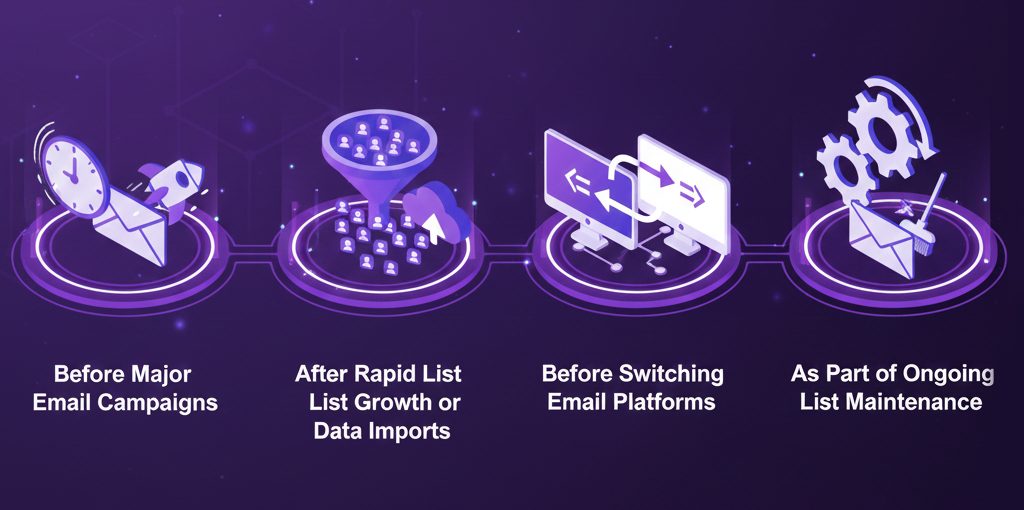
There is no universal schedule for email list cleaning. The right timing depends on how fast a list grows, how frequently emails are sent, and how the list is acquired.
However, certain situations make cleaning non-negotiable.
1. Before Major Email Campaigns
Large campaigns amplify both success and failure.
If a list contains a significant number of inactive or problematic contacts, sending high-volume campaigns increases risk quickly. Cleaning beforehand ensures that campaigns scale safely and predictably.
This is especially important for:
- Product launches
- Seasonal promotions
- High-frequency marketing periods
2. After Rapid List Growth or Data Imports
Lists often degrade during growth phases.
New signups, imports from CRM systems, migrations between platforms, or list consolidations introduce inconsistencies and low-quality data. Cleaning after these events helps stabilize performance before issues surface.
3. Before Switching Email Platforms
Email service providers evaluate new senders cautiously.
Migrating a poorly maintained list to a new platform can lead to immediate throttling, warnings, or account limitations. Cleaning the list beforehand reduces friction and improves the chances of a smooth transition.
4. As Part of Ongoing List Maintenance
The most effective email programs treat list cleaning as maintenance, not damage control.
Ongoing cleaning prevents gradual decay, keeps engagement stable, and eliminates the need for aggressive recovery measures later.
How to Choose the Right Email List Cleaning Service
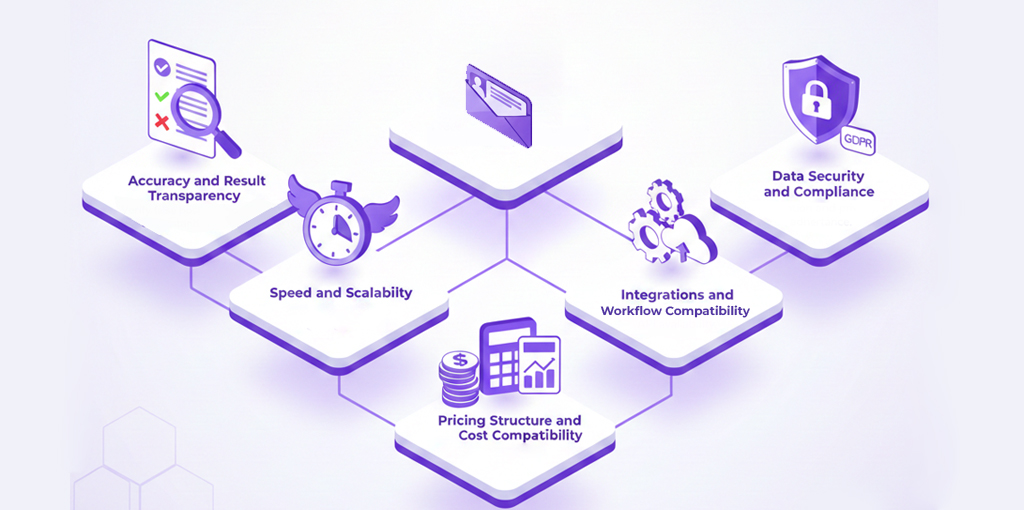
Not all services are suited for every use case. Choosing the right one depends less on marketing claims and more on how the service aligns with your list size, usage patterns, and operational needs.
Rather than focusing on branding or popularity, it’s more effective to evaluate services across practical dimensions.
Accuracy and Result Transparency
- Accuracy determines how much risk remains after cleaning.
- High-quality services clearly classify results and explain what each status means. This transparency allows businesses to decide how conservative or aggressive they want to be when trimming lists.
- If a service produces vague or inconsistent results, it becomes harder to make confident sending decisions.
Speed and Scalability
- Turnaround time matters, especially before campaigns or migrations.
- Services should be able to process large lists without bottlenecks or unpredictable delays. For teams working on tight timelines, slow processing can become a serious operational constraint.
- Scalability also matters for businesses that clean lists regularly or manage multiple databases.
Pricing Structure and Cost Predictability
- Pricing models vary significantly.
- Some services are optimized for occasional use, while others are better suited for ongoing maintenance. The key is predictability — understanding how costs scale with usage and avoiding pricing structures that penalize growth.
- Transparent pricing also makes it easier to compare services objectively.
Integrations and Workflow Compatibility
- List cleaning should fit into existing workflows, not disrupt them.
- Services that integrate smoothly with CRM systems, marketing platforms, or signup forms reduce manual effort and minimize errors. This is especially valuable for teams managing large or frequently updated lists.
Data Security and Compliance
- Email lists contain sensitive data.
- Reputable services prioritize data protection, process only what is necessary, and align with regional privacy requirements. This reduces risk for businesses operating across multiple jurisdictions or handling customer data at scale.
Common Mistakes That Reduce the Value of List Cleaning
Even when businesses clean their lists, certain mistakes limit the benefits.
1. Cleaning Too Infrequently
Waiting too long between cleanups allows risk to accumulate. By the time issues become visible, recovery requires more aggressive measures.
Regular maintenance prevents this cycle.
2. Removing Contacts Without Strategy
Not every questionable contact needs to be removed immediately.
Some businesses benefit from isolating uncertain segments and testing engagement before removing them entirely. A strategic approach preserves potential value while minimizing risk.
3. Treating Cleaning as a One-Time Fix
Cleaning improves list quality, but it does not replace healthy list-building practices.
If acquisition methods continue to introduce low-quality data, problems will return. Cleaning should complement — not compensate for — poor data collection practices.
4. Ignoring Post-Cleanup Performance Tracking
After cleaning, the results should be monitored.
Improved deliverability, engagement, and cost efficiency validate the process and help refine future maintenance schedules. Without tracking, improvements may go unnoticed or undervalued.
Frequently Asked Questions
1. Does email list cleaning reduce list size significantly?
List size may decrease, but effective reach usually improves. Removing inactive or unreachable contacts often leads to better engagement with fewer emails sent.
2. Can cleaning improve campaign performance immediately?
In many cases, yes. Reduced bounce rates and improved inbox placement often show measurable improvements within the next few campaigns.
3. Is email list cleaning suitable for small lists?
Yes. Smaller lists benefit just as much because every contact represents a larger share of total engagement and cost.
4. How often should lists be cleaned?
Frequency depends on list growth and usage. Active lists benefit from periodic maintenance rather than infrequent large cleanups.
Final Thoughts
Email list cleaning is not about removing contacts — it’s about protecting performance.
By maintaining a clean, engaged database, businesses gain:
- More reliable metrics
- Better deliverability
- Lower costs
- Stronger engagement
- More predictable growth
When treated as a strategic practice rather than a reactive task, email list cleaning becomes one of the highest-ROI activities in email marketing.
Pro Tip for High-Volume Senders
If you are managing multiple lists or sending thousands of emails weekly, simply “cleaning” isn’t enough; you need a robust verification strategy.
Read our detailed article here: The Ultimate Guide to Bulk Email Verification to learn how to automate this process, along with the top 10 email validation services to protect your domain reputation at scale.


Thank you for the great post.
Prancer is a pre-deployment and post-deployment multi-cloud validation framework for your Infrastructure as Code (IaC) pipeline and continuous compliance in the cloud.
Hello,
have you heard of NullBounce.com? Can you include it in your next article update?