
Minecraft in 2026 is no longer just about placing blocks and surviving the night. The game has evolved into a platform where players shape their own experience, build custom worlds, and push gameplay far beyond vanilla limits. One of the biggest reasons for this evolution is the massive modding community that continues to innovate with every new Minecraft update.
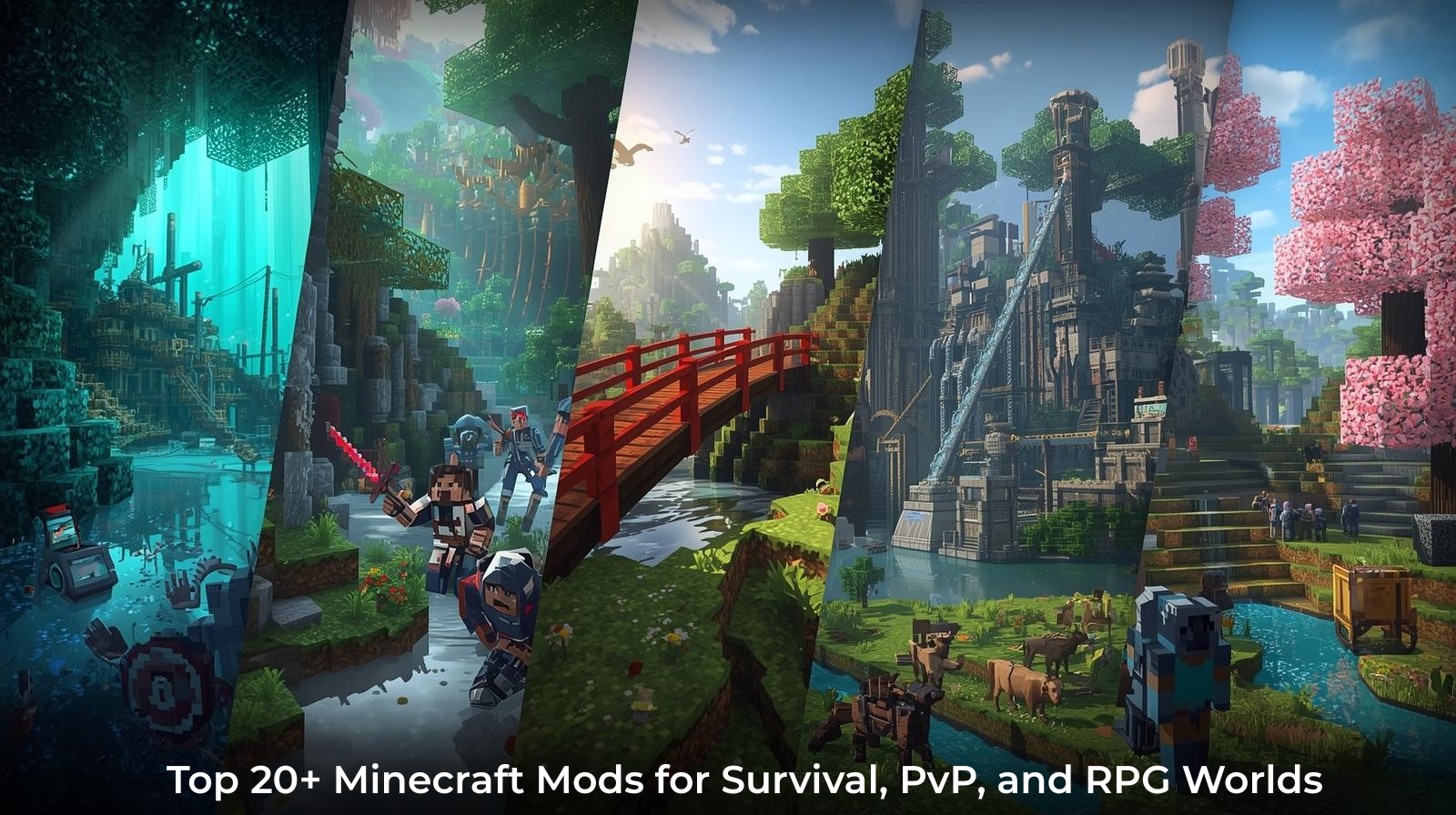
As Minecraft attracts survival players, builders, PvP fans, and RPG-style adventurers, mods play a key role in how each world is designed and played. From small quality-of-life tweaks to large gameplay overhauls, mods allow players and server owners to tailor Minecraft to their vision, whether they’re playing solo or managing a dedicated setup on a Minecraft VPS.
With modern modpacks becoming larger and more complex, performance, compatibility, and stability matter more than ever. Running the right combination of mods often depends on having enough resources and flexibility, especially for multiplayer worlds. That makes understanding today’s most valuable mods essential for anyone building a serious Minecraft experience.
Why Mods Matter? The Real Upgrade Behind Minecraft’s Popularity
Minecraft is timeless, and one big reason is the control players get over gameplay. Mods let you:
- Introduce new biomes, artifacts, bosses, mobs, and technology
- Automate farming, mining, and crafting
- Boost FPS and optimize server performance
- Create multiplayer RPGs, SkyFactory-style automation, or Pokémon worlds
- Turn Minecraft into a completely new game
For creators, mods are your canvas. For survival players, mods are your difficulty slider. For builders, mods are your creativity engine.
Top Useful Minecraft Mods
These mods focus on improving everyday gameplay by enhancing exploration, usability, and overall convenience while staying true to Minecraft’s original feel. Ideal for both solo worlds and multiplayer servers, they help players navigate, manage, and enjoy their adventures more efficiently.
1. JourneyMap
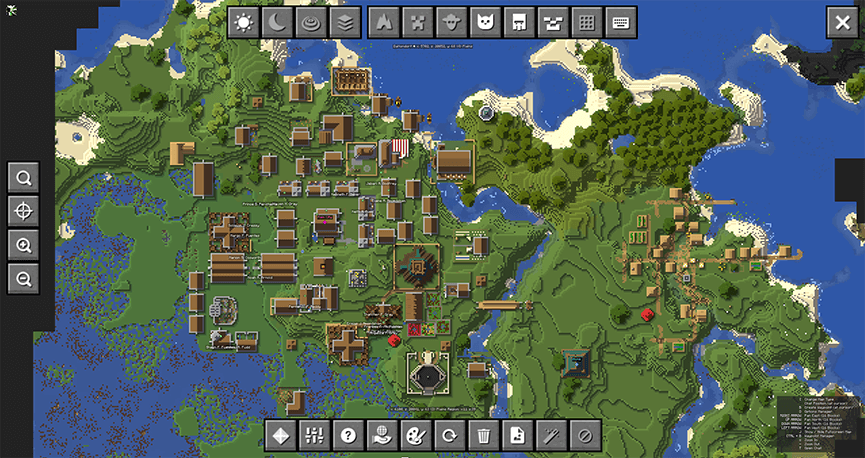
What it Does:
JourneyMap is a real-time mapping mod that tracks and displays the terrain you explore. It creates a live, interactive map showing biomes, terrain, waypoints, mobs, and player positions. Players can view maps in full-screen, minimap, or via a web browser interface.
Launch / History
JourneyMap first appeared around the Minecraft 1.4–1.5 era and quickly became one of the most popular mapping mods. It remains actively maintained and updated for modern Minecraft versions.
Loader Support
- Forge (primary)
- Fabric (via compatible builds)
- NeoForge
License / Price
- Free to use
- Distributed under a mod-friendly open license via CurseForge
Use Cases
- Survival exploration
- Multiplayer SMP servers
- Large modpacks with world exploration
- Adventure servers
JourneyMap benefits from stable servers with good chunk-loading performance, especially on multiplayer worlds.
Note: As of late December 2025, Minecraft’s latest stable releases use the 1.21.x versioning system. Mojang has begun transitioning toward the 26.x numbering for updates planned in 2026, which are currently available only through development snapshots and preview builds.
2. Biomes O’ Plenty
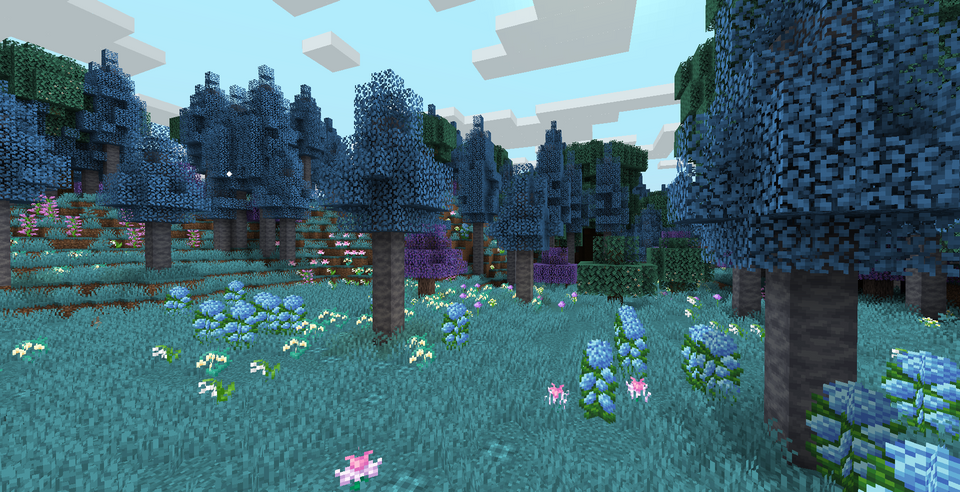
What it Does:
Biomes O’ Plenty adds dozens of new biomes across the Overworld, Nether, and End dimensions. It introduces new plants, trees, building blocks, terrain types, and environmental diversity.
Launch / History
Originally released during early modding days (1.6+), Biomes O’ Plenty became the foundation of many exploration-based modpacks.
Loader Support
- Forge (primary)
License / Price
- Free
- Open-source/mod-friendly license
Key Features
- 80+ unique biomes
- Custom world generation
- New blocks, woods, plants
- Dimension expansion
Use Cases
- Exploration-focused servers
- RPG & adventure modpacks
- Creative building worlds
3. Quark
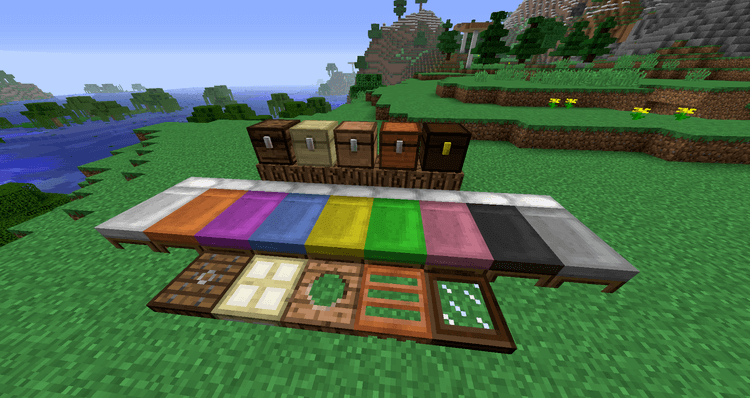
What it does:
Quark is a vanilla-plus mod that improves Minecraft by introducing a large collection of small, modular enhancements. These additions include decorative building blocks, visual refinements, and practical quality-of-life improvements such as light automation features and inventory usability upgrades.
Loader Support
- Forge
Client-side or Server-side
- Server-side recommended for multiplayer
License / Price
- Free
- Open license
4. Iron Chests
What It Does
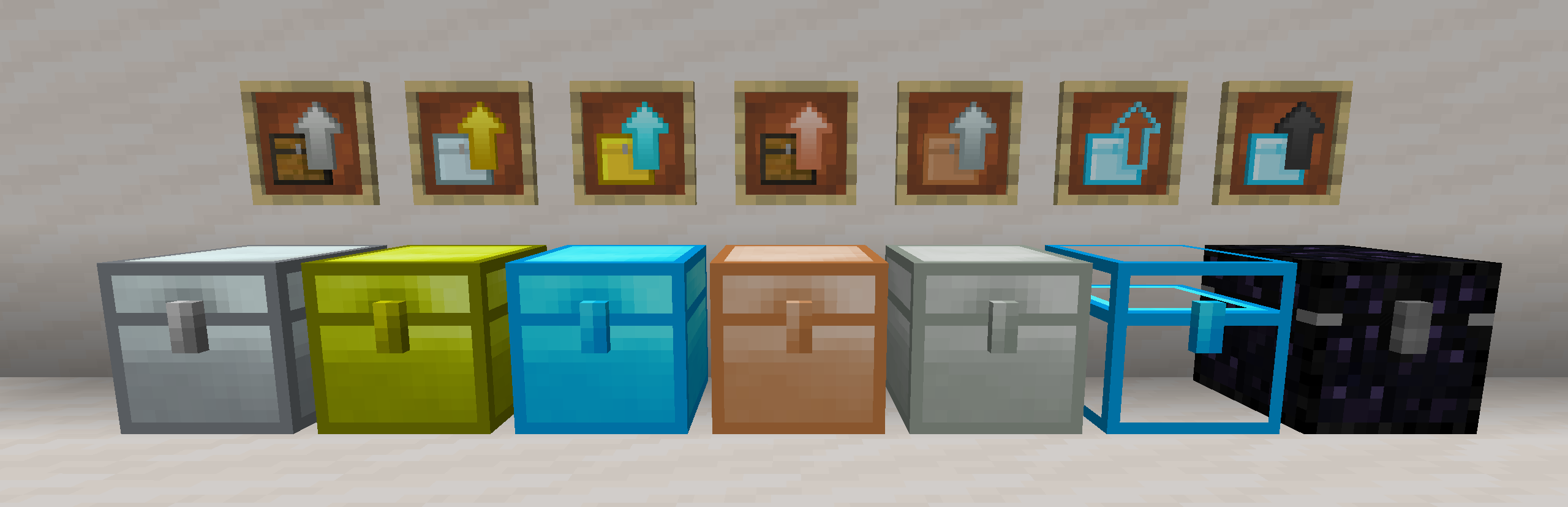
Iron Chests expands Minecraft’s storage system by adding multiple tiers of chests with significantly higher capacity than the vanilla wooden chest. Instead of being limited to a single upgrade path, players can craft chests using different materials, each offering more storage slots.
Chest tiers typically include:
- Iron Chest
- Gold Chest
- Diamond Chest
- Crystal Chest (transparent, optional)
- Obsidian Chest
Each tier increases storage size while keeping the same simple chest interface, making it easy to manage large inventories without complex mechanics.
Launch / History
Iron Chests has been a staple mod since early Minecraft versions (Beta/1.2 era) and remains actively maintained for modern releases.
Loader Support
- Forge (primary)
- Fabric (via ports in some versions)
License / Price
- Free to use
- Distributed under an open mod-friendly license on platforms like CurseForge
- No paid license required
Use Cases
- Survival worlds with heavy resource collection
- Modpacks that increase item variety
- Base builders needing compact storage solutions
- Multiplayer servers looking to reduce chest clutter
5. RLCraft (Modpack)
What It Does:
RLCraft is a hardcore survival modpack designed to dramatically increase Minecraft’s difficulty. Instead of improving convenience, it focuses on realism, danger, and unforgiving mechanics that punish careless gameplay.
The modpack combines dozens of mods that overhaul:
- Combat mechanics
- Health and damage systems
- Temperature, thirst, and survival conditions
- Mob AI and spawning behavior
Players start extremely vulnerable and must progress carefully through exploration, crafting, and survival knowledge rather than rushing gear.
Core Gameplay Systems
- Realistic survival: Temperature, thirst, and body-part damage
- No instant safety: Even early mobs can kill unprepared players
- Skill-based progression: Tools and armor require leveling to use
Launch / History
Created by Shivaxi, RLCraft gained popularity for its brutal difficulty and streamer-friendly challenge format. It remains one of the most downloaded hardcore modpacks.
Loader Support
- Forge (required)
License / Price
- Free modpack
- Individual mods follow their respective licenses
- No purchase required
Your Minecraft World Deserves Better Performance
If lag spikes and limited control are holding your server back, it might be time for an upgrade. A Minecraft VPS lets you fine-tune performance, install mods freely, and keep your gameplay smooth, even during busy multiplayer sessions.
Multiplayer and PvP Mods for Minecraft
Multiplayer and PvP mods are designed to enhance competitive gameplay, player interaction, team mechanics, and large-scale server environments. These mods are commonly used on faction servers, RPG servers, arenas, and community-based multiplayer worlds where balance, progression, and player management matter.
1. Arena PvP
What it Does:
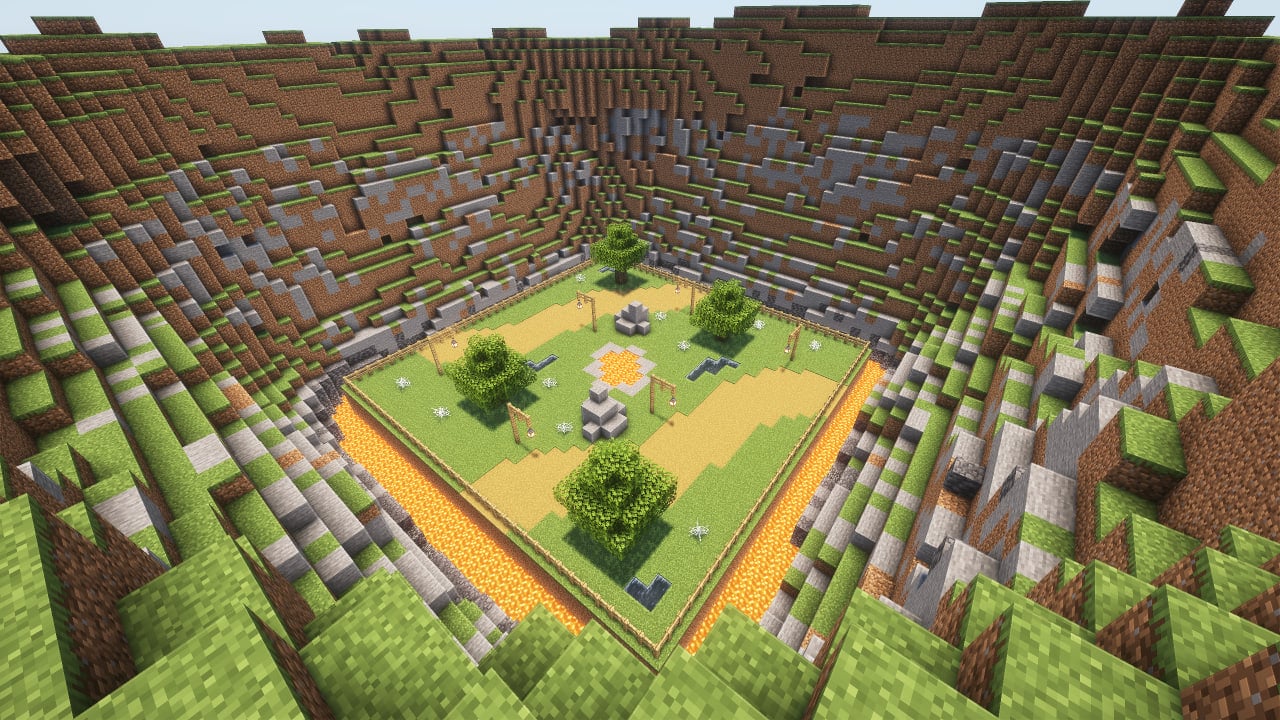
Arena PvP mods create dedicated PvP arenas where players can queue, fight with predefined kits, track scores, and reset after each match. It isolates PvP from the main survival world for fair and controlled battles.
Launch / History
Arena-style PvP systems have existed since early competitive Minecraft, with modern mods/plugins refining matchmaking, kits, and stats tracking.
Loader / Platform Support
- Commonly available as plugins (Spigot/Paper)
- Mod-based versions available for Forge/Fabric environments
License / Price
- Typically free
- Some advanced versions offer premium features
Use Case
- Competitive PvP arenas
- Minigame servers
- Practice PvP environments
- Tournament-style gameplay
2. Factions
What it Does:
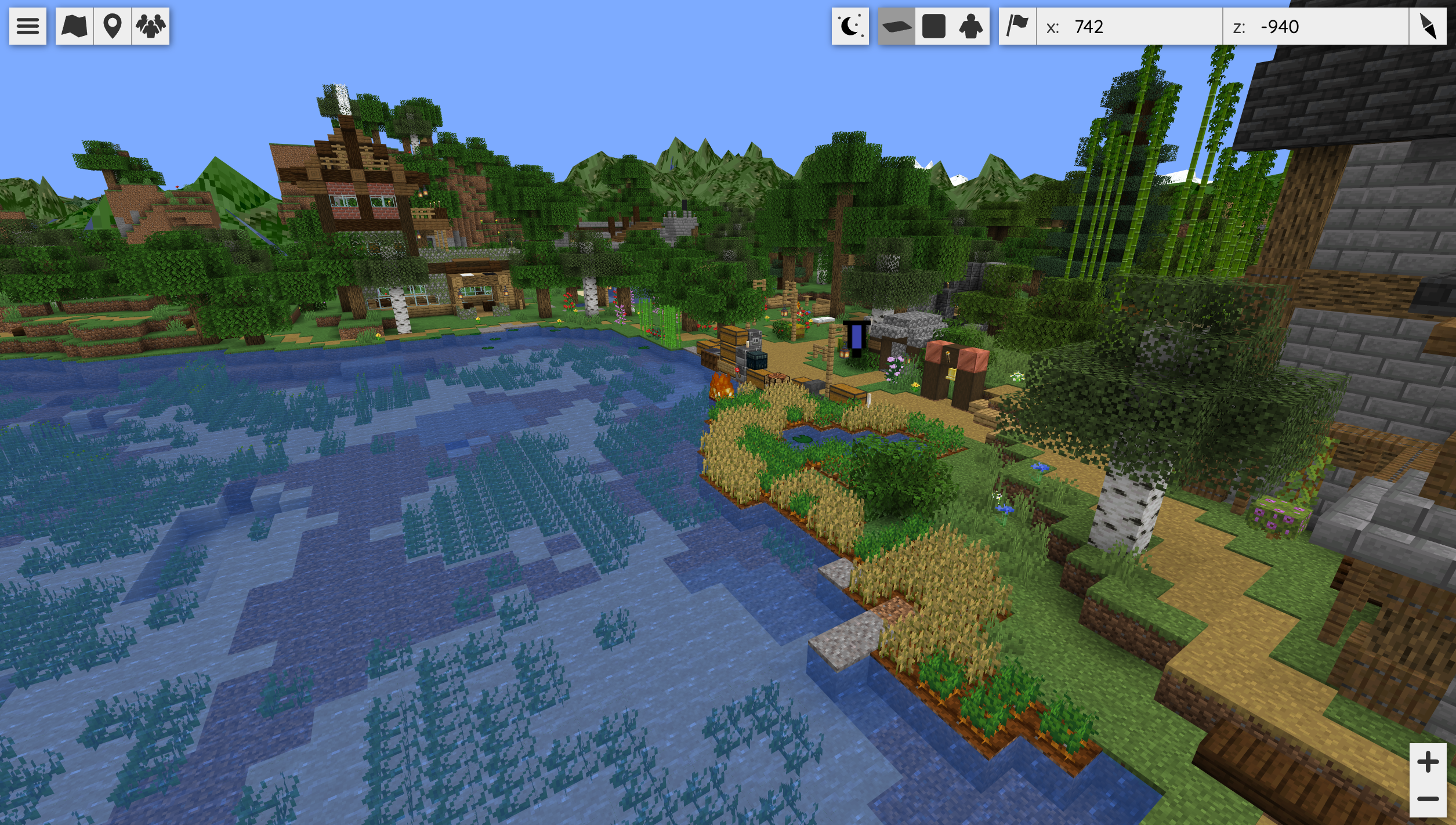
Factions introduces a team-based land-claiming system where players form factions, claim territory, defend land, raid enemies, and manage power levels. It adds structured PvP with political and strategic elements, turning survival multiplayer into an organized competition.
Launch / History
Released initially during early multiplayer-focused Minecraft versions (1.7+), Factions became a cornerstone mod/plugin for competitive servers and continues to evolve through community-maintained versions.
Loader / Platform Support
- Originally Bukkit/Spigot/Paper plugin
- Modern equivalents exist for Fabric and Forge through mods or hybrid solutions
License / Price
- Free and open-source/community-maintained
- No paid license required
Use Case
- Faction-based PvP servers
- Competitive survival worlds
- Large multiplayer communities with territory control
- Economy-driven PvP servers
Utility & Performance Mods
1. Sodium & Lithium
What they do:
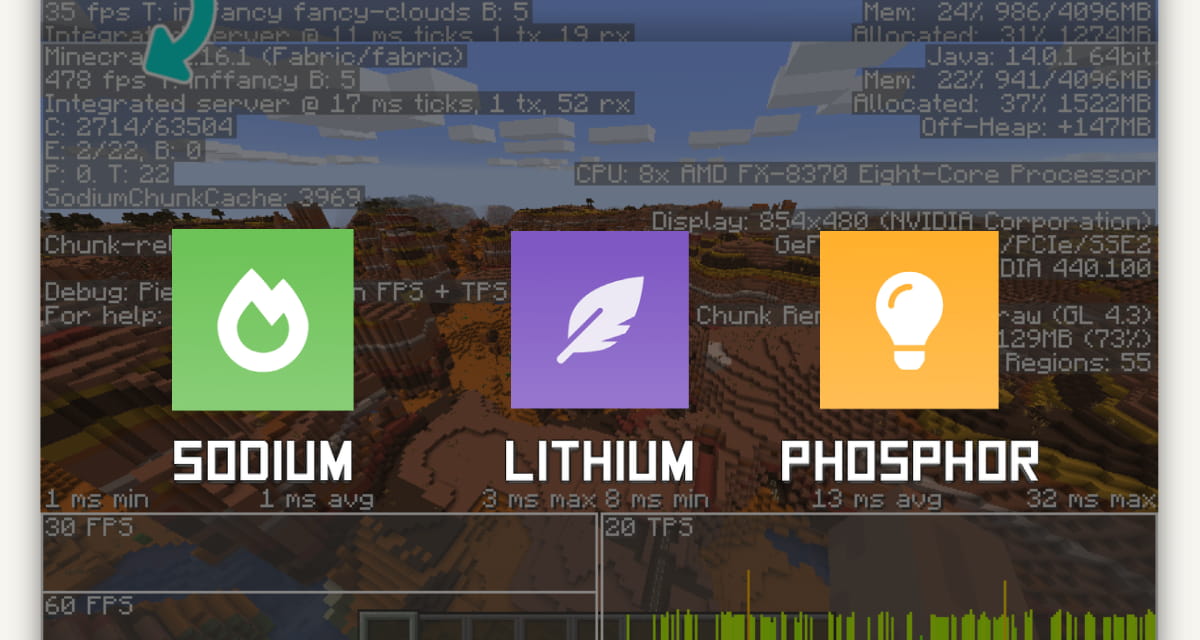
Sodium is a high-performance graphics optimization mod that rewrites Minecraft’s rendering engine to deliver much smoother visuals and dramatically higher FPS (frames per second) by optimizing chunk rendering and draw calls without altering the vanilla look.
Lithium is a general-purpose optimization mod that improves many server and game systems (such as game physics, mob behavior, tick handling, block ticking, etc.) without changing game mechanics. It speeds up tick times, reducing server load and improving performance both in single-player (integrated server) and multiplayer setups.
Launch / History:
- Sodium has become the leading Fabric-based performance mod in recent Minecraft versions (1.16.5 through current releases).
- Lithium has been maintained and updated regularly, with recent Fabric/NeoForge releases as of late 2025.
Loader Support:
Fabric, Quilt, and NeoForge (both mods support Fabric & NeoForge) — Sodium also works with Quilt; Lithium supports Fabric and NeoForge.
License / Price:
Both are free, open-source; Lithium uses LGPLv3 licensing, while Sodium is community-maintained (open-source).
Use Case:
Combine Sodium + Lithium for massive performance improvements in both rendering and server tick processing, especially helpful on modded servers or large multiplayer builds where framerate and responsiveness are critical.
2. Just Enough Items (JEI)
What it does:
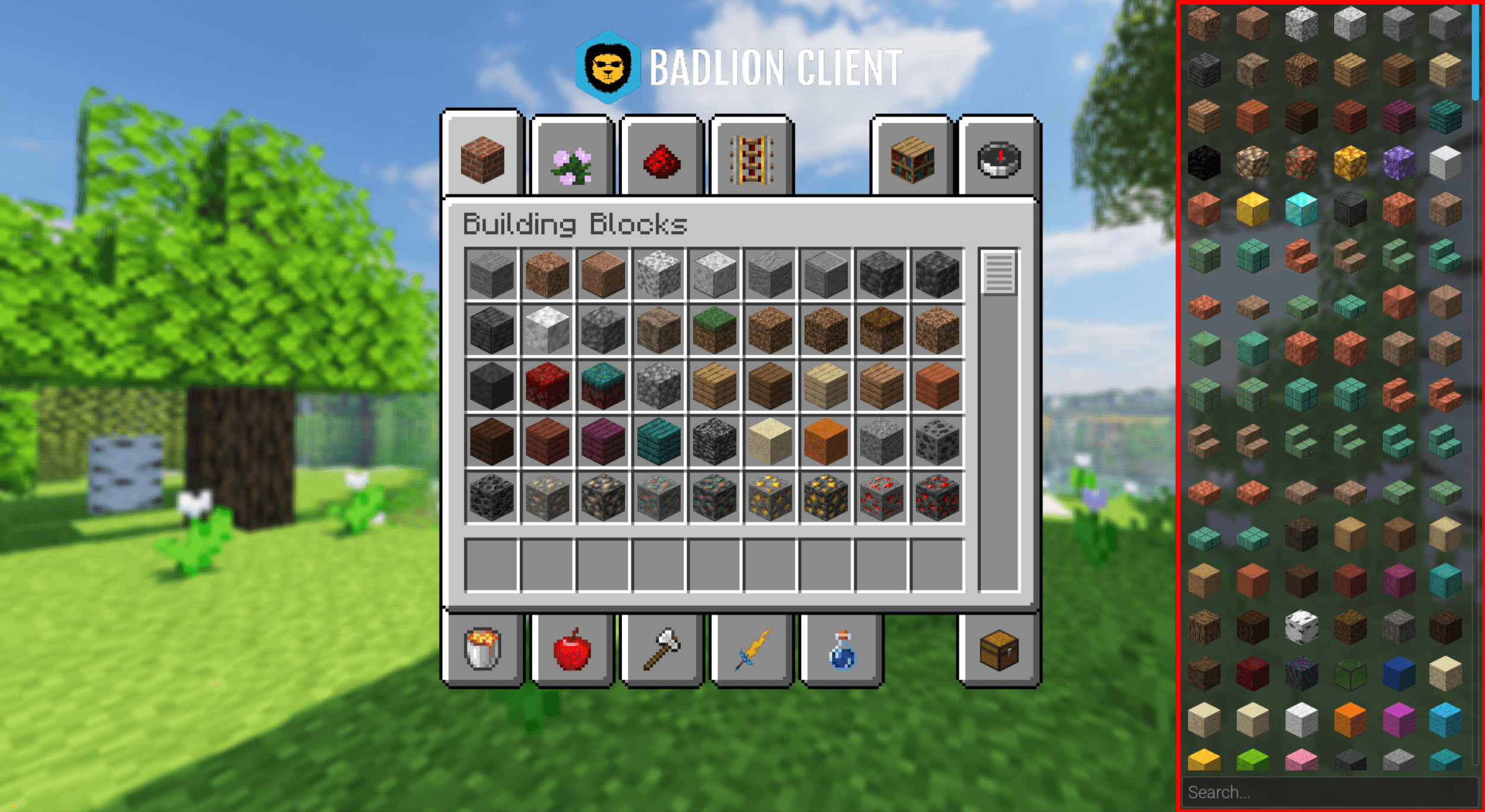
Just Enough Items (JEI) adds an in-game recipe and usage browser that shows every item and crafting recipe in your current modded Minecraft world. This lets you search and view both how to craft items and what they do, which is especially useful in modded gameplay with hundreds of new items and blocks from other mods.
Launch / History:
JEI is the successor to earlier mods like NotEnoughItems and has remained one of the most essential Minecraft mod utilities since its introduction, continuously updated alongside modern mod loaders.
Loader Support:
Works with both Forge and Fabric ecosystems.
License / Price:
Free mod available from CurseForge and Modrinth.
Use Case: A must-have for players and modpack servers to browse recipes for all modded items, making modded progression understandable and accessible.
3. Mod Menu
What it does:
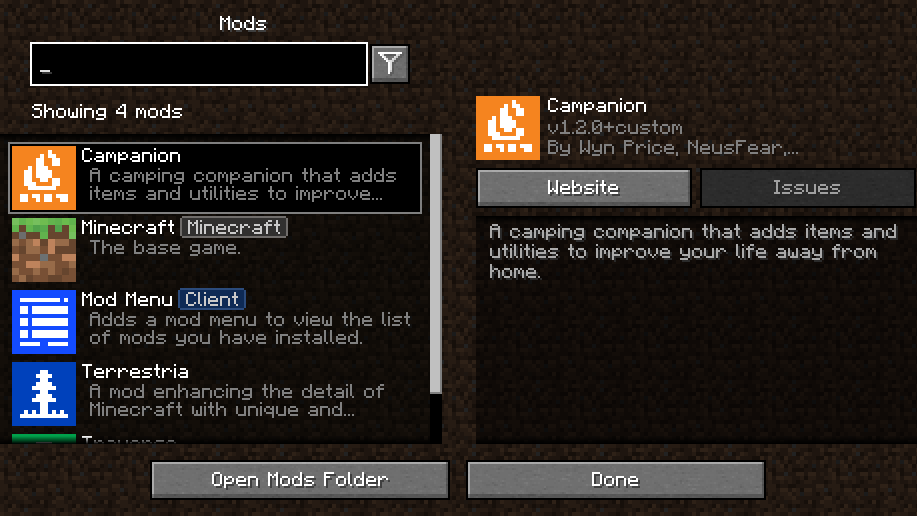
Mod Menu adds a simple but powerful interface in Minecraft’s main menu that lets players see exactly which mods are installed and quickly access settings or configurations for those mods. This quality-of-life improvement helps manage large modpacks.
Launch / History:
Mod Menu is a long-lived utility mod in the Fabric/Quilt ecosystem and has millions of downloads across recent Minecraft versions.
Loader Support:
Fabric & Quilt.
License / Price:
MIT License (open-source and free).
Use Case:
Useful for players who want a clean, easy way to view and manage installed mods and access config screens, especially helpful on servers with many utility mods.
4. Iris Shaders
What it Does:
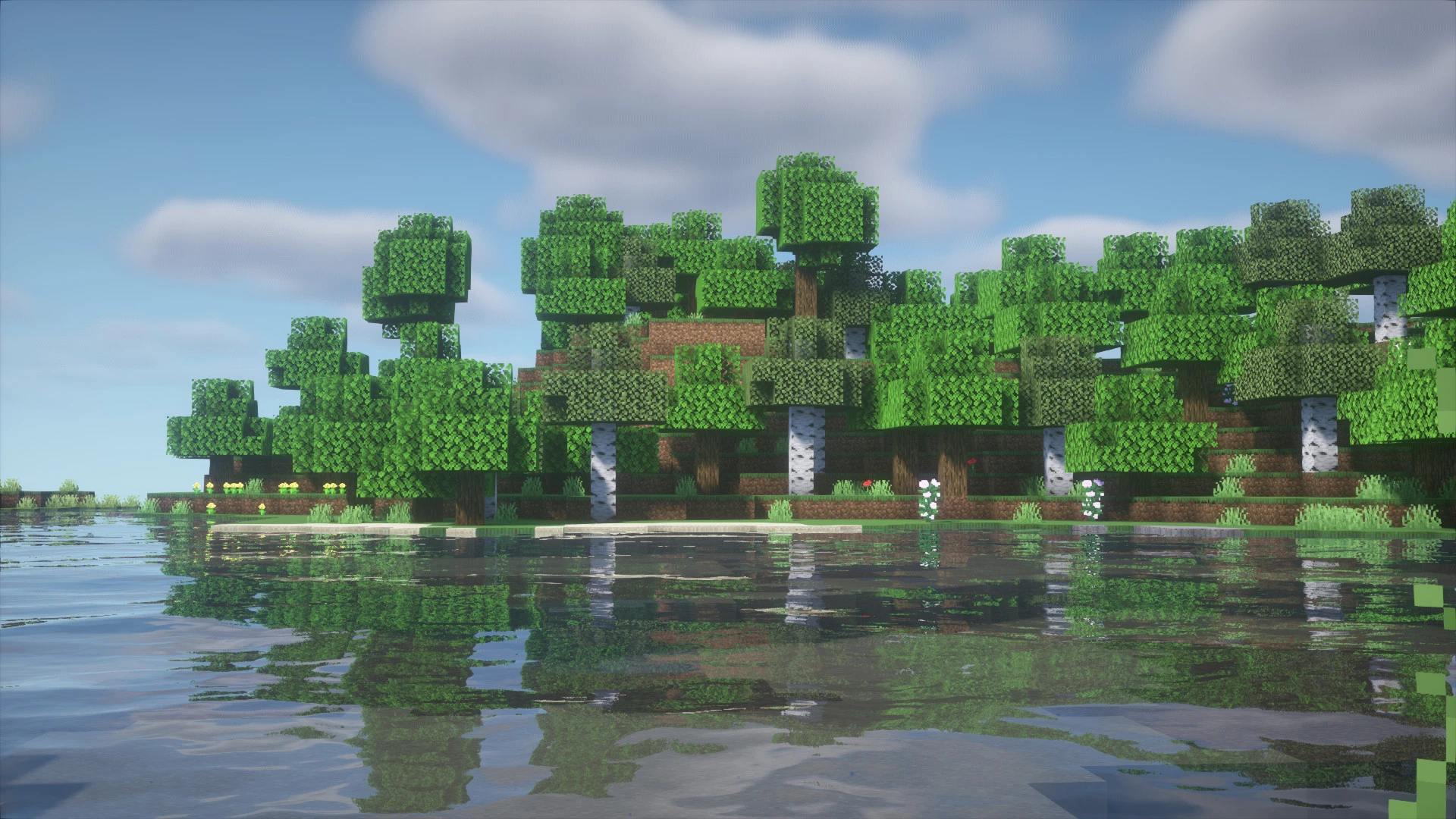
Iris Shaders adds modern shader support to Minecraft by enabling advanced lighting, shadows, reflections, water effects, and atmospheric visuals, while maintaining high performance. It is designed to work efficiently with performance mods like Sodium, offering smooth shader gameplay without heavy FPS loss.
Launch / History:
Iris Shaders was introduced around 2021 as a next-generation shader solution for Fabric-based Minecraft setups. It quickly gained popularity as a lightweight, performance-focused alternative to traditional shader loaders.
Loader Support:
- Fabric (primary), Quilt
- Often paired with Sodium for optimal performance
License / Price:
Free and open-source. No paid license required.
Use Case:
- High-performance shader support
- Realistic lighting and visual enhancements
- Smooth gameplay with shaders enabled
- Optimized setups for modern Minecraft clients
Building & Decoration Mods
1. Chisel
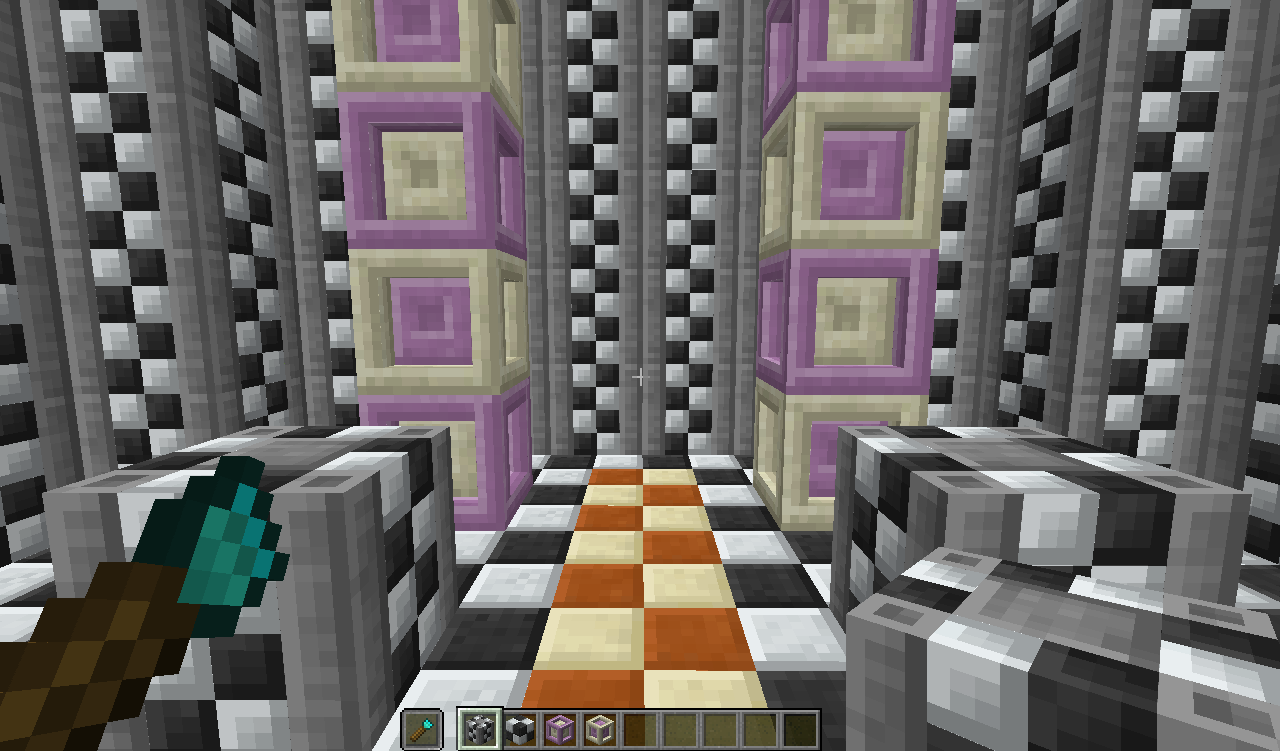
What it Does:
Chisel drastically expands the visual block variety in Minecraft by transforming ordinary blocks into intricate decorative variants. With a chisel tool in hand, players can scroll through dozens, sometimes hundreds, of new styles and patterns for common materials like stone, wood, concrete, bricks, and more. This lets builders craft architectural details, themed structures, ornamental walls, and fine interior/exterior accents without custom resource packs.
First Release / History:
Chisel has been a cornerstone in the Minecraft mod ecosystem since the early 1.7.10 era (mid-2010s) and continues to be updated for current mod loaders like Forge and NeoForge. Because it’s primarily visual and not gameplay-breaking, it’s widely accepted in many modpacks.
Loader Support:
Forge & NeoForge (most maintained builds).
License / Price:
Free to download from CurseForge or Modrinth. The code uses community-friendly open distribution; specific block assets are governed by the mod’s terms (standard mod licensing, not paid).
Use Case:
Chisel is essential for creators, architects, and map makers who want rich block libraries without complex shaders or texture packs. It’s widely used in creative servers, skyblock hubs, RPG modpacks, and showcase maps.
2. MrCrayfish’s Furniture Mod

What it Does:
MrCrayfish’s Furniture Mod adds a huge catalogue of interactive decorative items that turn vanilla rooms into livable, styled spaces. You can craft and place furniture like chairs, tables, sofas, cabinets, kitchen appliances, electronics, decor items, lights, bathroom fixtures, and more. Many items also have functional properties (e.g., opening doors, storing items, or acting as desks and chairs for role-play setups).
First Release / History:
This mod has been evolving since its early days on Minecraft 1.6, but became especially popular in 1.12.2 and later builds. The author regularly updates it to support newer versions and interoperability with other mods.
Loader Support:
Forge (primary support) with maintained updates for newer Minecraft versions via CurseForge.
License / Price:
Free mod; distributed with standard mod licensing through CurseForge. All furniture assets are free to use in personal and server builds (no commercial purchase required).
Use Case:
Perfect for SMP communities, role-play servers, town builds, housing servers, and decoration-focused builds. It makes interiors feel alive, realistic, and expressive, especially when paired with world generators or themed maps.
3. DecoCraft
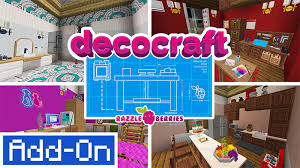
What it Does:
DecoCraft adds a massive library of decorative props and furniture pieces to Minecraft, enabling players to bring their builds to life with detailed objects like lamps, chairs, tables, kitchenware, appliances, garden items, toys, and ornaments. Instead of just blocks and basic furniture, DecoCraft focuses on scene crafting and interior/exterior decoration, allowing for highly detailed environments, themed rooms, realistic houses, and immersive role-play worlds. Many props have interactive elements and aesthetic polish that go far beyond vanilla decorations.<
Launch / History:
DecoCraft first emerged in earlier versions of Minecraft modding (around the 1.7.x era) and has been updated over time to support newer loader frameworks. While its original versions focused on hundreds of quirky props, modern iterations continue to expand the decorative catalog with themed sets and seasonal items.
Loader Support:
Forge (primary support). DecoCraft is typically included in larger modpacks or can be added manually via CurseForge.
License / Price:
DecoCraft is a free mod available for download on official mod platforms like CurseForge. It is distributed under the standard mod community license (author-controlled, non-commercial use permitted). No paid license is required to use it in personal or multiplayer worlds, and its assets are free to install and enjoy.
Use Case:
DecoCraft is ideal for players, builders, and server communities focused on visual storytelling and artistic environments such as:
- Realistic city or town role-play worlds
- Interior decoration services (houses, apartments, shops)
- Themed adventure maps with set dressing
- Showcase builds and mini-game lobbies
- Cinematic Minecraft scenes for creators and YouTubers
Adventure / RPG Mods
1. Pixelmon
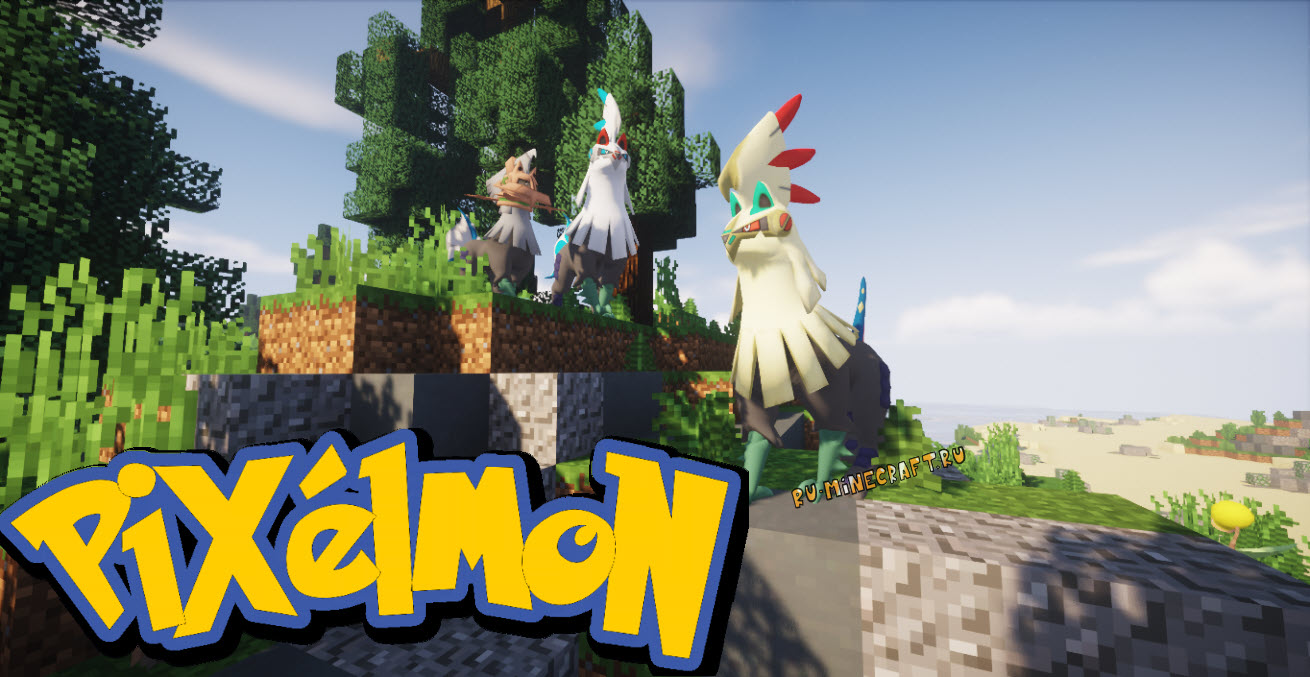
What it Does:
Pixelmon turns Minecraft into a whole Pokémon-style RPG experience, replacing traditional mobs with Pokémon you can catch, train, battle, evolve, trade, and breed. It includes NPC trainers, gyms, items, Poké Balls, mounts, structures, biomes, and a full battle system based on the Pokémon games.
Launch / History:
Originally released around the Minecraft 1.6 era, Pixelmon was discontinued in 2017 due to copyright demands, but the community later revived it as Pixelmon Reforged for modern versions.
Loader Support:
Forge (primary), distributed through trusted mod mirrors such as the official Pixelmon Reforged site and CurseForge listings.
License / Price:
Pixelmon is free to download and use, but redistributed assets follow strict usage guidelines because the content references Pokémon-related IP. No paid license is required for personal servers.
Use Case:
- Pokémon-themed multiplayer servers
- Survival-plus RPG worlds
- Exploration, gyms, breeding, competitive play
- YouTube and streaming communities
Pixelmon is CPU-intensive on servers, especially with many entities active.
2. The Twilight Forest
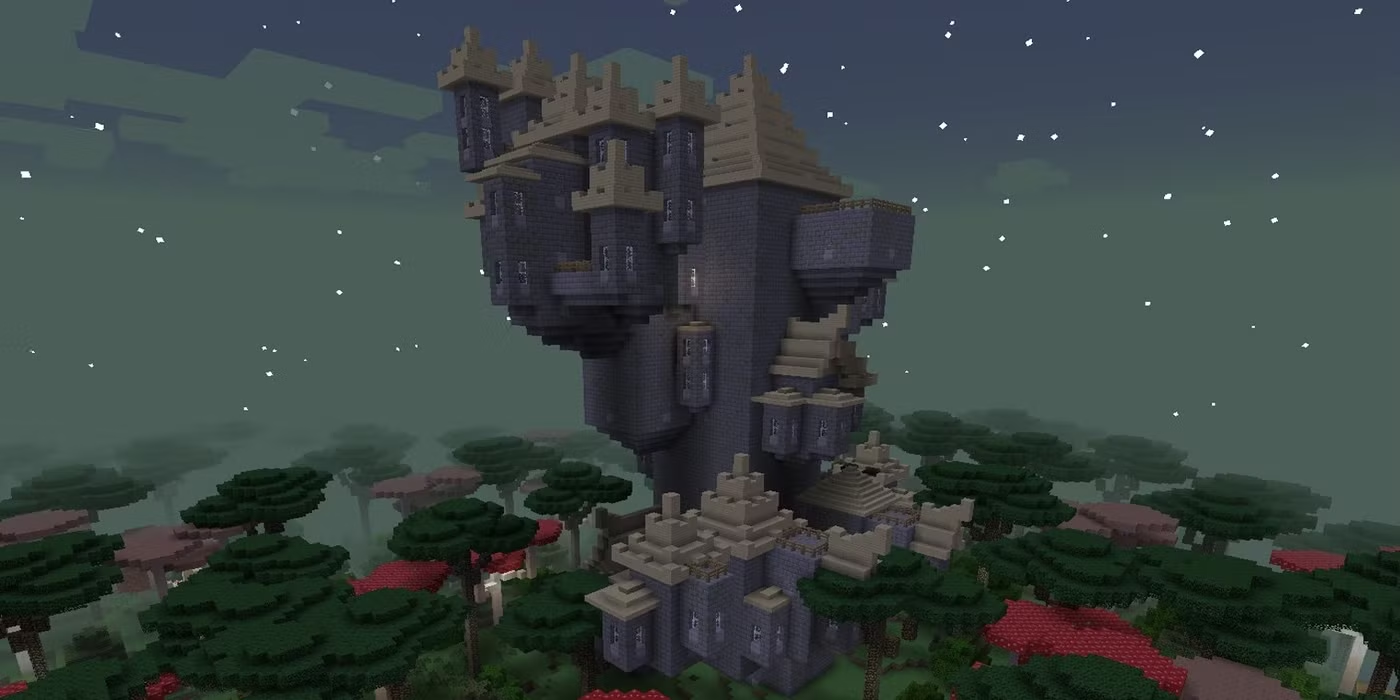
What it Does:
Twilight Forest adds an entire new dimension filled with quest-style progression, custom dungeons, bosses, enchanted loot, forest biomes, labyrinths, and exploration rewards. Instead of a sandbox, it pushes players through a structured RPG challenge path.
Launch / History:
One of Minecraft’s most iconic mods since 1.4.7+, still actively updated by community maintainers.
Loader Support:
Forge (primary).
License / Price:
The mod is free, released under open mod-friendly licensing on platforms like CurseForge. No paid license required.
Use Case:
- RPG progression worlds
- Boss dungeon servers
- Multiplayer adventure/dungeon runs
- Hardcore exploration challenges
Twilight Forest is heavier on memory and worldgen, making better hardware beneficial.
Magic and Fantasy Mods
1. Botania
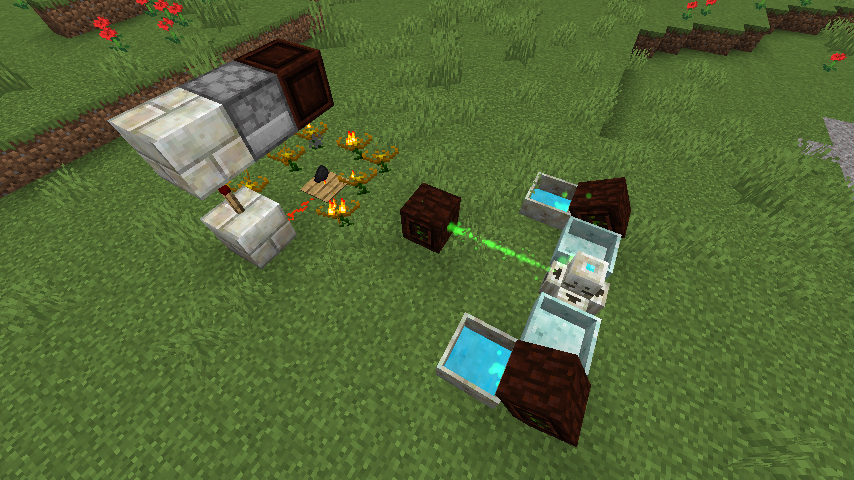
What it Does:
Botania is a tech-style magic mod focused on nature-based automation. It uses mana generated from flowers to power machines, tools, armor, and complex automation systems without traditional RF or power cables.
Launch / History:
Introduced during early Forge modding eras and continuously maintained, Botania is widely regarded as one of the most polished magic mods.
Loader Support:
Forge (primary), Fabric (via ports).
License / Price:
Free and open-source. No paid license required.
Use Case:
- Magic-based automation
- Technical modpacks
- Mana-powered item progression
- Multiplayer servers focused on balance
2. Blood Magic
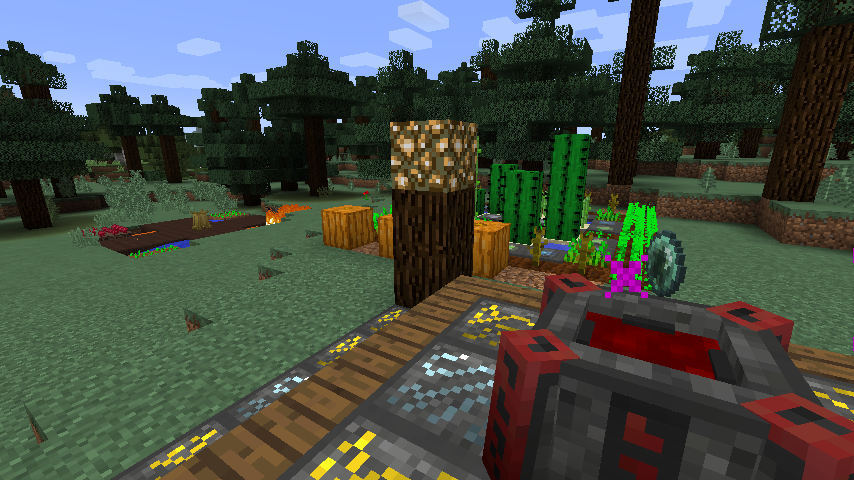
What it Does:
Blood Magic revolves around sacrificial rituals, altars, and life essence to unlock powerful spells, automation, and world-altering abilities. Progression is intentional and risk-based.
Launch / History:
A long-standing magic mod known for its deep mechanics and darker fantasy theme.
Loader Support:
Forge.
License / Price:
Free to use.
Use Case:
- Hardcore survival servers
- Ritual-based automation
- Dark fantasy modpacks
- Long-term progression worlds
3. Ice and Fire: Dragons
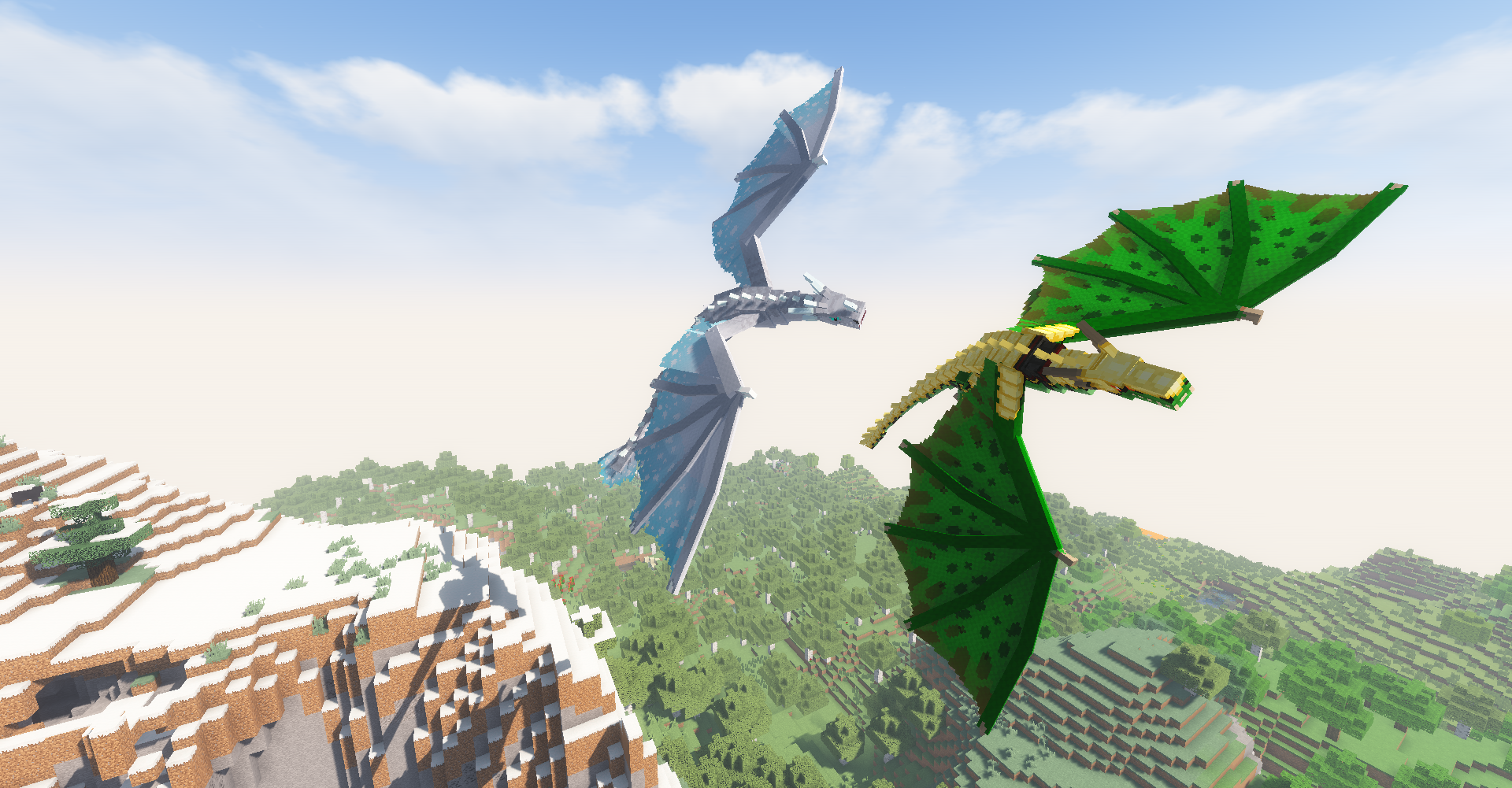
What it Does:
Introduces dragons, mythical creatures, dragon taming, lairs, weapons, armor, and fantasy mobs into Minecraft with RPG-style difficulty.
Launch / History:
One of the most popular fantasy creature mods since early 1.12 days.
Loader Support:
Forge
License / Price:
Free
Use Case:
- High-difficulty survival
- Fantasy RPG servers
- Boss-hunting worlds
- Exploration-heavy gameplay
Tool and Weapon Mods
1. Samurai Dynasty

What it Does:
Adds Japanese-themed weapons, armor, structures, mobs, and cultural elements inspired by feudal Japan.
Launch / History:
Modern fantasy-meets-history content mod.
Loader Support:
Forge
License / Price:
Free
Use Case:
-
- Themed survival worlds
- Roleplay servers
- Custom PvE challenges
2. Spartan Weaponry
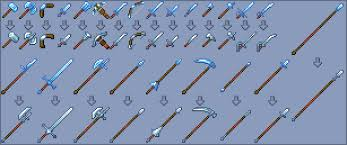
What it Does:
Expands Minecraft’s combat system with dozens of realistic weapons like spears, halberds, daggers, and warhammers.
Launch / History:
A staple weapon expansion mod used across many combat-focused modpacks.
Loader Support:
Forge, Fabric.
License / Price:
Free
Use Case:
- Enhanced combat mechanics
- PvP servers
- RPG progression packs
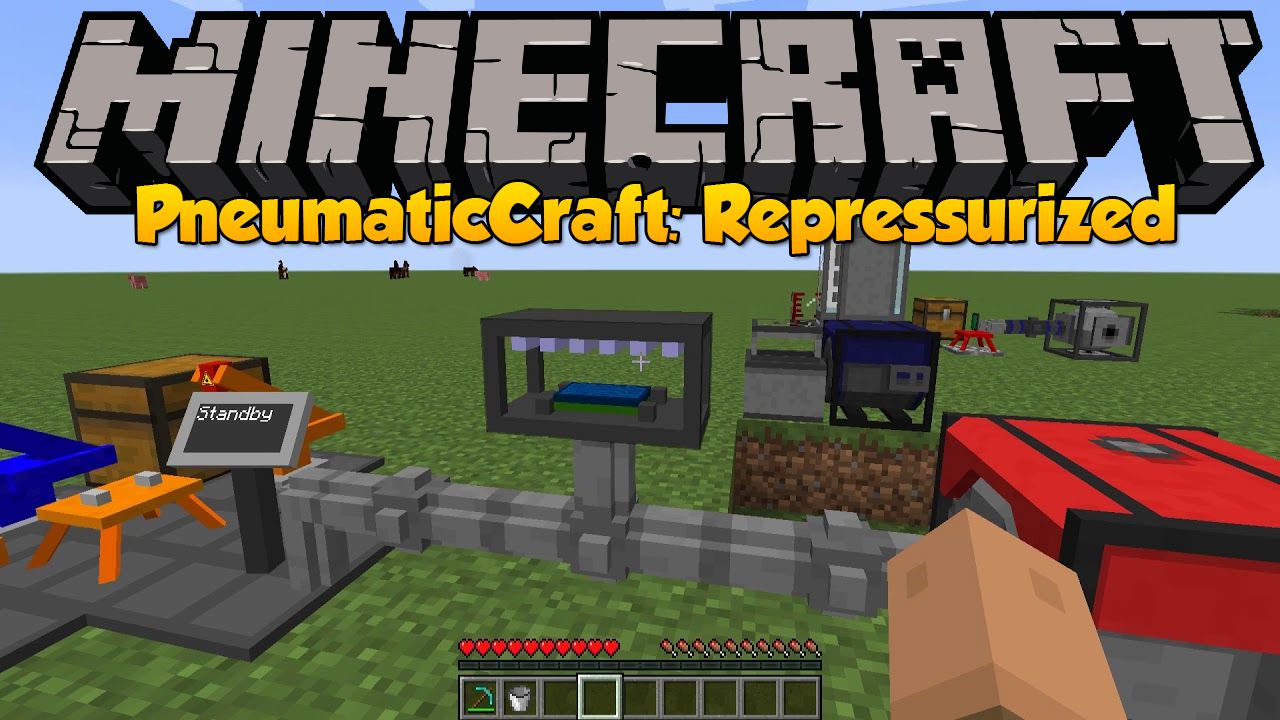
3. PneumaticCraft: Repressurized
What it Does:
A technical automation mod that uses air pressure instead of traditional power systems. Features programmable drones, machines, and automation logic.
Launch / History:
Rebuilt and optimized version of the original PneumaticCraft mod.
Loader Support:
Forge
License / Price:
Free
Use Case:
- Advanced automation
- Technical modpacks
- Server-side factories
- Engineering-focused gameplay
Conclusion
Mods are what turn Minecraft from a simple sandbox into a fully customized experience. Whether you’re exploring fantasy worlds filled with magic and dragons, building competitive PvP environments, or running complex automation systems, the right mix of mods defines how your server feels and performs. Each mod category serves a different purpose, but they all share one thing in common: they push Minecraft beyond its default limits.
As mod complexity increases, so do hardware demands. Large modpacks, advanced AI behavior, world generation, and multiplayer activity all rely heavily on stable CPU performance, sufficient memory, and fast storage. For server owners who want consistent gameplay without lag or crashes, running modded Minecraft on a properly configured Minecraft VPS gives you the flexibility and control needed to manage resources, apply optimizations, and scale as your community grows.
Frequently Asked Questions
How much RAM do I need for modded Minecraft servers?
Light mod setups can run on 4–6 GB RAM, while large modpacks (like RLCraft or magic-heavy packs) often require 8–16 GB or more, depending on player count.
How much RAM do I need for modded Minecraft servers?
Light mod setups can run on 4–6 GB RAM, while large modpacks (like RLCraft or magic-heavy packs) often require 8-16 GB or more, depending on player count.
What’s the difference between mods and plugins?
Mods change core game mechanics and require Forge or Fabric, while plugins run on server software like Paper or Spigot and don’t require client installation.
Are these mods free to use?
Most Minecraft mods are free and community-developed. Always download them from trusted platforms like CurseForge or Modrinth to ensure license compliance and security.
Do mods affect server performance?
Yes. World generation, AI behavior, automation systems, and spell mechanics can increase server load. Performance optimization and proper hosting help avoid lag.

