
As businesses grow, their IT infrastructure often grows with them. More applications and workloads can mean more physical servers, higher power consumption, and additional maintenance work.
Virtualization provides a way to use physical computing resources more efficiently. Instead of dedicating one physical server to a single workload, businesses can create multiple virtual environments on the same physical machine.
The benefits of virtualization include better use of hardware resources, lower infrastructure costs, simpler IT management, and improved flexibility. By reducing the need for multiple physical servers, virtualization can also help businesses manage their IT environment more efficiently.
Before looking at the key benefits of virtualization, let’s understand how virtualization works and the main components involved.
What Is Virtualization?
Virtualization is a technology that allows a physical server to run multiple independent virtual environments. Each environment can have its own operating system, applications, files, and configurations while sharing the underlying physical hardware.
For example, instead of using four physical servers for four different workloads, a business may be able to run four virtual machines on one suitable physical server. The available CPU, memory, storage, and network resources are managed and distributed between the virtual machines.
This allows organizations to make better use of their existing hardware instead of leaving a large portion of its capacity unused.
What Is a Virtual Machine (VM)?
A virtual machine (VM) is a software-based environment that works much like a physical computer. It can run an operating system and applications independently from other VMs on the same physical server.
For example, one VM could run a web application while another runs a database or testing environment. Although these VMs share the same physical hardware, each operates as a separate environment.
Virtual machines make it possible to run different workloads on the same physical server without requiring a separate physical machine for every workload.
What Is a Hypervisor?
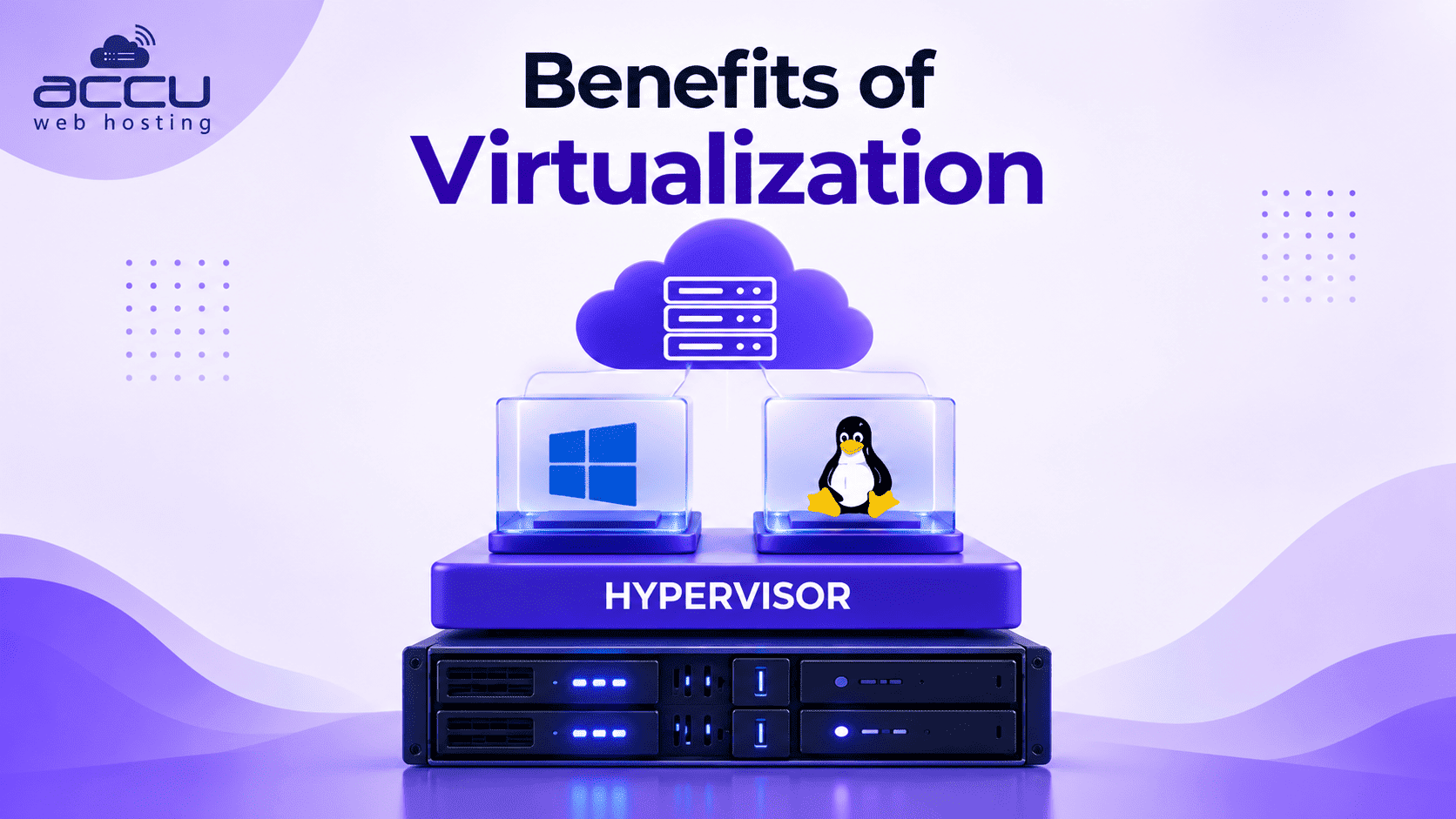
A hypervisor is the software layer that creates and manages virtual machines. It controls how the physical server’s resources are allocated to each VM.
The hypervisor manages resources such as CPU, memory, storage, and networking while helping keep individual virtual machines separated.
In simple terms, the physical server provides the resources, the hypervisor manages them, and virtual machines use those resources to run applications and operating systems.
How Does Virtualization Work?
The basic virtualization process can be understood in four steps:
- The physical server provides the hardware resources.
CPU, memory, storage, and network resources are available on the physical machine. - The hypervisor manages the physical resources.
It controls how those resources are assigned to different virtual machines. - Virtual machines are created.
Each VM receives allocated resources and can run its own operating system and applications. - Multiple workloads run on shared hardware.
Several VMs can operate on the same physical server while remaining separate environments.
This setup allows businesses to consolidate workloads and use their physical infrastructure more efficiently.
4 Key Benefits of Virtualization
Virtualization can provide several benefits for businesses, particularly when it comes to infrastructure costs, resource management, and day-to-day IT operations.
The four key benefits covered in this guide are:
- Reduced IT hardware costs
- Lower power and cooling costs
- Easier IT maintenance and management
- Improved reliability and security
Let’s look at each benefit in detail.
1. Virtualization Reduces IT Hardware Costs
One of the main advantages of virtualization is that multiple workloads can run on the same physical server.
In a traditional environment, businesses may assign a separate physical server to each application or workload. If those servers are not fully utilized, a significant amount of available computing capacity can remain unused.
Virtualization allows multiple virtual machines to share the resources of a suitable physical server. This can reduce the number of physical machines required to support different workloads.
Fewer physical servers can also reduce expenses related to hardware purchases, replacements, data center space, and hardware maintenance.
The actual savings depend on factors such as server capacity, workload requirements, utilization, and the design of the virtual environment.
By consolidating workloads onto fewer physical servers, businesses can make better use of their existing hardware and potentially reduce infrastructure costs.
2. Virtualization Reduces Power and Cooling Costs
Physical servers require electricity to operate and generate heat that needs to be managed through cooling systems. Running a large number of physical machines can therefore increase both power and cooling requirements.
Virtualization allows businesses to consolidate multiple workloads onto fewer physical servers. When fewer physical machines are needed, the organization may also use less electricity to operate and cool its infrastructure.
The amount of energy saved will depend on the hardware, workload utilization, virtualization setup, and existing infrastructure.
Running more workloads on fewer physical machines can help businesses reduce ongoing power and cooling requirements while using their infrastructure more efficiently.
3. Virtualization Makes IT Maintenance Easier
Maintaining multiple physical servers can require considerable time and effort. IT teams may need to monitor each machine, apply updates and security patches, troubleshoot hardware issues, and manage individual server resources.
Virtualization can simplify these tasks by allowing multiple virtual machines to run on fewer physical servers. Many virtualization platforms also provide centralized tools for monitoring VMs, allocating resources, and managing virtual environments.
Depending on the platform, virtual machines can also be backed up, cloned, moved, or restored more easily than workloads that depend directly on specific physical hardware.
This can reduce repetitive administrative work and help IT teams manage their infrastructure more efficiently.
With fewer physical servers and centralized management capabilities, virtualization can make routine IT maintenance more organized and less time-consuming.
4. Virtualization Can Improve Reliability and Security
Virtualization can help organizations separate workloads into individual virtual machines. If one VM experiences an application or configuration problem, the issue may remain isolated instead of directly affecting other VMs on the same physical server.
Virtual machines can also make backup and recovery processes more flexible. Depending on the virtualization platform and backup solution, administrators may be able to create backups or snapshots and restore a VM when required.
Virtualization can also make infrastructure management easier by giving IT teams centralized tools for monitoring workloads, managing resources, and applying updates.
However, virtualization does not automatically make an environment secure. Businesses still need appropriate firewalls, access controls, security updates, monitoring, backups, and other security measures.
When properly configured, virtualization can provide workload isolation and make backup, recovery, and infrastructure management easier.
Virtualization Benefits: Conclusion
Virtualization provides businesses with a practical way to use their physical IT infrastructure more efficiently. By running multiple virtual machines on shared hardware, organizations can reduce the need for physical servers and better utilize available resources.
The benefits can include lower hardware costs, reduced power and cooling requirements, easier IT maintenance, and improved workload isolation and recovery.
However, virtualization requires proper planning. Businesses should consider their workload requirements, hardware capacity, storage, networking, security, backup strategy, and future growth before implementing a virtualized environment.
When properly designed and managed, virtualization can help organizations build a more flexible and efficient IT infrastructure while keeping long-term operational costs under control.
FAQs
What are the 4 key benefits of virtualization?
The four key benefits are reduced hardware costs, lower power and cooling requirements, easier IT maintenance, and improved reliability and security.
How does virtualization reduce hardware costs?
Virtualization allows multiple virtual machines to run on the same physical server. This can reduce the number of physical servers required for different applications and workloads.
Does virtualization reduce power consumption?
Virtualization can reduce power consumption when multiple workloads are consolidated onto fewer physical servers. The actual savings depend on the hardware, workload, and virtualization setup.
How does virtualization simplify IT maintenance?
Virtualization can reduce the number of physical servers that need to be maintained. Centralized management tools can also help administrators monitor virtual machines, allocate resources, and manage workloads.
Does virtualization improve security?
Virtualization can provide workload isolation, but it does not automatically secure an IT environment. Firewalls, access controls, security updates, monitoring, and backups are still required.
Can virtualization improve reliability?
Virtualization can support reliability by separating workloads and making backup, recovery, and workload management more flexible. The overall reliability still depends on the underlying infrastructure and recovery strategy.

