LAMP VPS Hosting for Laravel Applications: What to Look For
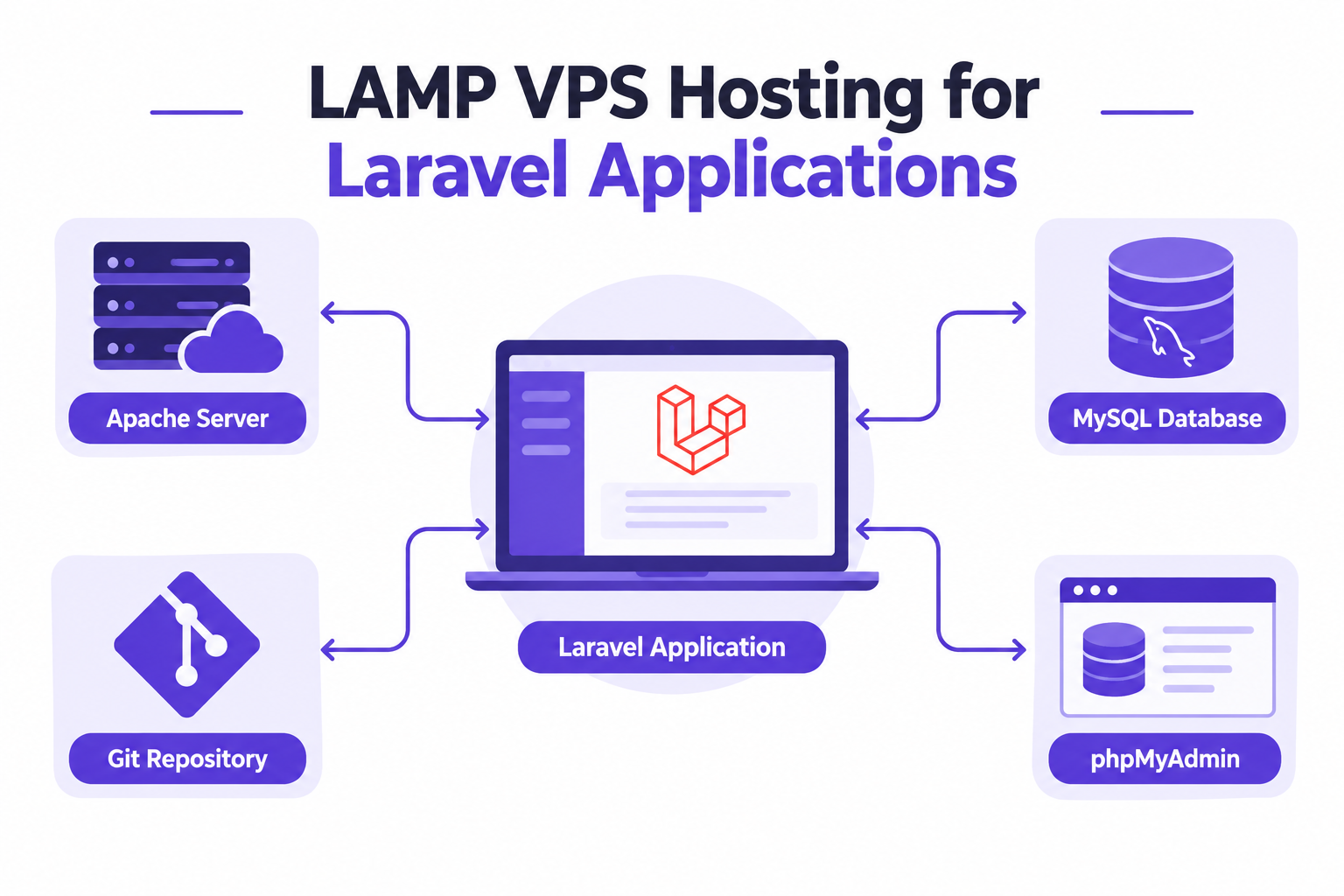
LAMP VPS hosting for Laravel applications gives PHP developers control over Apache, MySQL, PHP, and their deployment workflow. With AccuWeb Hosting LAMP VPS hosting, you get root access, Git integration, and phpMyAdmin. Plans start at $4.95 per month.
The right server should support more than a successful installation. It should also give your team a clear path for releases, database management, background jobs, backups, and recovery.
Key Takeaways
- Root access lets your team configure Apache, manage PHP versions, and optimize MySQL.
- Git integration supports a repeatable deployment workflow, while phpMyAdmin offers a browser-based database interface.
- Laravel needs writable application directories, a scheduler, and a strategy for restarting queue workers.
- AccuWeb Hosting offers 17 locations and setup, configuration, and optimization assistance.
- Plans start at $4.95 per month with VPS Edge, and VPS Peak is $6.95 per month, the same price on every billing cycle.
Why LAMP VPS Hosting for Laravel Applications?
Laravel applications often need more control than a fixed hosting environment offers. A VPS gives your team room to manage the software stack and match it to the application.
The LAMP stack combines Linux, Apache, MySQL, and PHP. Apache handles web requests, PHP runs Laravel, and MySQL stores application data. Linux hosts those components and the processes that keep them running.
AccuWeb Hosting LAMP VPS includes root access. That access lets an administrator configure Apache, manage PHP versions, optimize MySQL, and install additional software. It also brings responsibility for changes, permissions, and updates.
For a small agency, this control matters when client applications use different PHP requirements or deployment processes. A team can standardize its server practices without giving up the ability to adjust the stack.
Choose a LAMP VPS when your team needs Apache and MySQL control alongside a Git-based release process. If your main question is Laravel-specific hosting, explore AccuWeb Hosting Laravel VPS hosting as well.
Match the Server to Your Laravel Workload
Start with how the application behaves, not just how many pages it serves. A Laravel site with frequent database queries, background jobs, and file uploads needs a different resource profile from a simple brochure site.
Consider web traffic, database activity, queue workers, scheduled jobs, and storage growth together. PHP processes and workers compete for memory. Database operations need resources too, particularly during imports, reporting, and maintenance.
Separate normal traffic from release-time demands. Dependency installation, asset builds, and database migrations can create short bursts of work. Decide whether your team will build assets on the server or deliver prepared assets through its deployment process.
Also consider staging. A staging environment helps teams test application changes before release, but it still needs isolation from production data and credentials. Decide where staging runs before choosing your operational approach.
Compare the plans on the LAMP VPS plan page against your workload and expected growth. VPS Edge costs $4.95 per month and VPS Peak $6.95 per month, the same price on every billing cycle.
Choose Your LAMP Environment
Explore the server options for your Laravel workload on the LAMP VPS hosting page.
Apache and PHP Settings That Matter
Laravel 13 requires PHP 8.3 or higher and the framework's required PHP extensions. Check your application's dependencies before selecting a PHP version. An older application can have requirements that differ from Laravel 13.
Point the Apache document root at the application's public directory. Serving the project root instead can expose files that should remain outside the web-accessible directory.
Laravel routes requests through its public entry point. Apache must handle the application's rewrite rules correctly so that routes work beyond the home page. AccuWeb Hosting LAMP VPS supports custom .htaccess rules.
Give the web server write access to Laravel's storage and bootstrap/cache directories. Keep permissions as narrow as practical and avoid making the entire project writable by the web server.
Set production environment values outside version control. Database credentials, application keys, and other secrets should not appear in a public repository or be exposed through Apache.
Serve the application over HTTPS before launch. AccuWeb Hosting offers SSL certificates for that.
Apache or Nginx?
Both are web servers. Choose Apache when your team wants its configuration approach and existing .htaccess workflow. The LAMP VPS stack centers on Apache, MySQL, and PHP.
When reviewing Laravel VPS options, focus on the application requirements and the operating practices your team can maintain.
Build a Git Deployment Workflow
A VPS for Laravel with Git deployment should make releases repeatable. Git integration is part of AccuWeb Hosting LAMP VPS, but your team still owns the release sequence and access controls.
Begin with a repository that excludes secrets and environment-specific files. Grant deployment access to the smallest practical set of users and credentials. Keep production credentials separate from those used in development.
Before a release, review the code, dependency changes, database migrations, and rollback implications. Deploying code and changing a database are related tasks, but they do not always reverse in the same way.
- Prepare the release. Review the application changes, dependencies, configuration, and database migrations.
- Deploy the code. Use the approved Git workflow and install the application's required dependencies.
- Apply application changes. Run the necessary migrations and application maintenance tasks for that release.
- Refresh background processes. Restart queue workers so they load the updated code.
- Check the result. Test important routes, database operations, scheduled tasks, and background jobs.
This sequence is an operational outline rather than a command recipe. The exact commands depend on your Laravel version, deployment method, and application.

Put Git at the Center of Releases
Use the Git integration in AccuWeb Hosting LAMP VPS as part of your team's release workflow.
Manage MySQL With phpMyAdmin
A LAMP VPS with phpMyAdmin for Laravel developers offers a visual way to inspect MySQL databases. Teams can use it to review tables, investigate data, and perform administrative tasks.
Laravel migrations should remain the normal way to track application schema changes. Manual database edits can solve an immediate problem, but they can also leave environments out of sync when the change is not recorded.
Create database users with permissions suited to their jobs. The application's database account should not automatically receive the same privileges as an administrator. Review who can reach phpMyAdmin and how their credentials are protected.
phpMyAdmin's own setup documentation says that granting permissions on the MySQL databases is the system administrator's job. A graphical interface does not replace a permissions policy or a tested backup.
For agencies, document which database belongs to each application and environment. Separate production and staging credentials, and avoid importing production data into staging without an appropriate data-handling process.
Keep Queues and Scheduled Tasks Running
Laravel applications often perform work outside the web request. A queue worker can handle background jobs, while the scheduler coordinates recurring application tasks.
Laravel 13 queue workers are long-lived processes. After code changes, restart workers so they pick up the release. A process monitor can restart workers after they exit and help keep background processing available.
Laravel 13 scheduling uses a server cron entry that invokes the scheduler every minute. The application's schedule determines which tasks are due. Review the application's scheduled jobs and their execution time as part of deployment testing.
Check failed jobs and application logs after a release. A successful home page does not prove that email, imports, reports, or other background work is operating correctly.
Give workers only the access they need. Their environment must match the application they serve, including the intended database and queue configuration.
Support Background Work
Explore Laravel VPS hosting for an environment built around Laravel applications.
Location and Recovery Choices
Server location affects where your application and database operate. Consider where users and administrators work, where your dependencies run, and your organization's data-handling requirements.
AccuWeb Hosting offers 17 LAMP VPS locations: Denver, New York, Northern Virginia, Ohio, Oregon, Montreal, London, Johannesburg, Frankfurt, Dublin, Paris, Stockholm, Hyderabad, Singapore, Sydney, Tokyo, and Seoul.
The total comprises 6 North American locations, 6 European and African locations, and 5 Asia-Pacific locations: 6 + 6 + 5 = 17. Select a location that fits the application and its users rather than assuming geography alone guarantees performance.
Complimentary weekly backups are available in Denver and Hyderabad. Each one is a snapshot of the whole VPS, and a restore brings back the entire server. See the VPS backup options for the other choices. A backup is only useful when your team understands what it contains and can restore the application, database, and required configuration.
Practice restoration in an isolated environment. Document how to recover database credentials, application files, and deployment configuration without exposing secrets.
Network-level DDoS protection is included with AccuWeb Hosting LAMP VPS. Your team should also maintain operating-system updates, application dependencies, access controls, and recovery procedures.
Common Deployment Mistakes
Most preventable problems happen at the boundaries between code, server configuration, and database state. Review these failure points before accepting traffic.
- Pointing Apache at the project root instead of Laravel's public directory.
- Using a PHP version or extension set that does not meet the application's requirements.
- Leaving secrets in a repository or a web-accessible location.
- Giving the web server broader write permissions than Laravel needs.
- Deploying new code without restarting long-lived queue workers.
- Changing production database tables manually without recording the change.
- Assuming a backup will restore successfully without testing it.
Keep an application-specific runbook for releases and recovery. Record the people responsible for approvals, the services that require attention, and the checks that determine whether a release succeeded.
If Apache returns an error, start with its logs and the Laravel application logs. Check the document root, rewrite behavior, PHP compatibility, and directory permissions before making broad changes.
Get Help With Your Stack
AccuWeb Hosting offers LAMP setup, configuration, and optimization assistance through its LAMP VPS service.
A Practical Agency Scenario
A small agency maintains a Laravel application with a MySQL database and recurring background jobs. Its developers want Apache control, a Git-based release process, and a visual database interface.
AccuWeb Hosting LAMP VPS fits that workflow with root access, Git integration, and phpMyAdmin. The agency can establish a release procedure, keep production secrets outside the repository, and assign database permissions by role.
Before launch, the agency checks PHP compatibility, points Apache at Laravel's public directory, and verifies writable paths. It also documents worker restarts, scheduled tasks, and database recovery.
After launch, the team reviews application logs and failed jobs. When a release includes a database migration, it evaluates recovery separately from the code rollback. That distinction helps avoid treating every deployment as a simple Git reversal.
The same approach suits a LAMP VPS for custom PHP applications when developers need control over Apache, PHP, and MySQL. The application's own framework and dependency requirements still guide its configuration.
Frequently Asked Questions
Can Laravel run on an Apache and MySQL VPS?
Yes. Laravel can run with Apache and MySQL when PHP and the required extensions meet the application's requirements. Configure Apache to serve Laravel's public directory.
Which PHP version does Laravel 13 require?
Laravel 13 requires PHP 8.3 or higher and its required PHP extensions. Check the requirements of your application and its dependencies before changing versions.
Can I deploy Laravel from a Git repository?
Yes. AccuWeb Hosting LAMP VPS includes Git integration. A release process should also address dependencies, migrations, worker restarts, and application checks.
Can I use phpMyAdmin with a Laravel database?
Yes. phpMyAdmin can help administrators inspect and manage MySQL data. Use appropriate database permissions and track application schema changes through migrations.
Why do Laravel queue workers need restarting?
Laravel 13 workers are long-lived processes. Restarting them after a deployment lets them load the updated application code.
Does Laravel need a cron job?
Laravel 13 scheduling uses a cron entry that invokes its scheduler every minute. The application schedule determines which tasks actually run.
What should Apache serve for a Laravel application?
Set the document root to Laravel's public directory. Keep the rest of the project outside the web-accessible document root.
Can I adjust Apache and PHP on the VPS?
Yes. AccuWeb Hosting LAMP VPS includes root access for Apache configuration, PHP version management, MySQL optimization, and additional software installation.
How do I choose between Apache and Nginx for Laravel?
Consider your team's configuration experience and application needs. Apache is a natural choice when your workflow relies on Apache configuration and custom .htaccess rules.
Choose for the Whole Application
LAMP VPS hosting for Laravel applications is most useful when server control supports a disciplined workflow. Consider web requests, databases, deployments, workers, scheduled tasks, and recovery as parts of the same application.
Choose an environment your team can maintain, document its release process, and test restores before they are needed. Compare the plan options alongside your application's actual requirements.
Find Your Laravel-Ready LAMP VPS
Compare plans starting at $4.95 per month on the AccuWeb Hosting LAMP VPS page.
About the Author: Jason-Pat
Founder & CTO at AccuWebHosting.com. He shares his web hosting insights at AccuWebHosting blog. He mostly writes on the latest web hosting trends, WordPress, storage technologies, Windows and Linux hosting platforms.