wp2shell WordPress Vulnerability: What CVE-2026-63030 and CVE-2026-60137 Mean for Your Site
A critical WordPress Core vulnerability chain known as wp2shell is being actively exploited across the web. It lets an attacker with no account and no user interaction take full control of a default WordPress installation. If you run WordPress on any host, this is one security update you need to know about.
Here is exactly what wp2shell is, which WordPress versions are affected, how the attack chain works, the warning signs of a compromised site, and the steps to patch and harden your installation.
What Is the wp2shell WordPress Vulnerability?
wp2shell is the name security researchers gave to a two-vulnerability attack chain in WordPress Core, publicly disclosed on July 17, 2026. It combines:
- CVE-2026-63030 / CVE-2026-60137(Common Vulnerabilities and Exposures): A public registry where every known security bug gets a unique ID number, so researchers and companies can all refer to the same flaw by the same name.
- CVSS 9.8(Common Vulnerability Scoring System): A scoring system (0–10) that rates how severe a security bug is, higher means easier to exploit and more damaging.
On their own, neither of these two bugs is enough to let a hacker fully take over a website. But when used together, they become extremely dangerous.
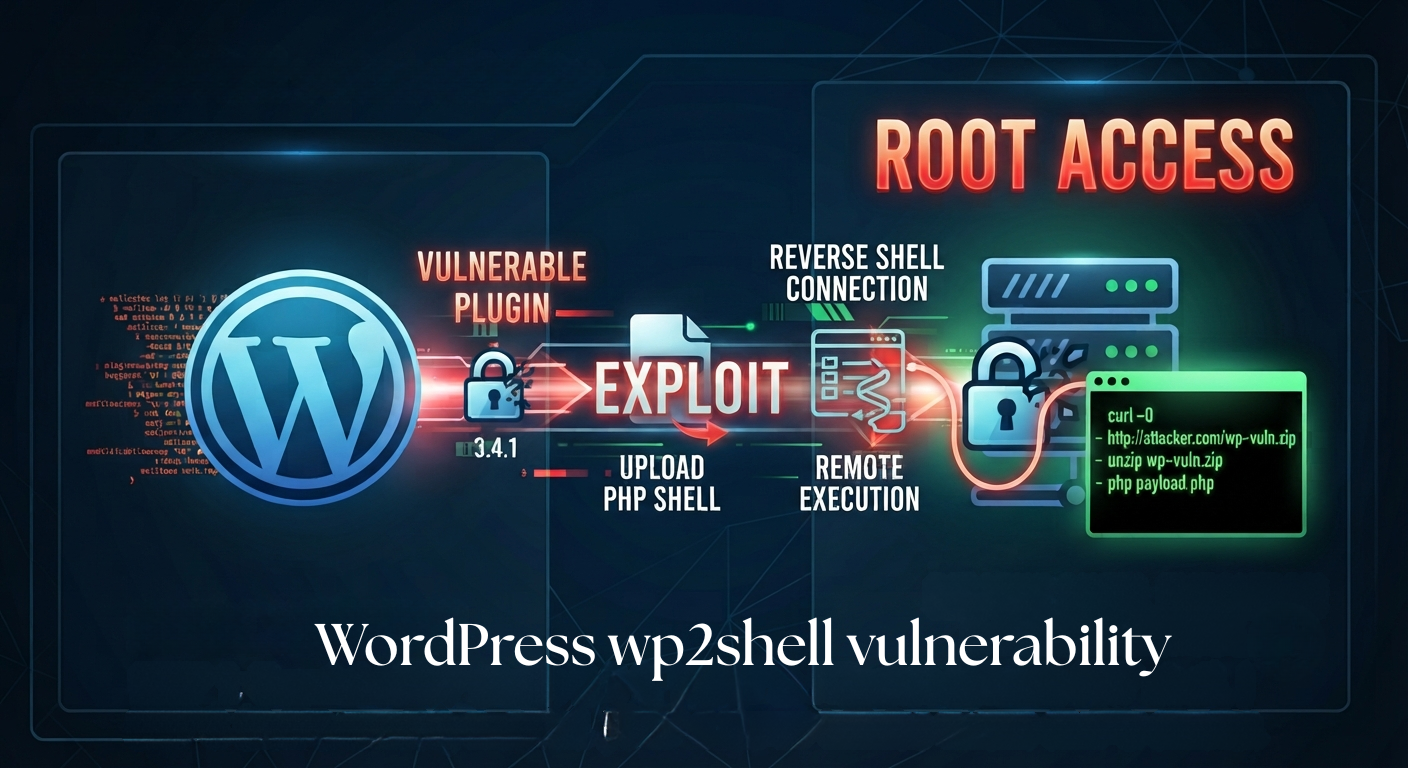
Here's how it works, step by step:
- No login required. The attacker doesn't need a username, password, or any account to begin.
- The first bug opens a hidden path. It lets the attacker sneak past the site's normal security checks and reach a much more serious weakness.
- The second bug lets them talk to the database. This is a "SQL injection", a way to trick the website's database into leaking or changing information.
- They create a secret admin account. Using the access they've gained, they set themselves up as if they were the site's real administrator.
- They install a fake plugin. Posing as the admin, they upload something that looks like a normal plugin but is actually malicious software.
- They plant a hidden backdoor. This backdoor lets them control the website remotely, anytime, without needing to break in again.
wp2shell Timeline: How Fast the Threat Moved
What makes wp2shell notable is not just the technical severity but the speed of exploitation after disclosure:
| Date | Event |
| Jul 17, 2026 | WordPress ships emergency releases 6.8.6, 6.9.5, and 7.0.2, plus GitHub security advisories, and triggers forced auto-updates. |
| Jul 17–18, 2026 | Cloudflare deploys WAF rules; first exploitation signals and a public proof-of-concept exploit appear within hours. |
| Jul 21, 2026 | CISA adds both CVE-2026-63030 and CVE-2026-60137 to its Known Exploited Vulnerabilities (KEV) catalog, confirming active exploitation. |
| Jul 22, 2026 | Full technical write-up and additional public proof-of-concept exploit code published; exploitation accelerates. |
| Jul 27–Aug, 2026 | Security vendors report sustained, high-volume exploitation attempts worldwide, with tens of thousands of blocked attacks recorded in a single week. |
The gap between disclosure and a working exploit was measured in hours, not weeks, which is why waiting for a formal advisory or a scheduled maintenance window is not a safe strategy for this particular vulnerability.
Which WordPress Versions Are Affected?
| WordPress Branch | Affected Versions | Risk | Fixed Version |
| 7.0 | 7.0.0 – 7.0.1 | Full wp2shell chain (unauthenticated RCE) | 7.0.2 |
| 6.9 | 6.9.0 – 6.9.4 | Full wp2shell chain (unauthenticated RCE) | 6.9.5 |
| 6.8 | 6.8.0 – 6.8.5 | SQL injection only (CVE-2026-60137) | 6.8.6 |
| 7.1 beta | Pre-release builds | Fix already included | 7.1 Beta 2 |
| 6.7 and earlier | Not affected | — | No action needed for this chain |
Run "wp core version" from the command line, and check Dashboard → Updates.

Or view page source for the WordPress generator tag to confirm your installed version.


Do not assume a forced automatic update reached every site, installations with automatic updates disabled, blocked, or overridden by a management plugin were not patched automatically and need to be checked and updated by hand.
How the wp2shell Exploit Chain Works
Step 1: REST API route confusion (CVE-2026-63030)
The WordPress REST API batch endpoint lets multiple requests be combined into a single call for efficiency. A flaw in how that endpoint validates sub-request paths means a specially formatted path (using a triple-slash prefix) is validated correctly but then dispatched to the wrong handler at execution time, quietly skipping the authentication check that should have blocked it.
Step 2: SQL injection (CVE-2026-60137)
With authentication bypassed, the attacker's request reaches a parameter in the post query layer that is not properly sanitized, allowing a UNION-based SQL injection. This lets the attacker pull data straight out of the WordPress database, including password hashes, without ever logging in.
Step 3: Privilege escalation and takeover
Using legitimate WordPress mechanisms, the oEmbed cache, and a customizer changeset as a bridge, the attacker writes a crafted value into the site options table that results in a fully working administrator account. From there, they log in normally, install a malicious plugin, and drop a PHP web shell inside wp-content, giving them ongoing remote command execution on the server.
Security researchers monitoring live attacks observed that the automated exploit script sometimes needs more than one attempt: partial or failed runs can still leave behind a rogue administrator account even when no web shell was successfully installed. That single detail changes what a compromise check should look for first.
Warning Signs Your WordPress Site May Be Compromised
A patched version number tells you the door is now locked, it says nothing about whether someone already walked through it while it was open. If your site was running an affected version at any point after July 17, 2026, check for:
- Administrator accounts you did not create, this is the single most reliable indicator, even if no other sign of compromise is present.
- Unknown or unfamiliar plugins in wp-content/plugins/, especially ones with randomized folder names.
- PHP files at unexpected paths inside wp-content/ that don't correspond to any installed plugin or theme.
- HTTP 207 (Multi-Status) responses from /wp-json/batch/v1 or ?rest_route=/batch/v1 in your access logs, a strong signal of exploitation attempts.
- Unexplained rows or changes in the wp_posts, wp_options, or wp_users database tables.
If you find a suspicious administrator account, treat the situation as a confirmed compromise: rotate all credentials, invalidate active sessions, regenerate your WordPress salt keys, and, if a web shell is also present, restore the site from a known-clean backup rather than attempting to clean it in place.
How to Fix wp2shell: Step-by-Step
- Identify every WordPress instance you run, including staging sites, campaign microsites, and old subdomains that are easy to forget but equally exposed.
- Update immediately to WordPress 7.0.2, 6.9.5, or 6.8.6 (or later), and verify the version number after updating rather than assuming the update applied.
- If you cannot patch right away, block unauthenticated access to /wp-json/batch/v1 and ?rest_route=/batch/v1 at your firewall or edge layer as a temporary measure; this buys time, it does not replace the patch.
- Audit your administrator user list and review server logs for the indicators listed above, covering the full window since July 17, 2026.
- Change your WordPress administrator password and rotate database credentials as routine hygiene, even if you find no sign of compromise.
- Keep plugins, themes, and PHP versions current going forward, core patches close this specific chain, but a hardened, fully updated stack is what prevents the next one.
How AccuWeb Hosting Keeps WordPress Sites Protected
Threats like wp2shell move from disclosure to active exploitation in hours, which is exactly why hosting-level protection matters as much as the WordPress update itself. AccuWeb's managed WordPress Hosting and WordPress Cloud plans are built on a security-first architecture across SOC 2 Type II and ISO/IEC 27001 certified data centers worldwide, backed by a 99.9% uptime SLA.
- Proactive patch monitoring so critical WordPress Core releases like 6.9.5 and 7.0.2 are flagged and applied fast across managed environments.
- Web application firewall and malware scanning layered in front of every hosted WordPress site to catch exploitation attempts targeting endpoints like the REST API batch route.
- Automated, isolated backups so a compromised installation can be restored from a clean point instead of cleaned up under pressure.
- 24/7 infrastructure monitoring across the global AccuWeb network, so unusual account creation or file changes don't sit unnoticed over a weekend.
If you're managing WordPress on unmanaged or self-patched infrastructure, moving to a managed WordPress Hosting plan removes exactly the kind of gap that made wp2shell dangerous: the lag between a patch being available and it actually being applied everywhere it needs to be.
wp2shell FAQ
Is my WordPress site vulnerable to wp2shell?
If you're running WordPress 6.9.0–6.9.4 or 7.0.0–7.0.1, you're exposed to the full unauthenticated RCE chain. On 6.8.0–6.8.5, only the SQL injection component applies. Versions 6.8.6, 6.9.5, and 7.0.2 (and later) are fixed.
Do I need a vulnerable plugin for my site to be at risk?
No, wp2shell works against a default WordPress Core installation with no plugins involved and no user interaction required.
Is wp2shell actually being exploited, or is this a theoretical risk?
It's active. Both CVEs were added to CISA's Known Exploited Vulnerabilities catalog within days of disclosure, and security vendors have reported sustained, high-volume exploitation attempts worldwide.
I've already patched; is there anything else to do?
Yes, Patching closes the door but doesn't tell you whether it was already opened. Check your administrator account list and server logs for the indicators described above, covering the period since July 17, 2026.
About the Author: Jason-Pat
Founder & CTO at AccuWebHosting.com. He shares his web hosting insights at AccuWebHosting blog. He mostly writes on the latest web hosting trends, WordPress, storage technologies, Windows and Linux hosting platforms.