WP Cloud Hosting Guide: Features, Benefits & How It Works
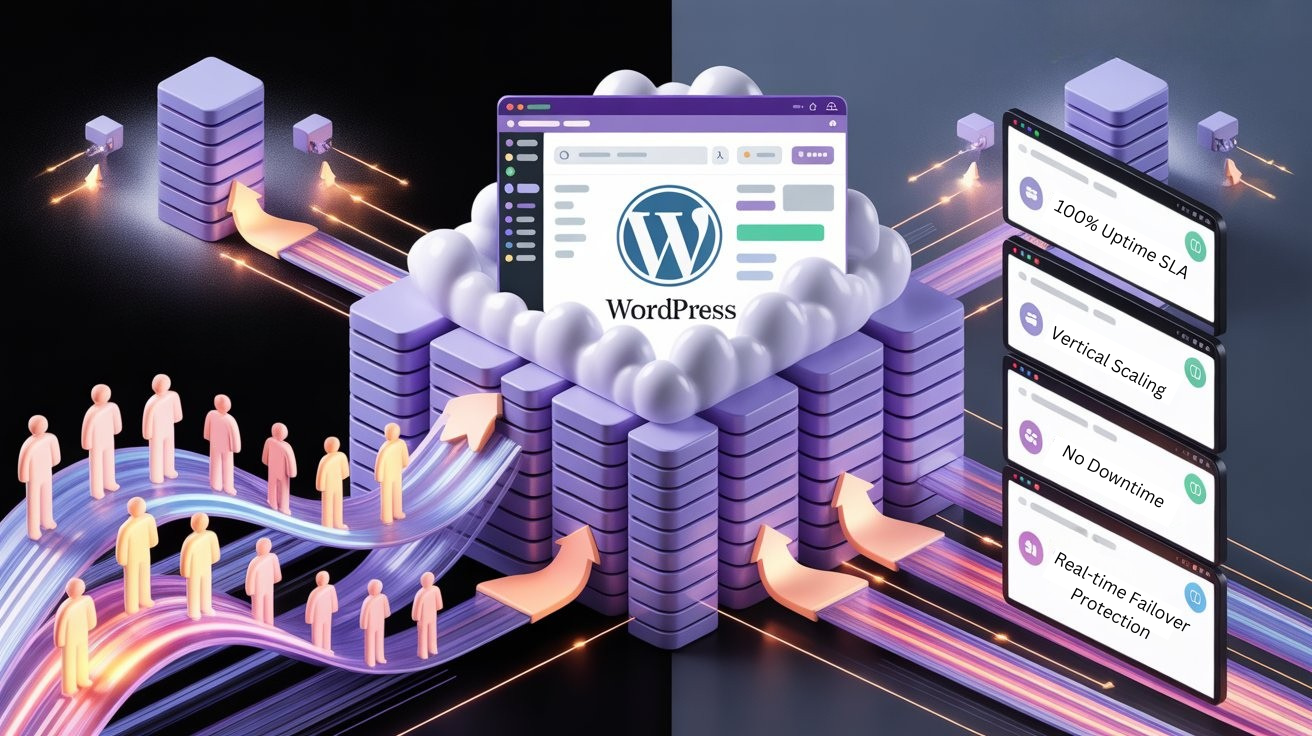
WordPress powers millions of websites across the internet, from personal blogs and business sites to large content platforms and online stores. As websites grow and attract more visitors, hosting requirements often evolve alongside them. Modern websites need reliable performance, consistent uptime, and the flexibility to adapt as traffic patterns and workloads change.
In recent years, cloud infrastructure has become an important part of how websites are deployed and managed. Rather than relying on a single server environment, cloud WordPress hosting uses a distributed infrastructure designed to support dynamic workloads and deliver stable performance. This approach allows websites to run on a platform built to handle modern web demands while maintaining reliability and efficiency.
Today’s websites frequently manage large volumes of content, integrate with third-party services, and serve visitors from different regions around the world. These evolving requirements have encouraged many developers, businesses, and agencies to explore hosting environments designed with scalability and infrastructure flexibility in mind.
In this guide, we’ll take a closer look at cloud WordPress hosting, how it works, and the types of websites that can benefit from it. We’ll also explore the technologies behind cloud-based hosting environments and how they help support WordPress websites as they grow and expand.
What is WordPress (WP) Cloud Hosting?
Cloud WordPress Hosting runs WordPress websites on scalable cloud infrastructure designed to distribute workloads across multiple servers. Instead of placing all resources on one machine, cloud hosting distributes computing power across a network of servers.
This architecture enables websites to access shared computing resources such as processing power, storage, and memory across multiple machines. By distributing workloads in this way, cloud hosting environments can handle higher traffic volumes, maintain consistent performance, and remain resilient even when individual servers encounter issues.
Cloud hosting environments designed specifically for WordPress often include optimized server configurations, caching technologies, and database improvements that help WordPress applications perform more efficiently.
The result is a hosting platform capable of supporting both growing websites and high-traffic applications while maintaining stable performance.
WP First
/mo
- 1 Website
- AccuPanel
- 25 GB NVMe
- 2 vCPU Threads
- 2PHP Workers
- 100% Uptime SLA
- 24/7 Priority Support
- One Click Staging
- Ideal for 400k visits/mo
- SSH Access
- Free Daily Backup
- Global Edge Caching
- Global Data Centers
WP Second
/mo
- 1 Website
- AccuPanel
- 55 GB NVMe
- 5vCPU Threads
- 5PHP Workers
- 100% Uptime SLA
- 24/7 Priority Support
- One Click Staging
- Ideal for 1 million visits/mo
- SSH Access
- Free Daily Backup
- Global Edge Caching
- Global Data Centers
WP Third
/mo
- 1 Website
- AccuPanel
- 75 GB NVMe
- 12 vCPU Threads
- 12 PHP Workers
- 100% Uptime SLA
- 24/7 Priority Support
- One Click Staging
- Ideal for 6 million visits/mo
- SSH Access
- Free Daily Backup
- Global Edge Caching
- Global Data Centers
How Does Cloud WordPress Hosting Work?
Cloud WordPress hosting runs your website on a network of interconnected servers instead of relying on a single physical machine. This allows the hosting environment to distribute workloads efficiently and maintain stable performance even when website traffic changes. Below is a simplified breakdown of how the system works.
1. A Visitor Sends a Request
When someone opens your WordPress website in their browser, a request is sent to the hosting network. This request asks the server to load the website and deliver its content to the visitor.
2. The Cloud Network Receives the Request
Instead of sending the request to one specific server, the cloud hosting platform receives the request through its infrastructure. The system determines the best available server to handle the request based on current workload and performance conditions.
3. WordPress Application Processes the Request
Once the request reaches the server, the WordPress application starts processing it. This includes running PHP scripts, loading themes and plugins, and retrieving necessary information from the database.
4. Data is Retrieved from the Database
WordPress stores posts, pages, user information, and website settings inside a database. The server retrieves this data and combines it with the website’s design and functionality to generate the webpage.
5. Caching Helps Deliver Content Faster
If the requested content is already stored in the caching system, the server can deliver the page much faster without processing the entire request again. This improves loading speed and reduces server workload.
6. The Webpage is Delivered to the Visitor
After the server prepares the webpage, it sends the final HTML content back to the visitor’s browser. The browser then displays the website with all its images, styles, and scripts.
7. The System Continuously Monitors Resources
Behind the scenes, the cloud platform monitors server performance, resource usage, and traffic patterns. This ensures that the infrastructure continues to run efficiently and supports the website as demand changes.
Built on the Same Technologies That Power WordPress
Our infrastructure is built with technologies trusted by developers and companies actively contributing to the WordPress ecosystem, ensuring your website runs on a platform aligned with modern WordPress standards.
Architecture Behind Cloud WordPress Hosting
Cloud WordPress hosting is built on a layered infrastructure that integrates multiple components to deliver performance, reliability, and scalability. Instead of depending on a single server, cloud hosting distributes resources across different layers that handle specific tasks. This architecture helps websites remain stable, fast, and able to handle fluctuating traffic levels.
Compute Layer
The compute layer runs the WordPress application and processes visitor requests. It includes cloud servers that execute PHP scripts, load themes and plugins, and generate web pages dynamically when users access the website.
Storage Layer
The storage layer manages website files and databases, including themes, plugins, images, and WordPress data. Cloud storage systems are designed for fast access and reliability, so website content remains consistently available.
Network Layer
The network layer connects servers and manages incoming website traffic. It ensures stable communication between infrastructure components and delivers website data quickly to visitors from different locations.
Caching Layer
The caching layer stores frequently requested website data so pages can be delivered faster without processing the same request repeatedly. This improves page load speed and reduces server workload.
Management and Monitoring Layer
This layer monitors server performance, resource usage, and system health. It helps maintain stable operations and ensures the hosting environment continues running efficiently.
Key Features of AccuWeb Hosting’s WP Cloud Hosting
Running WordPress in a cloud environment requires more than basic hosting infrastructure. AccuWeb Hosting’s WP Cloud Hosting platform is designed with advanced technologies that help websites maintain performance, stability, and scalability as they grow. Below are some of the key features that power the platform.
Vertical Resource Bursting
One of the most powerful capabilities of AccuWeb’s cloud infrastructure is Vertical Resource Bursting. This feature allows your WordPress environment to temporarily increase computing resources, such as CPU power and RAM, when website demand suddenly rises.
For example, if your website receives a traffic surge from a marketing campaign, product launch, or viral content, the platform automatically allocates additional resources to maintain performance. Once the demand decreases, resource usage returns to normal levels. This ensures your website continues running smoothly even during unexpected traffic spikes.
Real-Time Failover Protection
Website downtime can negatively impact both user experience and business operations. Our WP Cloud Hosting includes real-time failover technology designed to keep websites online even if a server encounters an issue.
If one server within the cloud infrastructure experiences a problem, the system automatically redirects workloads to another server in the network. This failover mechanism helps maintain website availability and minimizes service interruptions.
High Availability Cloud Architecture
AccuWeb’s platform is built on a high-availability cloud architecture, meaning your WordPress website runs on a distributed infrastructure rather than a single server.
This architecture reduces the risk of downtime and allows workloads to be balanced across multiple servers. The result is a hosting environment designed for reliability, performance, and consistent website accessibility.
AccuPanel – Simplified WordPress Cloud Management
AccuWeb’s WP Cloud Hosting includes AccuPanel, an intuitive management dashboard designed to simplify WordPress administration. Through AccuPanel, users can manage websites, monitor resources, configure settings, and control their cloud environment from a single interface.
The platform provides an easy way to handle deployments, backups, and server management tasks without requiring complex system administration knowledge.
NVMe SSD Storage for Faster Performance
Storage performance plays a major role in website speed. We use NVMe SSD storage, which provides significantly faster data access compared to traditional hard drives.
Faster storage helps reduce database response times and improves overall website loading speed, creating a smoother experience for visitors.
LiteSpeed Web Server Optimization
AccuWeb’s platform integrates the LiteSpeed Web Server, a high-performance web server technology known for delivering exceptional speed for WordPress websites.
LiteSpeed integrates with advanced caching systems to accelerate page load times and reduce server load. This optimization ensures your WordPress website can handle high traffic volumes while maintaining fast response times.
Built-In Caching for Improved Speed
To further improve website performance, the platform includes advanced caching technologies that temporarily store frequently accessed content. This allows the server to deliver pages faster without repeatedly processing the same data.
Caching reduces server load and significantly improves website loading speed for visitors.
Automatic Scaling Infrastructure
As your WordPress website grows, the hosting infrastructure can adapt to increased demand. Our WP Cloud Hosting platform supports automatic scaling, allowing resources to expand as needed to support growing traffic and application workloads.
This flexibility ensures your hosting environment can evolve alongside your website’s growth.
Advanced Security Protection
Website security is a critical component of modern hosting platforms. AccuWeb integrates multiple security technologies designed to protect WordPress websites from threats.
Security features may include...
- firewall protection
- brute-force attack prevention
- malware monitoring
- SSL encryption
These systems help safeguard both website data and visitor information.
Automated Backup and Recovery
Data protection is essential for any website. AccuWeb’s WP Cloud Hosting includes automated backup systems that allow users to schedule regular backups and restore website data if necessary.
Backup scheduling options ensure that website data remains protected and recoverable in case of unexpected changes or system issues.
Snapshot Creation and Instant Rollback
Making changes to a website can sometimes introduce unexpected issues. We include snapshot tools that allow users to create instant snapshots of their website before performing updates, installations, or configuration changes.
WordPress-Optimized Environment
AccuWeb’s cloud hosting platform is specifically optimized for WordPress applications. This includes server configurations, caching systems, and performance technologies designed to enhance WordPress functionality.
The result is a hosting environment that supports faster page loads, improved stability, and smoother website operation. Additionally, the cloud platform supports the latest PHP versions (8.3/8.4+), enabling significantly faster execution and improved performance compared to older PHP versions.
Why Cloud WordPress Hosting is Gaining Attention
As websites become more complex and interactive, hosting environments are evolving to support modern workloads. Cloud WordPress hosting has become a preferred option for many developers, businesses, and agencies because it offers infrastructure designed to adapt to changing website demands.
Some of the key reasons behind its growing adoption include:
Handling Traffic Variations More Efficiently
Website traffic can change throughout the day due to campaigns, promotions, or content going viral. Cloud environments are designed to manage these variations while keeping the website responsive.
Infrastructure Designed for Modern Web Workloads
Today’s WordPress websites often include integrations, APIs, dynamic content, and media-heavy pages. Cloud platforms are built to support these workloads efficiently.
Better Support for Growing Content Libraries
As websites expand with more articles, images, videos, and user-generated content, cloud hosting environments help maintain smooth content delivery.
Flexibility for Development and Testing
Developers frequently update themes, plugins, and site functionality. Cloud hosting environments make it easier to manage these changes while maintaining stable website performance.
Adaptability for Expanding Projects
Websites rarely remain static. Businesses launch new services, add features, or expand to new audiences, and hosting infrastructure needs to support that evolution.
Reliable Platform for Long-Term Website Growth
Many website owners prefer hosting environments that can support both current requirements and future expansion without needing major infrastructure changes.
WordPress Cloud Hosting vs Traditional Hosting: Key Differences
| Feature | Traditional Hosting | WP Cloud Hosting |
| Server Setup | Single Physical Server | Distributed Network |
| Traffic Spikes | May cause downtime | Vertical Bursting handles it |
| Uptime | Dependent on one machine | Real-time Failover protection |
| Speed | Standard SSD | NVMe SSD + LiteSpeed |
| Scalability | Manual upgrades required | Auto-scaling resources |
| Security | Basic protection | Advanced threat detection |
| Backup | Scheduled backups | Real-time data replication |
| Cost | Fixed monthly pricing | Pay-as-you-use model |
| Management | Self-managed or basic support | Fully managed WordPress |
| Performance | Limited by single server | Optimized across multiple nodes |
| Recovery | Manual restoration process | Instant disaster recovery |
| Updates | Manual WordPress updates | Automatic core & plugin updates |
Conclusion
Running a growing WordPress website requires infrastructure that can keep up with changing traffic, content, and performance demands. Cloud WordPress hosting provides that flexibility by running websites on a scalable cloud infrastructure designed for stability and reliability.
With cloud hosting for WordPress, websites can operate on a platform built to support modern workloads without constant infrastructure adjustments. This is why many developers and businesses now prefer WP cloud hosting environments that combine performance with scalability.
AccuWeb Hosting offers managed WordPress Cloud Hosting designed specifically for WordPress websites. Whether you're launching a new site or expanding an existing project, AccuWeb’s WP Cloud platform provides the resources, reliability, and performance expected from the best WP Cloud Hosting solutions.
FAQ – Cloud WordPress Hosting
1. What is cloud hosting for WordPress?
Cloud hosting for WordPress is a hosting environment where WordPress websites run on cloud-based infrastructure rather than a single server. This setup helps websites maintain stable performance and scale resources when traffic grows.
2. Can WordPress handle high traffic on cloud hosting?
Yes. Cloud hosting for WordPress is designed to support websites with increasing or fluctuating traffic because resources can adapt to changing workloads.
3. What are the benefits of cloud WordPress hosting?
Some benefits of cloud WordPress hosting include scalable infrastructure, reliable performance, flexible resource allocation, and improved stability for growing websites.
4. Can I migrate my WordPress website to cloud hosting?
Yes. You can easily migrate your existing WordPress website to AccuWeb’s cloud WordPress hosting environment. We provide migration assistance to help move your website without downtime, ensuring a smooth transition while maintaining your website’s performance and data integrity.
5. Is managed WordPress Cloud Hosting better for beginners?
Yes. Managed WordPress Cloud Hosting typically includes automated maintenance, updates, and performance optimizations. This helps website owners manage WordPress websites without deep technical knowledge.
About the Author: Jason-Pat
Founder & CTO at AccuWebHosting.com. He shares his web hosting insights at AccuWebHosting blog. He mostly writes on the latest web hosting trends, WordPress, storage technologies, Windows and Linux hosting platforms.