The 10 Best AI Website Builders in 2026 (Tested & Compared)

Building a website used to mean picking between two bad options: pay a developer several thousand dollars and wait weeks, or spend your own evenings dragging boxes around a template until it looked reasonably professional. AI website builders were supposed to fix that. Some of them actually have.
The honest problem with "best AI website builder" lists right now is that most of them either favor whichever tool pays the highest commission, or list fifteen tools with no clear reasoning behind the order. We wanted something more useful: a straight comparison of the AI website builders actually worth considering in 2026, judged on how fast they get you to a real site, how good that site looks without hours of manual fixing, how much control you keep, and; a question almost nobody else asks: what happens once the site is live and you need real hosting, support, and security behind it.
Small business website adoption has climbed sharply in the last few years: 83% of small businesses now have a website, up from 64% in 2018, largely because AI tools and no-code platforms have made the process far more accessible than hiring a design team. That accessibility is exactly why the builder you pick matters; the barrier to entry has dropped, but the gap between a good AI-built site and a forgettable one hasn't.
Key Takeaways
- Webifly.io is our top pick for 2026 - genuine AI site generation with hosting, security, and support included from day one, so you're not managing a builder subscription and a separate host as two different problems.
- Wix remains the strongest standalone AI builder if you want the widest set of AI tools.
- Most standalone AI builders still leave you to sort out hosting, domains, and migration yourself once the free trial or starter tier runs out; that gap is the single most overlooked cost in this category.
- Free tiers across the board come with real limits: branding you can't remove, page caps, or no custom domain. We break down what "free" actually means per tool below.
What Actually Makes an AI Website Builder "Smart" in 2026
Not every tool calling itself an "AI website builder" does the same thing. Some genuinely generate a website's structure, layout, and copy from a prompt or a short questionnaire. Others are a standard template-based builder with an AI copywriting tool bolted on; you still pick the theme and arrange the sections yourself, and the "AI" only fills in placeholder text.
The distinction matters because it determines how much time you actually save. A tool that generates a full page structure, relevant imagery, and business-specific copy from a single description can get you 80% of the way to a finished site in minutes. A tool that just writes better placeholder text still leaves you doing the design work by hand.
By 2026, the more capable builders have pushed a step further: some can generate working backend functionality, booking systems, membership areas, basic e-commerce logic, not just a static homepage. That's become one of the clearest lines separating a genuinely AI-driven builder from a templated one with AI features layered on top.
How We Compared These Tools
Every tool below was judged against the same five criteria:
- Setup speed: how long from "describe your business" to a usable draft site
- Design quality out of the box: does the AI-generated result look like something you'd actually publish, or something you'll spend hours fixing
- Real customization: once the AI hands you a draft, how much control do you actually have over layout, content, and structure
- AI capability: does the tool only generate a homepage, or can it build genuine functionality (stores, bookings, membership areas)
- What's included beyond the builder itself: hosting, domain connection, security, and support, since a website builder that doesn't address what happens after launch is only solving half the problem
That last criterion is where the comparison gets interesting, because it's the one dimension almost no other website measures, and it's where the gap between "a builder" and "a complete way to get a business online" shows up clearest.
Best AI Website Builders at a Glance
| Tool | Best For | Hosting Included? | Free Offer? | Starting Price |
| Webifly.io | Businesses that want the builder and hosting handled in one place. Seconds to generate; a few minutes to refine | Yes | Yes | $3.99/mo |
| Wix | Widest range of standalone AI tools | No | Yes | $17/month |
| Framer | Designers who want AI-assisted layout | No | Yes | $10/month/site |
| 10Web | WordPress-committed users | Yes | No | $10/month |
| Durable | Fastest possible launch | No | Yes | $12/month |
| Squarespace Blueprint | Design-first brands who still want AI assistance | No | No | $16/month |
| Webflow AI Site Builder | Teams needing a full design system | No | Yes | Varies by plan |
| Jimdo | Simple local business sites | No | Yes | $11/month |
| GoDaddy Airo | Turning an idea into a full online business | Yes | Yes | $9.99/month |
| Hostinger | Budget-conscious builds | Yes | No | $3/month |
1. Webifly.io - Best Overall AI Website Builder

Webifly starts with one question: what do you want to build? Type a sentence about your business, and it puts together a full website, hero section, features, pricing, testimonials, and an FAQ - without you picking a template or staring at a blank page first.
Key features:
- Builds a full, multi-section website from a single text description
- Hosting included from the start, powered by AccuWebHosting
- Click-to-edit visual editor with full undo/redo
- Can add interactive elements (tabs, carousels, pop-ups, filters) just by asking
- Export full code or an Elementor (WordPress) file if you want to leave
- AI credits that never expire
- 24/7 live chat support
Limitations:
- This is not for use if you want to create an app.
Pricing:
- Free - $0 forever, no card needed
- Silver - $3.99/mo, create 1 website, 10 GB storage, ~10K visitors/mo, your own domain, badge removed
- Gold (most popular) - $5.99/mo, create 2 websites, 15 GB storage, ~20K visitors/mo, 5 email accounts, 5 sub-domains
- Diamond - $7.99/mo, create 4 websites, 25 GB storage, ~50K visitors/mo, 10 email accounts, 10 sub-domains
- Yearly and 3-year billing bring the effective monthly cost down further, hosting is included on every paid plan
Support: real people answer chat questions 24/7, not just a help page.
Not sure how to use Webifly? Explore step by step - How Webifly Works: From a Sentence to a Live Website
2. Wix - Best Standalone AI Website Builder

If you specifically want the widest range of AI tools and you're not looking to bundle hosting in with the builder, Wix is the strongest standalone option available in 2026. It offers a genuinely broad AI toolkit - a conversational AI site builder, an AI-assisted editor for building new page sections, and a growing set of AI features for product recommendations and site management.
Setup and design quality
The conversational onboarding genuinely shapes the resulting site rather than just filling in a template, and the output looks modern and mobile-responsive without much manual cleanup.
Customization
Once the AI hands off to Wix's mature drag-and-drop editor, you get essentially full control — this is one of Wix's real strengths relative to some of the more AI-only tools further down this list.
Pricing
Plans start around $17/month for a custom domain and ad-free hosting through Wix.
Worth knowing
Wix's hosting is Wix's own. It isn't designed to be moved elsewhere easily, and support, hosting, and the builder itself are three separate things you're paying for and managing together rather than one bundled relationship.
3. Framer - Best AI Website Builder for Designers

Framer is built for people who care about design control first and AI convenience second. Its AI tools like an AI Wireframer for quick layout generation and a Workshop for AI-assisted assets like scroll effects are genuinely useful, but they're accelerants for a design-first workflow, not a replacement for one.
Setup and design quality
A prompt generates a rough site including draft copy, but expect a real design pass afterward, this isn't a tool that gets you to "finished" without further work.
Customization
This is where Framer wins outright, near-complete design control once you're past the initial AI draft, comparable to a professional design tool rather than a typical site builder.
Pricing
Free for non-commercial projects with a Framer-branded URL; paid plans start around $10/month per site.
Worth knowing
If you're not comfortable with a steeper design-tool learning curve, this isn't the fastest path to a finished site. It rewards time spent, rather than saving it outright.
4. 10Web - Best Website Builder for WordPress Users
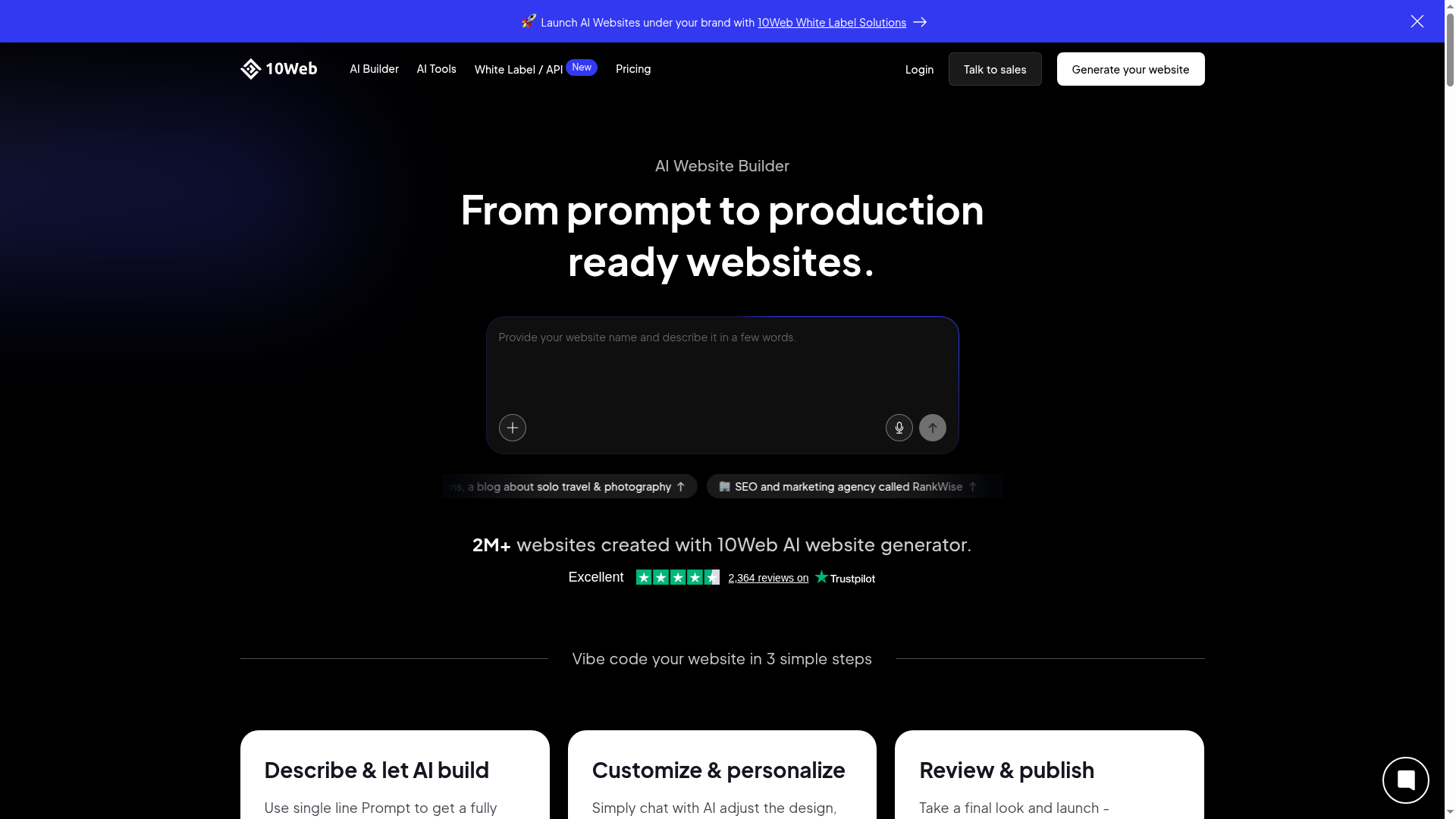
10Web is the right pick specifically if you want the finished result to run on WordPress rather than a proprietary builder platform. WordPress still powers roughly 41% of all websites on the internet as of mid-2026. For a lot of businesses, staying inside that ecosystem matters more than any individual builder's AI polish.
Setup and design quality
10Web can either import and rebuild an existing site's design on WordPress infrastructure, or generate a new WordPress site from a short questionnaire. The import option in particular can save real time if you're migrating off another platform.
Customization
Editing happens through Elementor, a full-featured WordPress page builder, meaning genuinely deep customization once you're past the initial AI-generated draft.
Pricing
Starts around $10/month for hosting and AI tools combined.
Worth knowing
The from-scratch AI designs can look similar across different business types until you put real editing time in; the import option tends to produce a more distinctive result than starting cold.
5. Durable - Website Builder With Fastest Setup

Durable's whole pitch is speed. A working draft site from three questions (industry, location, business name) in well under a minute, no account required to see the first result.
Setup and design quality
Genuinely the fastest tool on this list to get to a first draft. Design quality is serviceable but noticeably rougher than the more deliberate builders above. Regenerating a few times usually improves things.
Customization
Editing requires creating an account, and control is adequate but not as flexible as a full drag-and-drop editor.
Pricing
The free plan lets you publish on a Durable subdomain; a custom domain requires the $12/month Starter plan.
Worth knowing
Best suited to situations where speed genuinely matters more than polish. Useful for a quick campaign page or a placeholder site while something more considered gets built.
6. Squarespace Blueprint - Best for Design-First Brands

Squarespace Blueprint is a guided design system rather than a fully automated AI builder; you'll pick section layouts, color palettes, and fonts yourself, with AI stepping in specifically to help generate homepage copy.
Setup and design quality
The guided process takes a bit longer than a pure prompt-based tool, but the resulting design quality reflects Squarespace's design pedigree, clean and professional from the start.
Customization
Standard Squarespace editor access, which is capable but doesn't offer full drag-and-drop freedom over exact positioning.
Pricing
Plans start around $16/month.
Worth knowing
The AI copywriting feature is still inconsistent in current testing; expect to rewrite a fair amount of the generated text rather than publish it as-is.
7. Webflow AI Site Builder

Webflow's AI Site Builder targets teams that need a complete, consistent design system rather than a handful of independent pages; the AI generates page structures within a scalable framework rather than one-off layouts.
Setup and design quality
Strong for teams with some design/development background; less immediately approachable for a first-time solo user.
Customization
Among the deepest on this list once you're inside Webflow's system, this is a professional-grade tool wearing an AI-assisted front door.
Pricing
Free Site tier exists, but AI features are not included on it. AI Site Builder requires a paid Core Workspace plan starting around $19/month.
Worth knowing
The learning curve is real. If you don't have some design or development background already, this isn't the fastest route to a finished site.
8. Jimdo - Best for Simple Local Business Sites

Jimdo Dolphin is built specifically around small, local business needs, its AI setup asks about business hours, location, and services, then builds a site aimed squarely at helping customers find and contact you.
Setup and design quality
Quick setup, in-line editing that's arguably simpler than Wix's panel-based approach, and a design library that looks modern without much manual polish needed.
Customization
Solid for straightforward brochure-style sites; more limited for anything complex like a full online store.
Pricing
Free tier available; paid plans start around $11/month.
Worth knowing
SEO controls are fairly basic. Fine for a simple local site, limiting if search visibility is a bigger priority.
9. GoDaddy Airo

GoDaddy Airo generates a website (or a more complete web app, including bookings or membership functionality) from a plain-language description, with hosting, security, and domain connection bundled through GoDaddy's own infrastructure.
Setup and design quality
A description produces a working draft covering pages, sections, and starter content quickly.
Standout feature
Unlike a typical AI website builder, Airo can generate backend functionality like booking systems and client portals, not just a static front end.
Pricing
Free to start with limited monthly credits; paid plans begin around $9.99/month.
Worth knowing
As with most AI-generated drafts, expect to personalize the copy and imagery before publishing rather than launching as-is.
10. Hostinger

Hostinger's AI Website Builder generates a design and starter copy from a short business description, with the option to fall back to Hostinger's full template-based editor for anything the AI misses.
Setup and design quality
Relatively quick setup; design output is serviceable but can read as somewhat generic without a few rounds of regeneration.
Standout feature
Price is their standout feature. Hostinger consistently positions as the budget option in this category.
Pricing
Intro rates start around $3/month, though a paid plan is required to actually use the builder beyond a short trial period.
Worth knowing
The AI element is more limited than some of the higher-effort tools above. It speeds up initial setup more than it replaces genuine design decisions.
Best Free AI Website Builders
"Free" means something different for almost every tool on this list, and it's worth being specific rather than taking the word at face value:
- Webifly: A genuine $0/month free plan with 1 project to build and preview a site.
- Wix: free plan available, but with Wix branding and a Wix subdomain rather than a custom domain
- Squarespace Blueprint: no meaningful free tier; a trial period exists but publishing requires a paid plan
- 10Web: no permanent free tier; trial-based access to test the builder
- Durable: free to generate and preview a draft site; publishing requires the $12/month plan
- Jimdo: a genuine free tier exists, capped at a small number of subpages and with Jimdo branding
- GoDaddy Airo: free to start with a limited monthly AI credit allowance; publishing and removing limits requires a paid plan
The pattern across almost every tool here: "free" gets you a preview or a heavily branded, undiscoverable version of your site. Very few genuinely free tiers include a custom domain, which matters if the goal is a site customers can actually find and trust.
What About "Vibe Coding" Tools Like Lovable and Bolt.new?
Search behavior in 2026 is starting to blur "best AI website builder" with a related but different category: vibe-coding tools like Lovable, Bolt.new, and Replit. These generate working applications from a conversation, and they're powerful, but they assume more technical involvement than a dedicated website builder does. You're describing functionality and iterating with an AI coding assistant, not filling in a questionnaire and getting a finished, editable site.
If you want a working business website with minimal technical involvement, a dedicated AI website builder from this list is the better fit. If you're building something closer to a custom web application and you're comfortable with more hands-on iteration a vibe-coding tool is worth a separate look entirely.
What Happens After the AI Builds Your Site
This is the part almost every other AI website builder roundup skips, and it's the single biggest factor in how much a "quick and easy" AI-built site actually costs you over time.
Once your AI-generated site is live, a few questions matter more than which tool built it:
Where does it actually live?
Most standalone builders (Wix, Framer, Squarespace, Durable, Jimdo) host your site on their own infrastructure. That's convenient at first, but it also means your site, your domain connection, and your builder subscription are all tied to one company's platform.
What's portable if you want to leave?
Some tools, like 10Web, are WordPress-based underneath, which generally makes migration more straightforward. Others are effectively closed systems; moving off them later can mean rebuilding rather than exporting.
Who handles security and uptime?
A builder that only focuses on design and content generation isn't necessarily built with the same security posture as a dedicated hosting provider. That gap doesn't show up in a demo. It shows up the first time something goes wrong.
This is exactly the gap Webifly is built to close: the builder and the hosting come from the same place, so there's no separate migration project waiting for you six months after launch, and no second support line to call when something breaks.
Frequently Asked Questions
What's the best AI website builder overall in 2026?
Webifly is our overall pick. It pairs genuine AI site generation with hosting, security, and support in one place rather than leaving you to manage those separately. If you specifically want a standalone builder with the widest range of AI tools and don't need hosting bundled in, Wix is the strongest alternative.
Is Webifly free to start?
Yes, you can create a website with Webifly for free, no credit card, no charges required.
Do I need separate hosting if I use an AI website builder?
It depends on the tool. Most standalone builders like Wix, Framer, Squarespace, Durable, Jimdo either host your site on their own platform (which limits portability) or expect you to manage hosting yourself. Webifly is built by a hosting company specifically to avoid that split, so hosting is included from the start.
Are AI website builders actually good, or just a gimmick?
Better tools genuinely save time and produce publishable results, especially for straightforward business, portfolio, or local service sites. The gap between tools is real, though. Some still apply AI-generated text to a generic template rather than creating a truly custom structure, which is why the comparison above focuses on real design quality and customization, not just claimed "AI" features.
Do AI-generated websites rank well in Google?
Using an AI website builder doesn't inherently hurt search rankings. The risk is generic, unedited AI copy. If the description text reads the same as thousands of other sites built with the same tool, that's a real ranking disadvantage regardless of which builder created it. Reviewing and personalizing the AI-generated copy before publishing matters more than which tool you used.
Can I build an online store with an AI website builder?
Yes, Webifly, Wix, GoDaddy Airo, and Hostinger all support e-commerce functionality generated or configured through their AI tools.
What's the difference between an AI website builder and a normal one?
A standard website builder gives you templates you customize manually. A genuine AI website builder generates the site's structure, layout, and content from a description or short questionnaire. You will edit a tailored draft rather than filling in a blank template.
Which AI website builder is best for someone with zero technical skill?
Webifly, Wix, Durable, and Jimdo are all built for non-technical users, with straightforward setup flows and visual editors that don't require any coding.
Can I move my site off an AI website builder later if I need to?
It depends heavily on the tool. Builders like Webifly tend to make migration more realistic. Fully proprietary platforms can make later migration closer to a rebuild than an export.
Is Wix's AI builder actually free?
Wix offers a free plan, but it includes Wix branding and a Wix subdomain rather than your own custom domain. For a genuinely branded site, you'll need a paid plan.
What happens to my AI-generated site if I stop paying for hosting?
On most platforms, your site goes offline if hosting or the builder subscription lapses, and depending on the tool, your content may not be easily recoverable afterward. This is one of the practical reasons to know exactly who's hosting your AI-built site and under what terms before you rely on it for a real business.
How is Webifly different from Wix or GoDaddy Airo?
The core AI site-generation experience is broadly comparable across all three. The difference is what surrounds it: Atlas is built by AccuWeb specifically so the website builder, hosting, security, and support all come from one place, rather than needing a separate hosting arrangement the way a standalone builder typically requires.
Final Thoughts
If you want one tool to handle both the site and everything that keeps it running, Webifly is the pick built for exactly that. Beyond those two, the right choice depends on what you're optimizing for: WordPress compatibility (10Web), raw design control (Framer or Webflow), sheer speed (Durable), or budget (Hostinger).
Whichever tool you're evaluating, the questions worth asking before you commit are the same: how much of the "finished" site will you actually need to fix by hand, and once it's live, who's responsible for keeping it online, secure, and fast.
About the Author: Jason-Pat
Founder & CTO at AccuWebHosting.com. He shares his web hosting insights at AccuWebHosting blog. He mostly writes on the latest web hosting trends, WordPress, storage technologies, Windows and Linux hosting platforms.