Coolify vs Dokploy: Which Self-Hosted PaaS Platform Is Right for Your Deployment Needs?
Self-hosted Platform-as-a-Service (PaaS) solutions have become increasingly popular among developers who want greater control over their infrastructure without sacrificing deployment convenience. Unlike traditional platforms, developers can deploy applications on their own servers while maintaining ownership of their data and resources.
Two of the most talked-about options in this space are Coolify and Dokploy. Both platforms simplify application deployment, automate common DevOps tasks, and provide user-friendly dashboards for managing applications and servers. However, they are designed for different audiences and deployment requirements.
In this Coolify vs Dokploy comparison, we'll break down their features, strengths, limitations, ideal use cases, and infrastructure considerations to help you choose the right platform for your projects.
Quick Overview
| Platform | Best For | Learning Curve | Scalability |
| Coolify | Startups, agencies, and growing teams | Moderate | High |
| Dokploy | Individual developers and small projects | Easy | Medium |
Key Takeaways
- Coolify offers more advanced infrastructure management and scalability.
- Dokploy focuses on simplicity and Docker-first deployments.
- Both platforms support Docker, Git deployments, databases, and SSL automation.
- Coolify is often preferred by teams and growing businesses.
- Dokploy is ideal for developers who want a lightweight deployment solution.
- Infrastructure quality plays a major role in deployment performance regardless of platform choice.
What is Coolify?
Coolify is an open-source, self-hosted Platform-as-a-Service (PaaS) that helps developers deploy, manage, and monitor applications on their own infrastructure. It supports deployments from Git repositories, Docker images, and Docker Compose, making it suitable for a wide range of modern applications and services.
Often described as a self-hosted alternative to Heroku, Coolify simplifies common DevOps tasks such as application deployment, SSL certificate management, environment variable configuration, database provisioning, and server management through a web-based dashboard. Because it is self-hosted, developers retain full control over their infrastructure, data, and deployment workflow without being locked into a specific cloud provider.
Dashboard
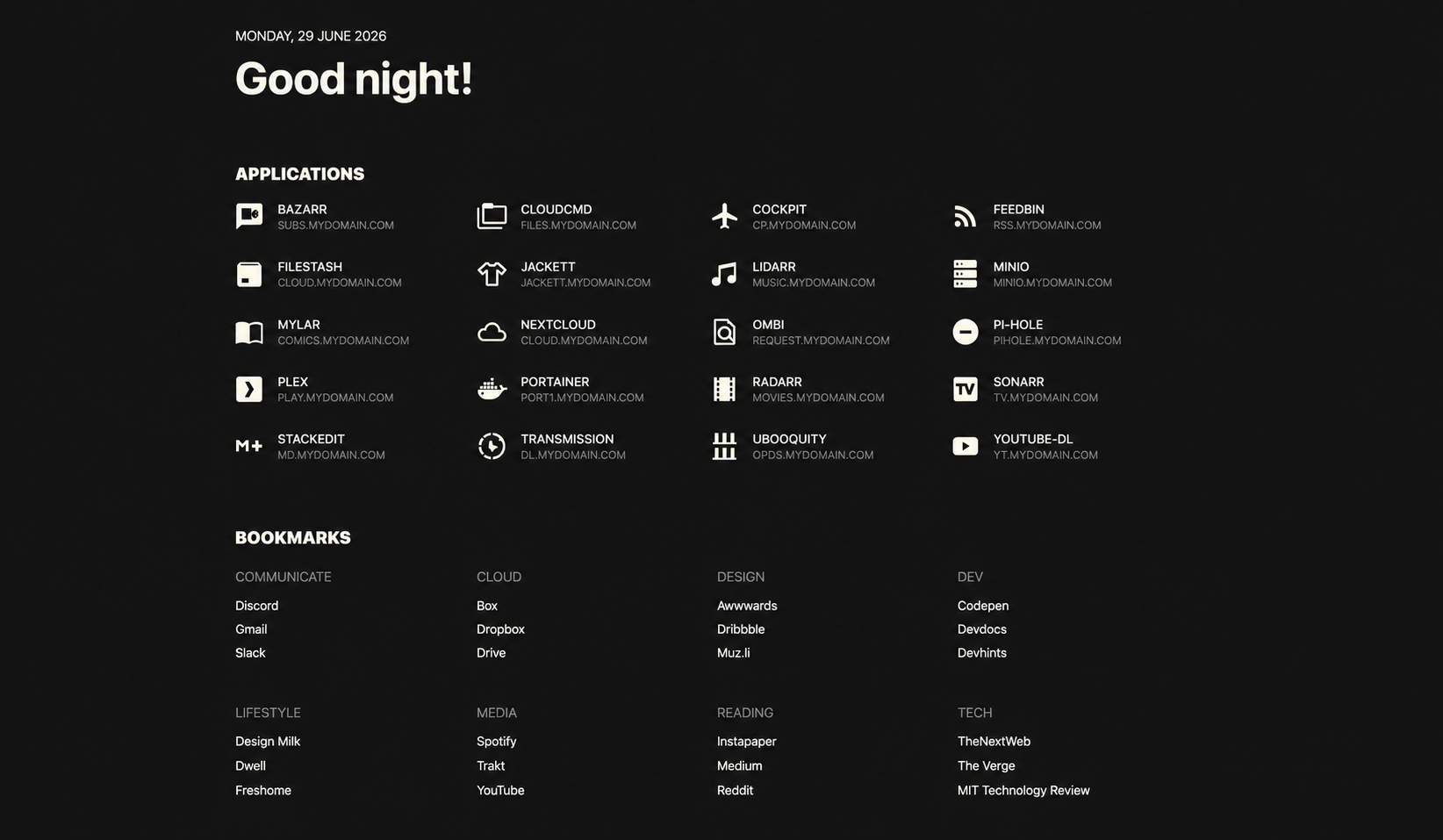
Coolify provides a centralized dashboard for managing servers, applications, databases, deployment environments, and infrastructure resources from a single interface. Developers can monitor deployments, configure applications, manage databases, and oversee multiple servers without relying on separate management tools.
Pros
- Open-source and self-hosted
- Supports Git, Docker, and Docker Compose deployments
- Advanced multi-server and environment management
- Team collaboration and role-based access controls
- Built-in support for databases, SSL, and scheduled deployments
- Highly scalable for growing projects
Cons
- Requires more server resources than lightweight alternatives
- Steeper learning curve for beginners
- Some advanced features require additional configuration and infrastructure planning
Best For
Coolify is best suited for startups, SaaS businesses, agencies, DevOps teams, and organizations managing multiple applications or production environments. It is a strong choice for users who need advanced deployment capabilities and expect their infrastructure to scale over time.
What is Dokploy?
Dokploy is an open-source deployment platform built around Docker and Docker Compose. It is designed to simplify self-hosting by providing an intuitive interface for deploying and managing containerized applications without requiring extensive DevOps experience.
The platform integrates with Git repositories, automates deployments, manages SSL certificates, and supports databases and Docker-based services. Instead of offering a large number of enterprise-focused infrastructure features, Dokploy emphasizes ease of use, making it a practical option for developers seeking a fast, straightforward deployment workflow.
Dashboard
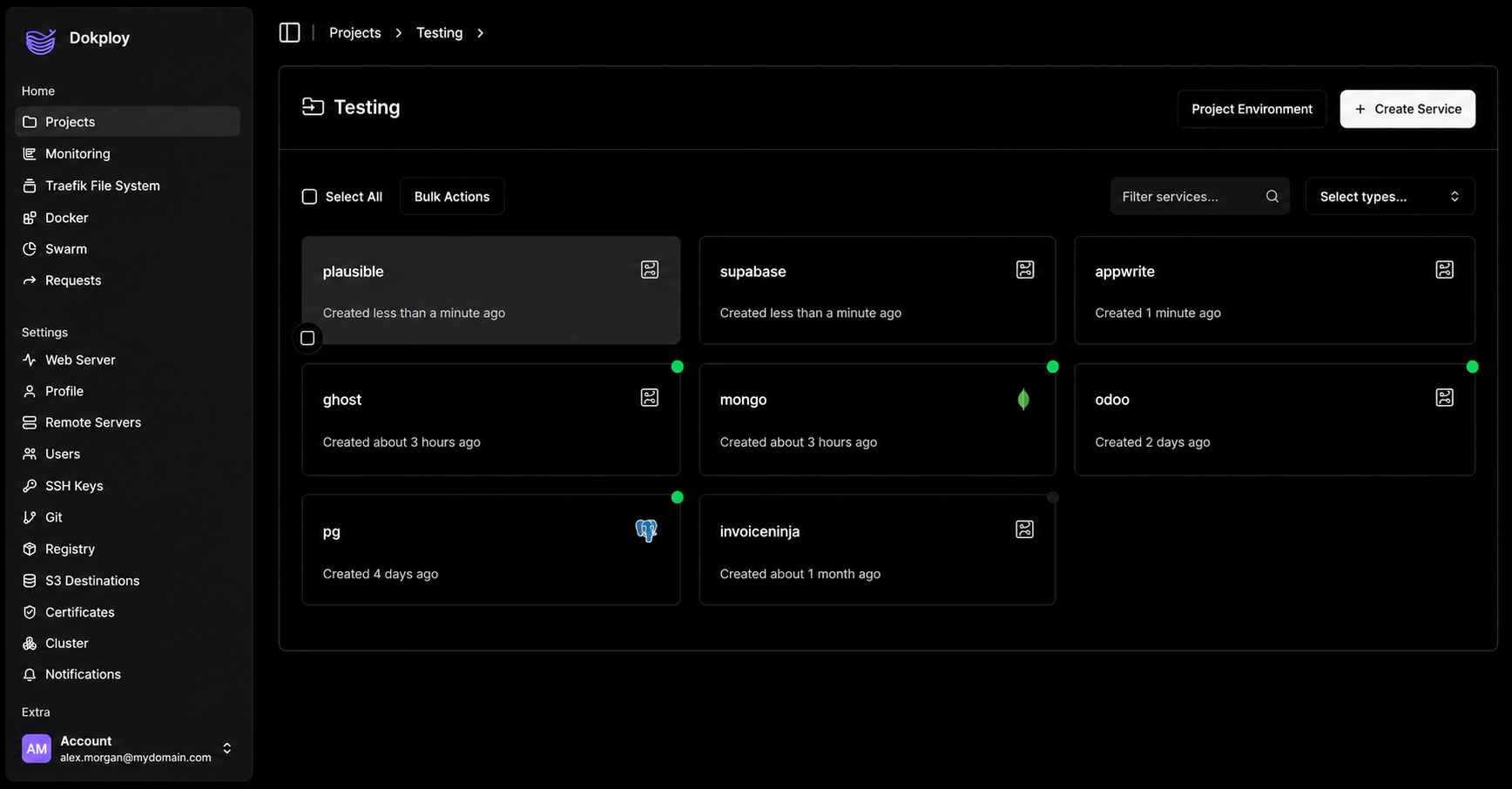
Dokploy focuses on simplicity with a clean interface designed for managing Docker deployments, applications, and services with minimal configuration. Its streamlined dashboard helps developers deploy projects quickly while keeping infrastructure management straightforward and easy to navigate.
Pros
- Lightweight and easy to install
- Beginner-friendly interface
- Native support for Docker and Docker Compose
- Git-based deployments with SSL automation
- Lower resource usage compared to more feature-rich platforms
- Quick setup for personal and small business projects
Cons
- Fewer advanced infrastructure management features
- Smaller community and ecosystem than Coolify
- Limited collaboration and enterprise capabilities compared to larger deployment platforms
Best For
Dokploy is ideal for individual developers, freelancers, hobby projects, small businesses, and teams primarily working with Docker-based applications. It is a great option for users who value simplicity, fast deployment, and efficient resource usage over advanced infrastructure management.
Coolify vs Dokploy: Feature Comparison
| Feature | Coolify | Dokploy |
| Open Source | Yes | Yes |
| Docker Support | Yes | Yes |
| Docker Compose | Yes | Yes |
| Git Deployments | Yes | Yes |
| SSL Automation | Yes | Yes |
| Database Management | Yes | Yes |
| Team Collaboration | Advanced | Basic |
| Multi-Server Management | Advanced | Available |
| Resource Usage | Moderate | Lower |
| Learning Curve | Moderate | Easy |
| Scalability | High | Medium |
Winner
If your priority is scalability, infrastructure management, and collaboration, Coolify has the advantage.
If your goal is simplicity, lightweight performance, and fast deployment, Dokploy is the stronger choice.
Which Platform Should You Choose?
| Use Case | Recommended Platform |
| Personal Projects | Dokploy |
| Small Websites | Dokploy |
| Docker-Only Workloads | Dokploy |
| Freelancers | Dokploy |
| Growing SaaS Startup | Coolify |
| Agency Hosting | Coolify |
| Multi-Server Deployments | Coolify |
| Team Collaboration | Coolify |
| Long-Term Scalability | Coolify |
Quick Recommendation
Both Coolify and Dokploy are excellent self-hosted PaaS platforms, but the right choice depends on your deployment needs, technical experience, and future growth plans.
Choose Coolify if you're building applications that are expected to grow or if you're managing multiple services, servers, or team members. It offers more advanced infrastructure management, collaboration features, and scalability, making it well-suited for SaaS products, ecommerce platforms, agencies, and production environments. For instance, if your startup runs a Laravel API, a Next.js frontend, PostgreSQL, Redis, and background workers across multiple environments, Coolify provides the tools to manage those services more efficiently from a single dashboard.
Choose Dokploy if you want a lightweight deployment platform that's easy to install and manage. It's an excellent option for individual developers, freelancers, hobby projects, and small business websites that primarily use Docker or Docker Compose. For example, if you're deploying a personal portfolio, a WordPress site in Docker, or a small Node.js application, Dokploy provides a fast and straightforward deployment experience without requiring extensive infrastructure management.
In short: If your priority is simplicity and lightweight Docker deployments, Dokploy is likely the better fit. If your priority is scalability, collaboration, and long-term infrastructure management, Coolify is the stronger choice.
The Real Challenge: Infrastructure
When comparing Coolify vs Dokploy, many developers focus entirely on software features. However, the deployment platform is only one part of the equation.
Both platforms require reliable infrastructure to deliver good performance. The deployment platform acts as the control plane, while the VPS provides the CPU, RAM, storage, and bandwidth that power your applications.
A poorly sized server can create bottlenecks regardless of which platform you choose. That's why selecting the right VPS plan is just as important as choosing the deployment software itself.
Optimized VPS Plans for Coolify and Dokploy
Note: The following VPS plans are infrastructure packages optimized for running Coolify and Dokploy deployments. They are not official subscription plans offered by the Coolify or Dokploy projects.
| Plan | Best For | RAM | vCPU | Storage | Price |
| Edge | Small projects and development environments | 4 GB | 1 | 50 GB | $4.95/mo |
| Peak | Growing websites and ecommerce stores | 8 GB | 2 | 100 GB | $6.95/mo |
| Power | Agencies and SaaS applications | 16 GB | 3 | 200 GB | $9.95/mo |
| Supreme | Multiple production applications | 32 GB | 4 | 400 GB | $19.95/mo |
Best VPS Choice by User Type
| User Type | Best VPS Choice |
| Individual Developer | Edge (Dokploy) |
| Freelancer | Edge or Peak (Dokploy) |
| Small Business Website | Peak (Dokploy or Coolify) |
| Ecommerce Store | Peak (Coolify) |
| SaaS Startup | Peak or Power (Coolify) |
| Agency | Power (Coolify) |
| Multiple Production Applications | Supreme (Coolify) |
| High-Traffic Workloads | Supreme (Coolify) |
Recommendation
- For Dokploy users, the Edge plan is usually sufficient for personal projects, development environments, and lightweight Docker deployments.
- For Coolify users, starting with the Peak plan is recommended. Coolify's management services, databases, and deployment builds can create additional CPU load, making the extra resources valuable.
- Power is ideal for agencies and growing SaaS businesses.
- Supreme is designed for large-scale deployments and multiple production workloads.
Final Verdict
There is no universal winner in the Coolify vs Dokploy comparison.
If your priority is simplicity, lightweight resource usage, and Docker-focused workflows, Dokploy is the better choice. It provides an easy-to-use deployment experience and works particularly well for individual developers and smaller projects.
If you need advanced deployment management, team collaboration, and long-term scalability, Coolify is the stronger option. It is better suited for startups, agencies, SaaS products, and teams managing multiple applications.
Ultimately, the best platform is the one that aligns with your workflow, technical requirements, and future growth plans. Pairing either platform with reliable VPS infrastructure will provide the foundation needed for performance, uptime, and scalability.
Frequently Asked Questions
Is Coolify better than Dokploy?
Not necessarily. Coolify offers more advanced infrastructure management and scalability, while Dokploy focuses on simplicity and ease of use.
Which platform is easier for beginners?
Dokploy generally has a simpler learning curve and is easier for new users to adopt.
Can I host multiple applications on both platforms?
Yes. Both Coolify and Dokploy support multiple application deployments on the same server.
Which platform is better for startups?
Startups typically prefer Coolify because of its collaboration tools, infrastructure management capabilities, and scalability.
What VPS size should I start with?
For Dokploy, a 4 GB VPS is often sufficient for personal projects and lightweight deployments. For Coolify, an 8 GB VPS is generally recommended to provide additional resources for platform services, databases, and deployment builds.
Can I migrate from Dokploy to Coolify later?
Yes, but the process is not fully automated. While Docker-based applications can usually be transferred easily, databases, storage volumes, SSL certificates, environment variables, and deployment settings often require manual migration.
Which platform uses fewer server resources?
Dokploy is generally considered more lightweight and resource-efficient than Coolify.
About the Author: Jason-Pat
Founder & CTO at AccuWebHosting.com. He shares his web hosting insights at AccuWebHosting blog. He mostly writes on the latest web hosting trends, WordPress, storage technologies, Windows and Linux hosting platforms.